Disclosure: This website uses affiliate links; I may earn commissions at no extra cost to you. Learn more.
Why I Backed Down From My Self-Hosting Soapbox
I moved my main revenue-generating blog to WordPress.com after ten years of preaching the absolute necessity of self-hosting.
My aging server setup had started eating my calendar, and I needed to find out if the managed alternative was a genuine lifesaver or just a restrictive cage.
I was the guy who built custom virtual private servers. I configured my own databases and laughed at anyone paying for managed hosting.
Then came a Sunday morning that broke me. It was exactly 2:14 AM when my main server went completely dark.
I spent four miserable hours debugging a corrupted database tables issue. I missed my morning run, drank four cups of stale coffee, and ended up fixing a tiny plugin conflict that should never have happened.
I was exhausted. I was also incredibly angry.
I realized my time was worth more than the money I was saving on a cheap VPS. I decided to run a real experiment.
I pulled out my credit card and paid for a WordPress.com Creator plan. I wanted to see if a managed system could actually handle a professional writer’s workflow without driving me crazy.
The Quick Summary: What Broke My Assumptions
My hands-on test shattered several long-held myths about the limitations of WordPress.com. The platform has changed completely from the simple blogging service I remembered from a decade ago.
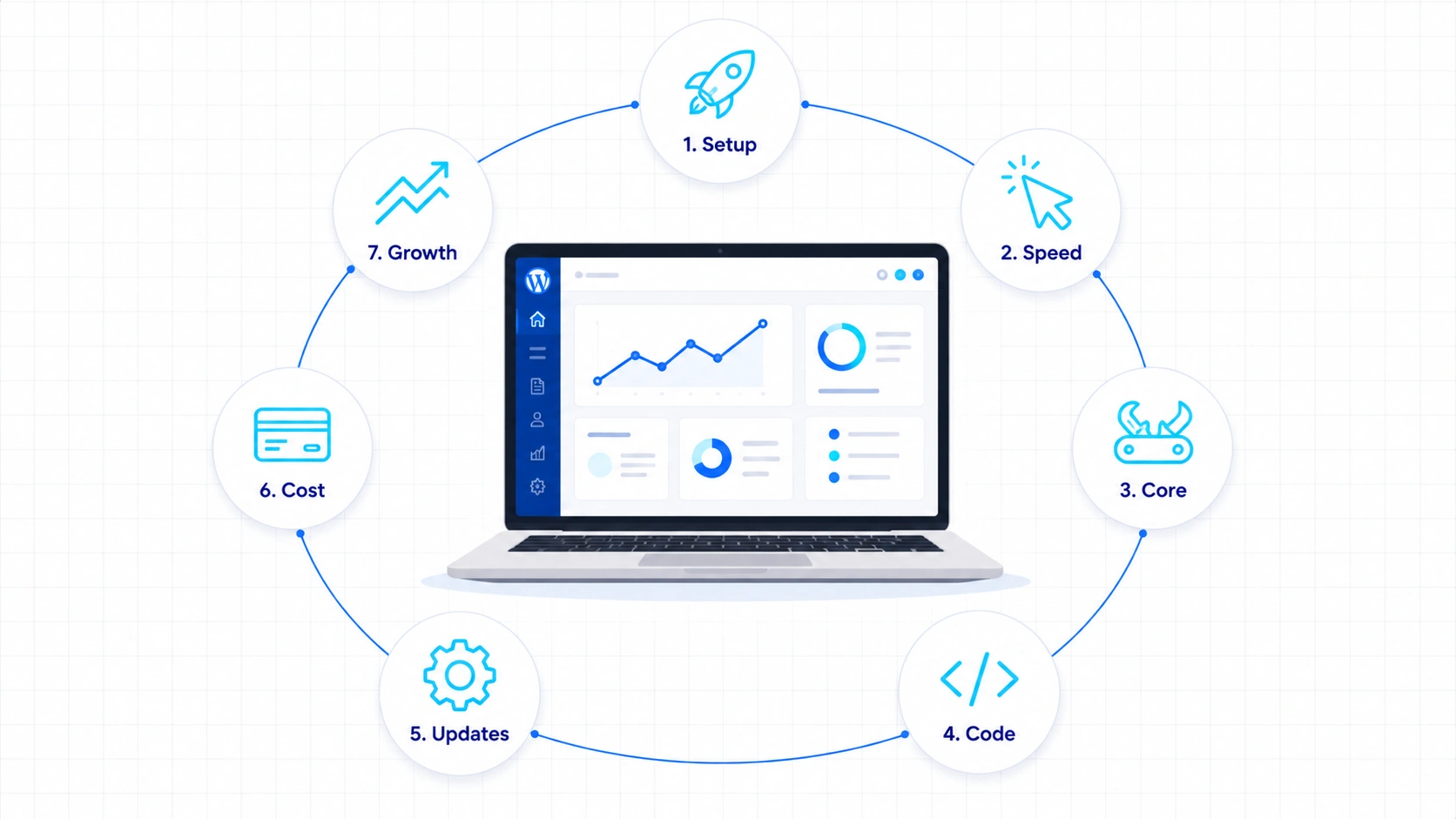
Here is a quick look at the seven major surprises I experienced during my transition:
| My Old Assumption | The Real Discovery | The Business Impact |
|---|---|---|
| Setup takes hours. | My site was live in under ten minutes. | I wasted almost no time getting started. |
| The editor will lag. | Gutenberg felt faster than my self-hosted setup. | I spent more time writing and less time waiting. |
| I need thirty plugins. | Most core features worked out of the box. | My site stayed lean with far less plugin bloat. |
| Code is heavily locked. | The Creator plan gave me far more flexibility than I expected. | I could still use custom themes and plugins for my workflow. |
| Maintenance is unavoidable. | Updates, backups, and security happened automatically. | I focused on publishing instead of maintaining my website. |
| The plans are too pricey. | The total cost replaced several paid services I already used. | My overall expenses actually made more sense. |
| I must always self-host. | My time turned out to be more valuable than total server control. | I gained more hours to create content and grow my business. |
Surprise #1: The Setup Was Much Faster Than I Expected

The Expectation: Preparing for the Usual DNS Nightmare
I expected to spend at least an hour pointing DNS records, uploading files via SFTP, and waiting for my SSL certificate to register.
I assumed the onboarding wizard would force me into some ugly default template that I would have to spend hours deleting.
On my old self-hosted setups, this process was always a chore. I had to manually configure server blocks and run terminal commands.
I prepared myself for a slow and frustrating afternoon of waiting for global servers to update. I even kept my terminal window open just in case.
The Reality: Instant Domain Connection
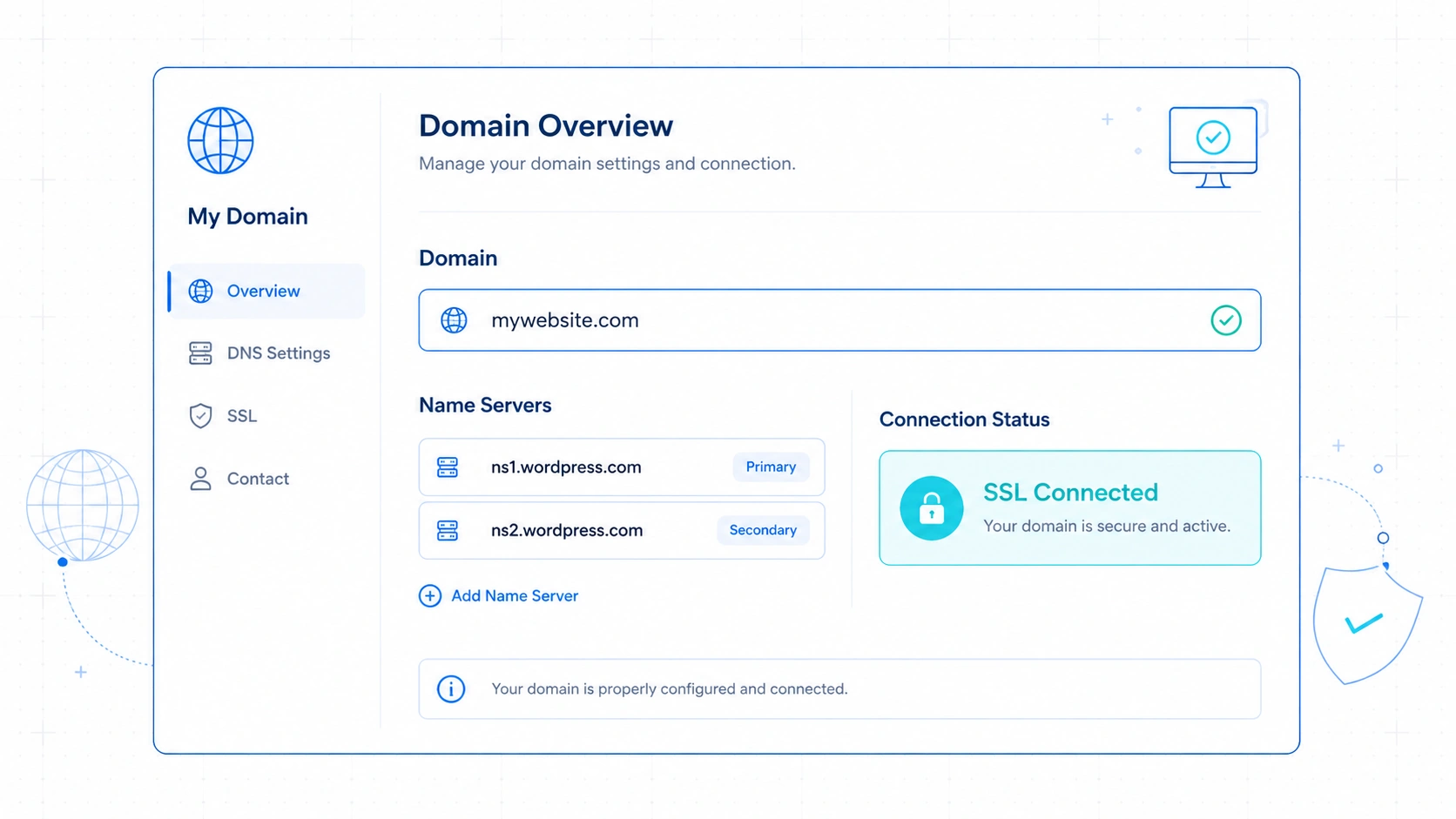
The onboarding system connected my custom domain and active SSL certificate in under ten minutes. I did not have to touch a single server command line or wait for global database updates.
The dashboard gave me two simple nameserver records to change at my domain registrar.
I made the swap, clicked verify, and the site was instantly live.
There was no waiting for security certificates to load.
The system had already generated a clean SSL setup before I could even finish my coffee.
Why This Surprised My Inner Geek
I was shocked because DNS propagation has always been the slowest part of building websites.
From my observation, the platform managed to provision a secure SSL setup without any of the typical manual configuration delays.
I did not have to deal with Cloudflare routing rules or SSL handshake errors. Everything just worked on the first click.
It made me realize how much unnecessary friction I had accepted as normal. I was treating basic setup chores as a badge of honor.
Who Needs to Care About This Instant Onboarding
Freelancers who build sites for client handoffs need to pay close attention to this speed.
You can deliver a fully secured staging environment to a client in minutes rather than days.
It also matters for busy marketers who need to launch fresh landing pages without waiting for an IT department to configure a server.
Surprise #2: The Editor Felt Smoother Than My Self-Hosted Sites
The Expectation: Clunky Cloud Editing
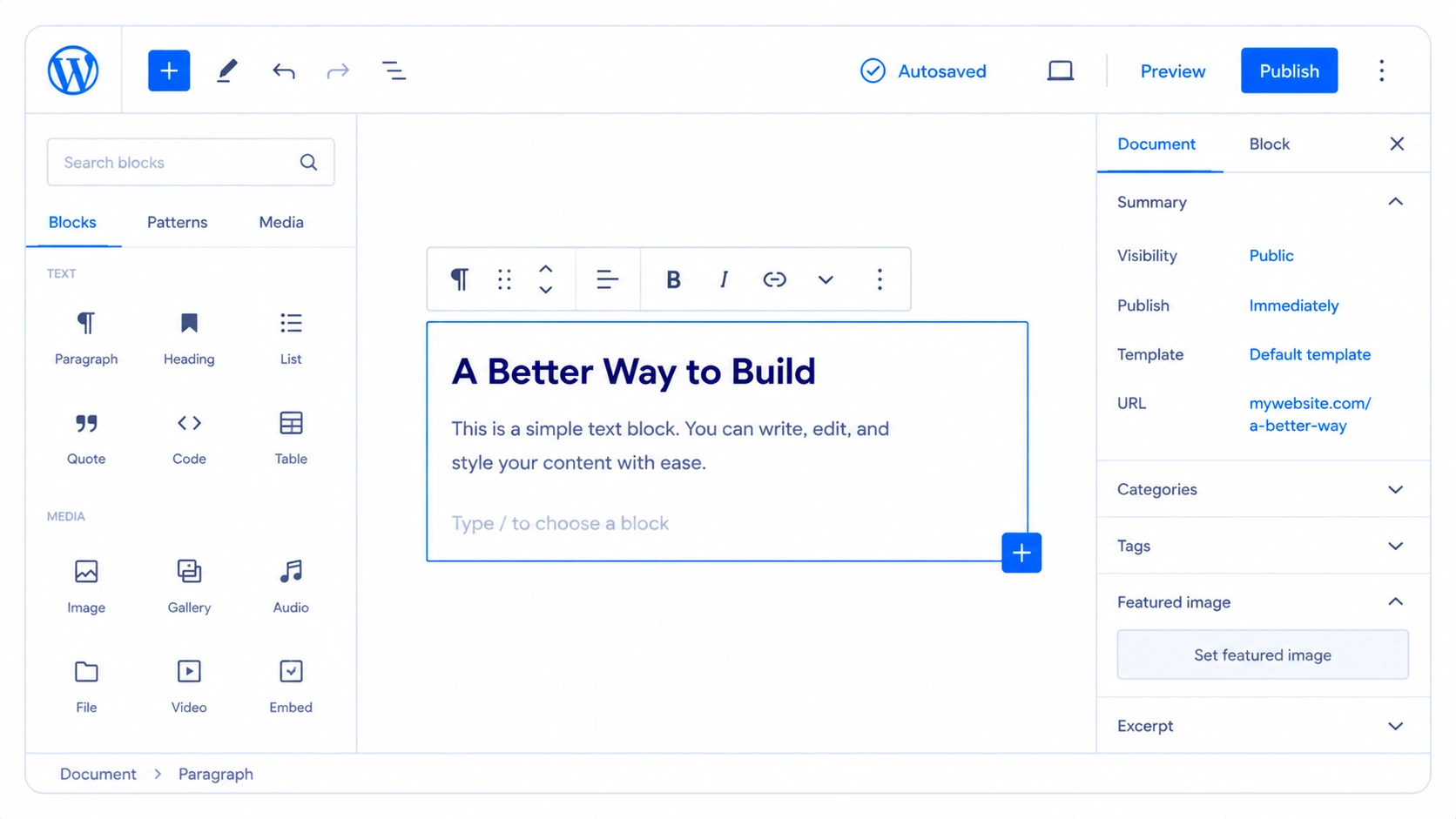
I expected the block editor to lag because of cloud server overhead and shared hosting environments.
I assumed my custom-tuned local setups would easily beat a managed cloud dashboard in daily speed.
I was used to the block editor freezing when I uploaded large media files. I expected the same frustrating performance on a managed platform.
I believed that self-hosted servers always gave better backend performance because you control the resources.
I was prepared to write my drafts in external markdown editors to avoid the lag.
The Reality: Real-Time Speed and Zero Lag
The writing interface ran faster and felt more responsive than my optimized self-hosted setups.
Large images processed in the background without locking my cursor or causing screen freezes.
The autosave function worked in real-time without causing block editor lag. I could paste massive text blocks without watching the spinning wheel of death.
Media uploads happened almost instantly. The system optimized my images on the fly without making my browser window unresponsive.
Why This Surprised Me After Optimizing VPS Servers
I have spent hundreds of dollars on premium database optimization plugins and caching tools for my VPS.
In my experience, the platform kept things running remarkably fast.
It made me realize that my custom server optimizations were actually producing worse results than their setup.
I stopped worrying about database bloat while writing. The backend remained fast even with multiple post drafts open.
Who Benefits From a Responsive Writing Workspace
High-volume bloggers and content creators who write thousands of words every day will benefit immediately from this speed.
Eliminating micro-lags keeps you in the creative zone.
It also helps publishers who manage remote writers.
Your team can write directly in the dashboard without complaining about lag or losing their drafts.
Surprise #3: I Missed Fewer Plugins Than Expected
The Expectation: The Heavy Plugin Dependency
I expected to immediately install at least thirty different plugins just to make the site functional and secure.
I assumed I would feel restricted without my usual stack of security, backup, and speed utilities.
My old self-hosted site required a massive list of third-party tools to run safely.
I had separate plugins for image compression, security scanning, backup schedules, and speed optimization.
I thought moving to a managed service would mean losing control over these essential functions.
I expected to spend days looking for workarounds.
The Reality: Built-In Core Features
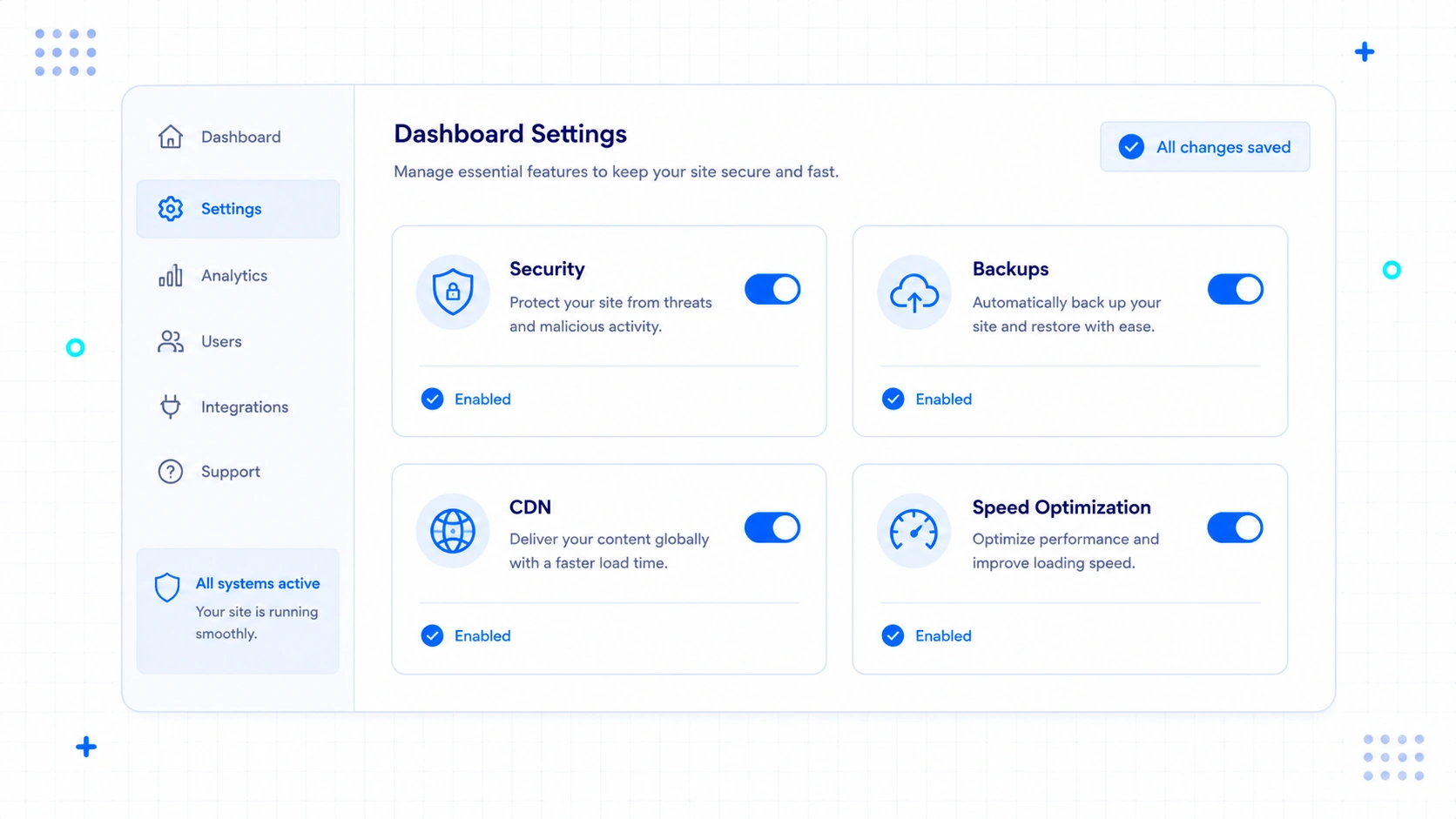
During my testing, the core system handled security, speed, backups, and media optimization natively without requiring extra plugins. I ended up installing only four highly specialized plugins for my specific business needs.
From what I observed, the built-in Jetpack integration and platform security took care of almost everything.
My site was fast, secure, and backed up automatically from day one.
I noticed the platform served files seamlessly without me having to configure separate delivery systems.
Why This Surprised a Plugin Hoarder
I was shocked by how clean my plugin dashboard looked.
I was so used to managing updates for dozens of tools that having only four active plugins felt almost wrong.
It made me realize how much bloat I was tolerating on my self-hosted sites.
Fewer plugins meant fewer software conflicts and a much cleaner database.
My site loaded in under a second without any optimization plugins. I did not have to spend hours configuring script deferrals or database cleanups.
Who Needs to Re-evaluate Their Plugin Stack
Affiliate marketers and small business owners who want to avoid software conflicts should look at this. You can run a professional site without maintaining a dangerous list of outdated plugins.
It is also perfect for anyone who is tired of paying multiple subscription fees for backup and security plugins.
- No Backup Plugins Needed: In my experience, backups were managed automatically without any extra setup.
- No Security Suites Needed: Security and threat protection appeared fully active right from the start.
- No Image Optimizers Needed: I noticed images were compressed and optimized on the fly automatically.
- No Caching Utilities Needed: Page caching worked smoothly without any manual configuration on my end.
Surprise #4: The Biggest Limitation Wasn’t What I Expected
The Expectation: Code Restrictions and Rigid Themes
I expected the main restriction to be a total lack of custom code and theme modification options. I assumed I would be locked into a rigid system where I could not edit PHP files or upload custom designs.
Most people associate managed platforms with restricted builders that block custom code. I expected to hit a wall the moment I wanted to add a custom script.
I thought the system would treat me like a beginner who could not be trusted with file access. I was prepared to fight the interface for basic customizations.
The Reality: High Code Freedom but Restricted Server Access
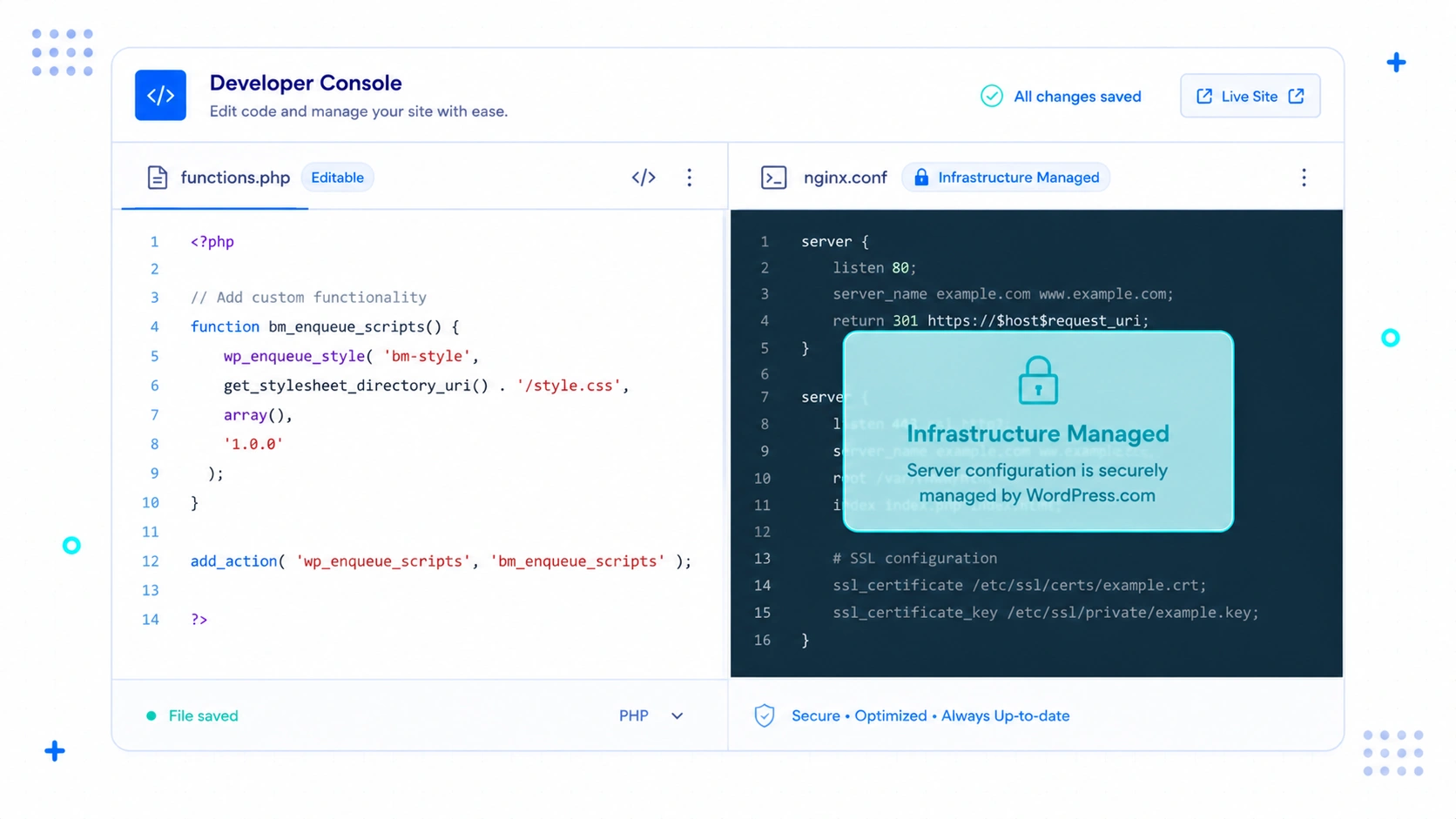
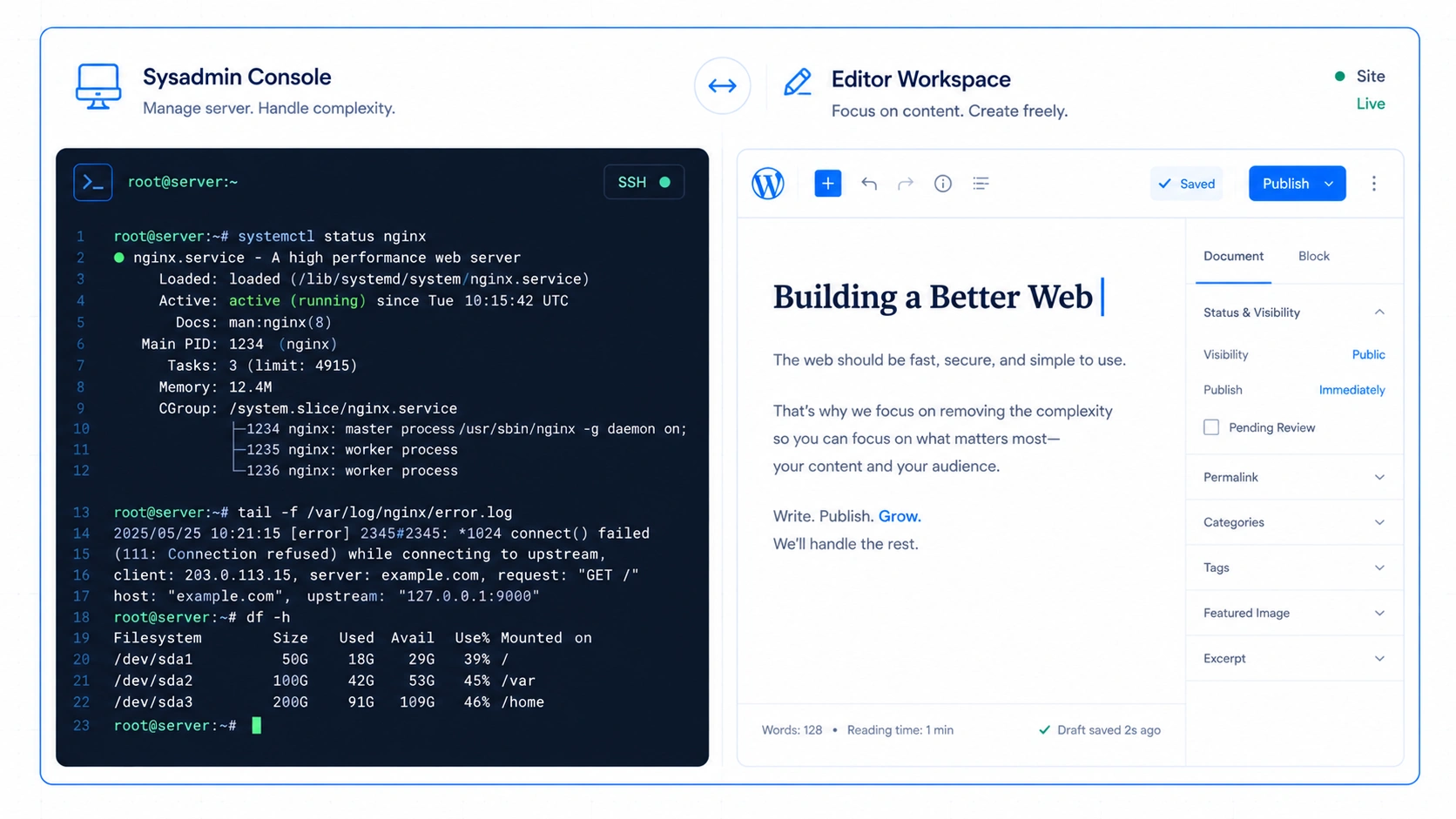
I could upload custom themes, write PHP hooks, and use database tools on the Creator plan. The actual restriction was simply the inability to access the raw Nginx server configuration files or use custom SSH commands.
I could write custom functions and edit stylesheets exactly like I did on my self-hosted site.
The platform did not block my custom code or limit my theme choices.
But I could not modify the server-level caching rules or install custom software packages on the server. The raw infrastructure is completely managed and off-limits.
Why This Surprised My Development Flow
It surprised me because the marketing around self-hosting always claims that managed platforms kill code flexibility. In reality, the code is open, but the infrastructure is protected.
I realized that ninety percent of my custom coding was happening inside the theme files anyway. I rarely needed to edit server configuration files to build a great website.
The boundary was actually helpful. It prevented me from breaking the server while still letting me build what I wanted.
Who Should Keep an Eye on This Boundary
Advanced developers who build highly custom web applications with unique server-level dependencies should be careful. If your site requires custom server modules, you will still need a raw virtual private server.
However, if you are building standard business sites, the code access on the Creator plan is more than enough.
Surprise #5: Maintenance Almost Disappeared
The Expectation: Periodic Crashes and Unstable Updates
I expected automated background updates to occasionally break my custom layout or cause plugin conflicts. I assumed I would still need to monitor the site daily and perform manual rollbacks.
On my self-hosted sites, clicking “Update” was always a tense moment.
I had to create a manual backup and hope the site did not display a white screen of death.
I expected the managed updates to be just as risky. I assumed I would still be the one fixing broken elements on weekends.
The Reality: Silent Background Updates
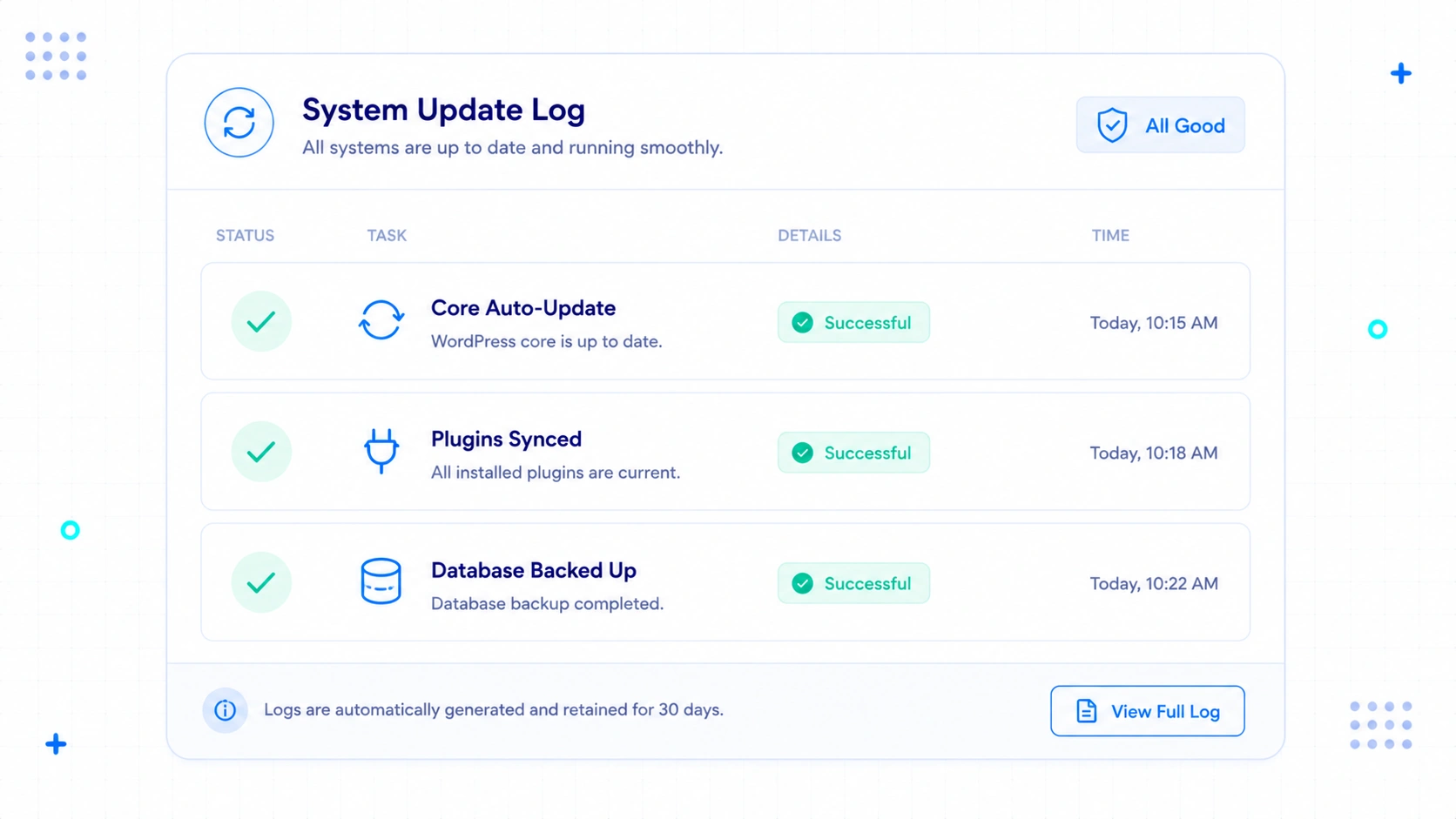
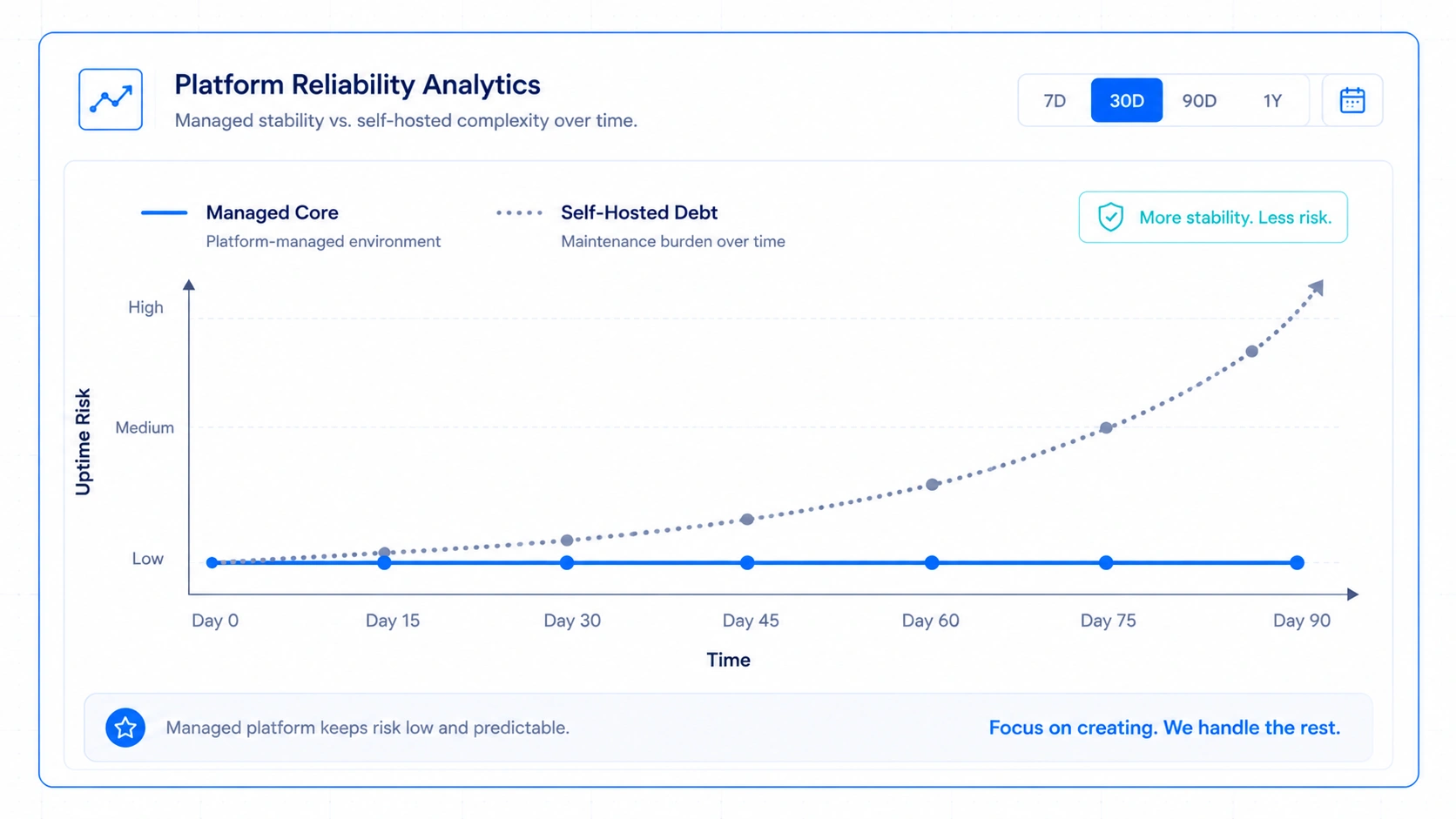
The platform updated the core software and my plugins silently in the background without causing a single error. My site stayed fully online and functional through multiple major releases.
In my experience, updates occurred smoothly without introducing compatibility issues. I did not experience a single layout shift or broken link.
I stopped checking my site every morning to see if it had crashed overnight. The daily maintenance chore simply vanished from my calendar.
Why This Surprised an Anxious Web Admin
I was so used to server anxiety that losing the maintenance chore felt strange. I had to unlearn the habit of constantly checking error logs and database sizes.
It felt as if the platform took over the role of my systems administrator. I saved at least five hours of tedious technical work every single week.
My weekends became mine again. I could focus on writing instead of updating software.
Who Needs to Stop Doing Server Maintenance
Solo creators and small business owners who do not have a dedicated IT department need to hand this over. Your time is too valuable to spend on software updates and server security patches.
Agencies managing dozens of client sites can also save hundreds of hours of unbillable maintenance work.
Surprise #6: The Pricing Made More Sense After Using It
The Expectation: Overpriced Hosting Plans
I expected the monthly price of the Creator plan to feel like an expensive and unnecessary luxury.
I assumed my cheap ten-dollar VPS was always the smarter financial choice for a bootstrapped business.
I looked at the pricing table and compared it directly to raw server costs.
It seemed overpriced when compared to basic cloud hosting.
I did not factor in the cost of my time or the price of premium helper tools. I was looking only at the hosting bill.
The Reality: Hidden Savings on Third-Party Tools
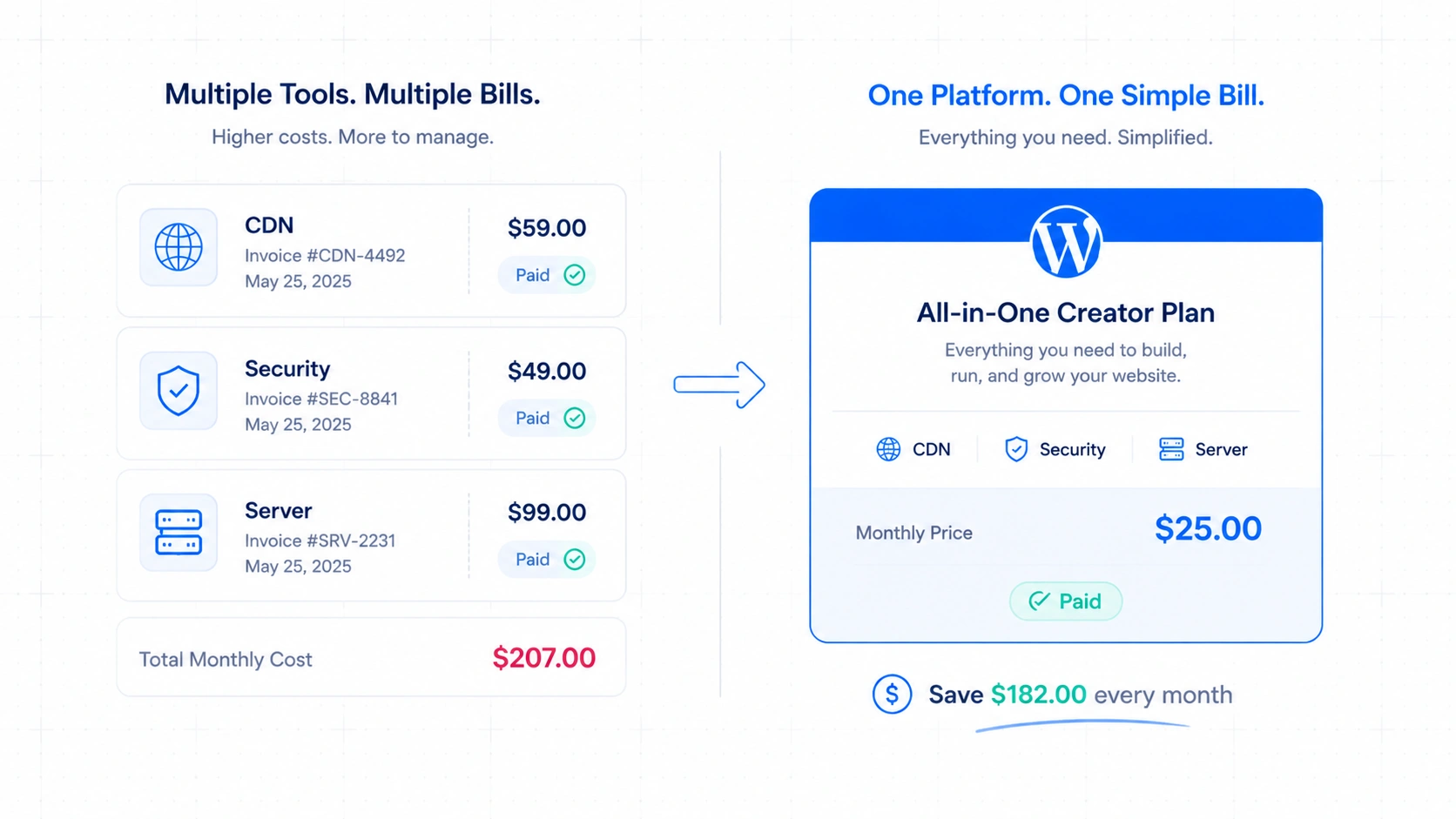
The annual fee became incredibly cheap once I subtracted the cost of premium backups, security services, and CDN delivery. I saved money by consolidating my entire web stack into one bill.
On my self-hosted site, I was paying separate monthly fees for secure backups, image compression, and premium security scans. Those tools added up to more than the cost of the Creator plan.
Here is how the real costs compared when I looked at the actual receipts:
| Cost Element | Self-Hosted Stack (My Old Way) | WordPress.com Creator Plan |
|---|---|---|
| Raw Hosting | $12/month | Included |
| Automated Backups | $5/month | Included |
| Premium Security | $9/month | Included |
| CDN & Performance Optimization | $10/month | Included |
| Technical Maintenance Time (Estimated) | ~$150/month | Included (Managed) |
| Total Estimated Cost | ~$186/month | ~$25/month (billed annually) |
Why This Surprised My Tight Budget
I realized I was calculating hosting costs while valuing my own labor at zero dollars. I was trading hours of my life to save a few bucks on a server bill.
When I looked at the total cost of my tools, the managed plan was actually the cheaper option. It eliminated the subscription fatigue of paying five different software companies.
It made me realize that cheap hosting is often a financial trap. It looks cheap on the pricing page but costs a fortune in auxiliary tools and lost time.
Who Needs a Clear View of True Web Costs
Bootstrapped entrepreneurs who are trying to grow a real business need to see this math. You cannot scale a company if you are spending your days acting as a free systems administrator.
It is also vital for anyone who wants a predictable monthly budget without surprise bills for server resources.
Surprise #7: I Realized I Am No Longer the Ideal Customer for Self-Hosting Every Website
The Expectation: Self-Hosting for Every Project
I expected to finish my test and immediately return to my self-hosted virtual private servers. I assumed I would always prefer the absolute freedom of managing my own web infrastructure.
I thought self-hosting was the only respectable way for a technical professional to build a site. I had built my identity around being a developer who didn’t need managed platforms.
I expected to view WordPress.com as a stepping stone for beginners. I assumed I would quickly outgrow its features.
The Reality: Choosing Efficiency Over Infrastructure
I chose to leave my primary content sites on the managed platform because it made my business more efficient. I realized I did not need raw server access to write articles and collect email signups.
I only need server-level control when building complex custom databases or non-standard web applications. For publishing and marketing sites, self-hosting is an unnecessary burden.
My priorities changed from wanting absolute technical control to wanting maximum business efficiency. The platform gave me the freedom to focus entirely on my audience.
Why This Surprised My Professional Identity
It forced me to let go of my identity as a tech tinkerer who builds everything from scratch. I had to admit that my business grows from publishing great content, not from running a server.
It was a humbling realization. I had spent years defending self-hosting when I could have been growing my business faster on a managed platform.
I stopped seeing managed hosting as a beginner tool. I now see it as a smart business shortcut for professionals who value their time.
Who Needs to Rethink Their Hosting Choice
Experienced web developers who are running standard blogs or affiliate sites need to ask themselves hard questions. Are you self-hosting because your business needs it, or just because you know how to do it?
If your website is primarily a vehicle for content and sales, you might be holding yourself back by playing sysadmin.
Framework #1: The Hostage Hour Spiral
The Hostage Hour Spiral explains how a simple five-minute website change drags you into a multi-hour technical crisis. It is the hidden price of managing your own self-hosted infrastructure without a dedicated support team.
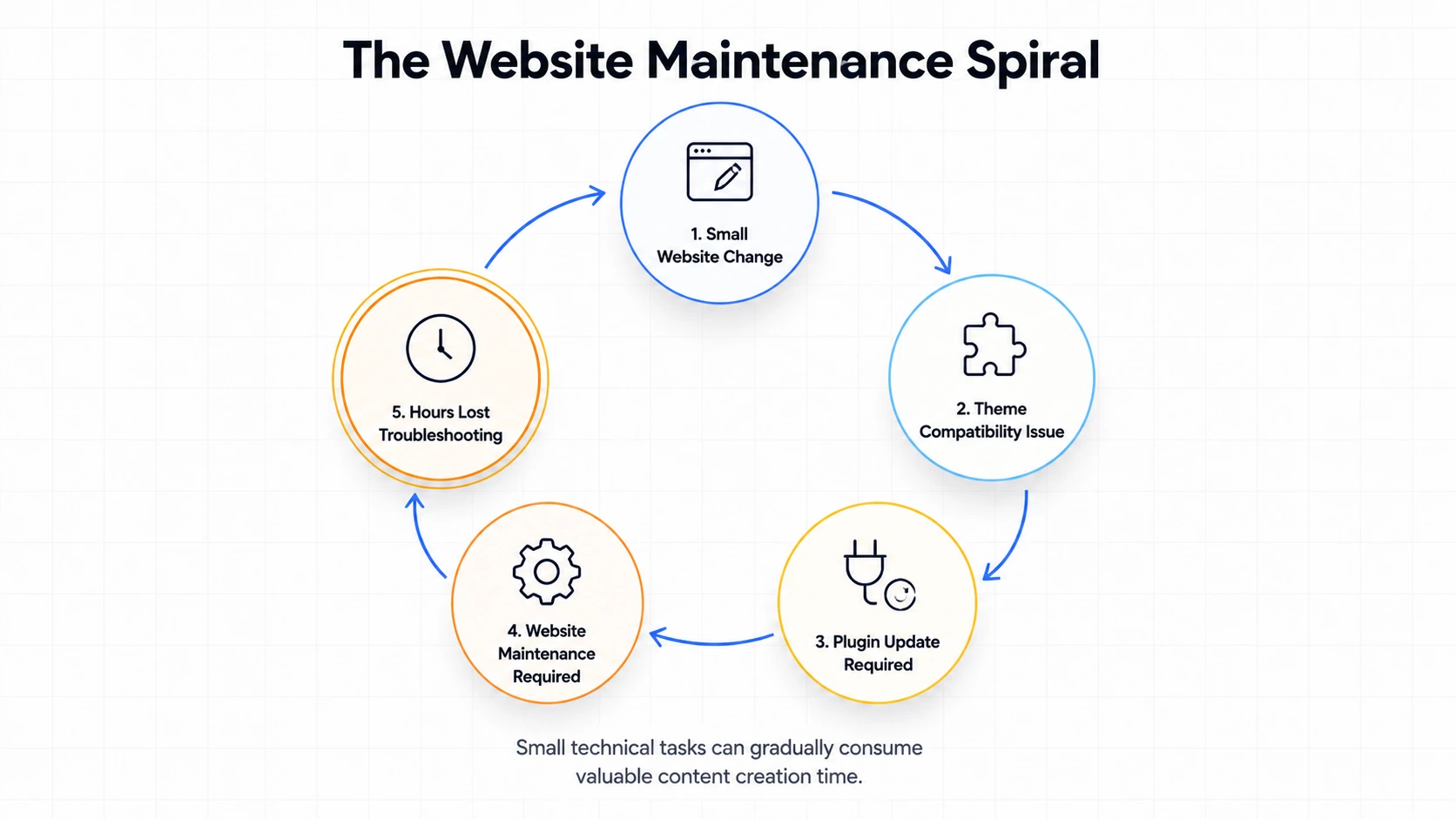
This spiral always starts with an innocent task.You want to adjust a layout margin or update a single plugin.
But because you own the server, a tiny code mismatch can trigger a chain reaction that takes your entire site offline.
You spend your productive hours reading server forums instead of writing content or making sales.
When you switch to a managed platform, you break this spiral.
The platform team manages the infrastructure, leaving you free to focus on your work.
Framework #2: The Maintenance Debt Curve
The Maintenance Debt Curve represents the compounding technical debt you accumulate by ignoring routine database and software updates. Over time, this debt grows until a single minor update crashes your entire digital business.
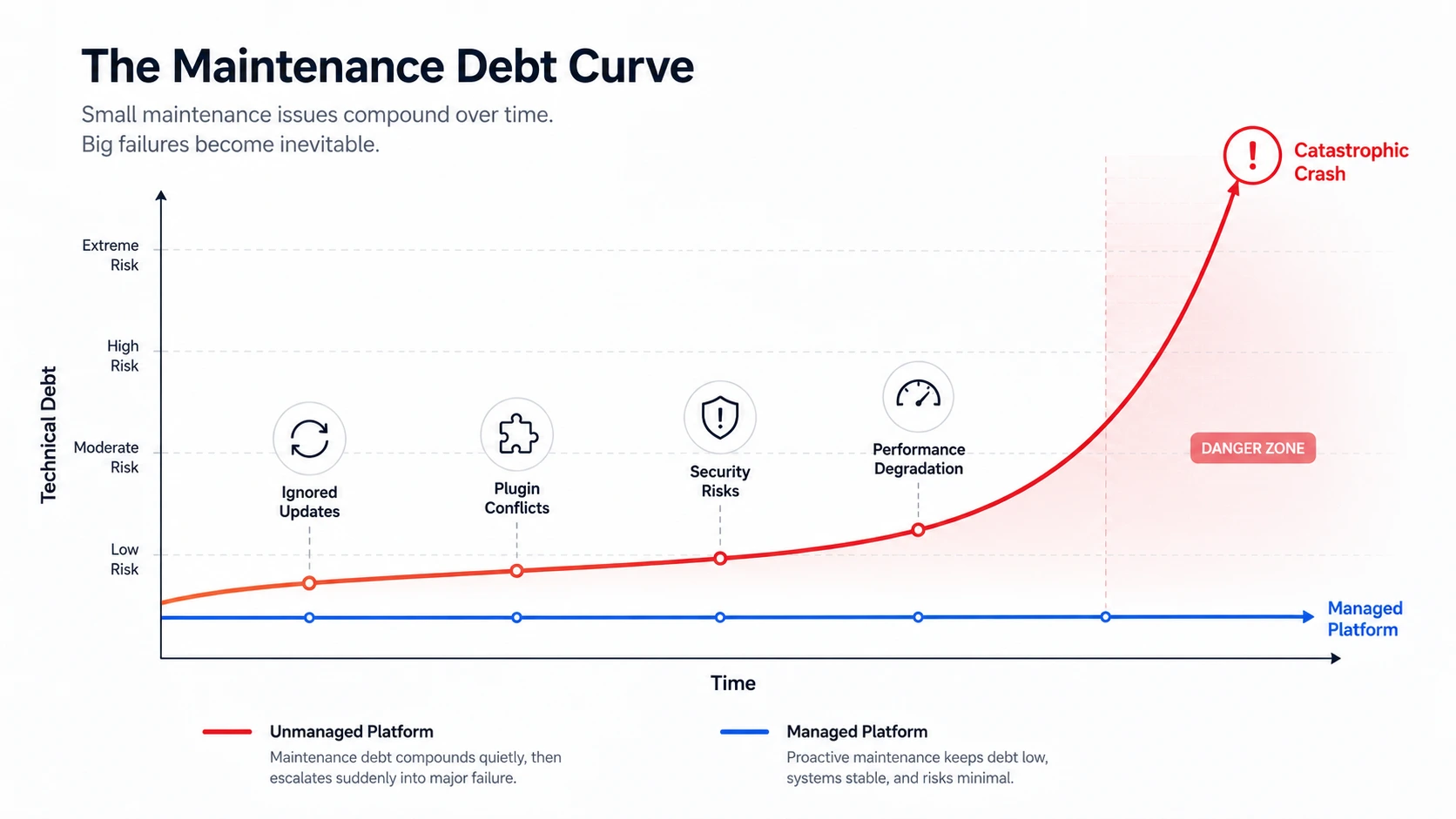
Self-hosted sites require constant attention to stay secure and fast. If you ignore updates for a few months, your site becomes vulnerable to security threats and performance issues.
When you finally decide to update, the gap between your version and the current version is too wide. The update process breaks your layout and database.
In my experience, the platform handles updates quietly in the background, keeping the site modern and secure without any accumulated maintenance debt.
Who Should Switch and Who Should Stay?
Who Should Switch to WordPress.com
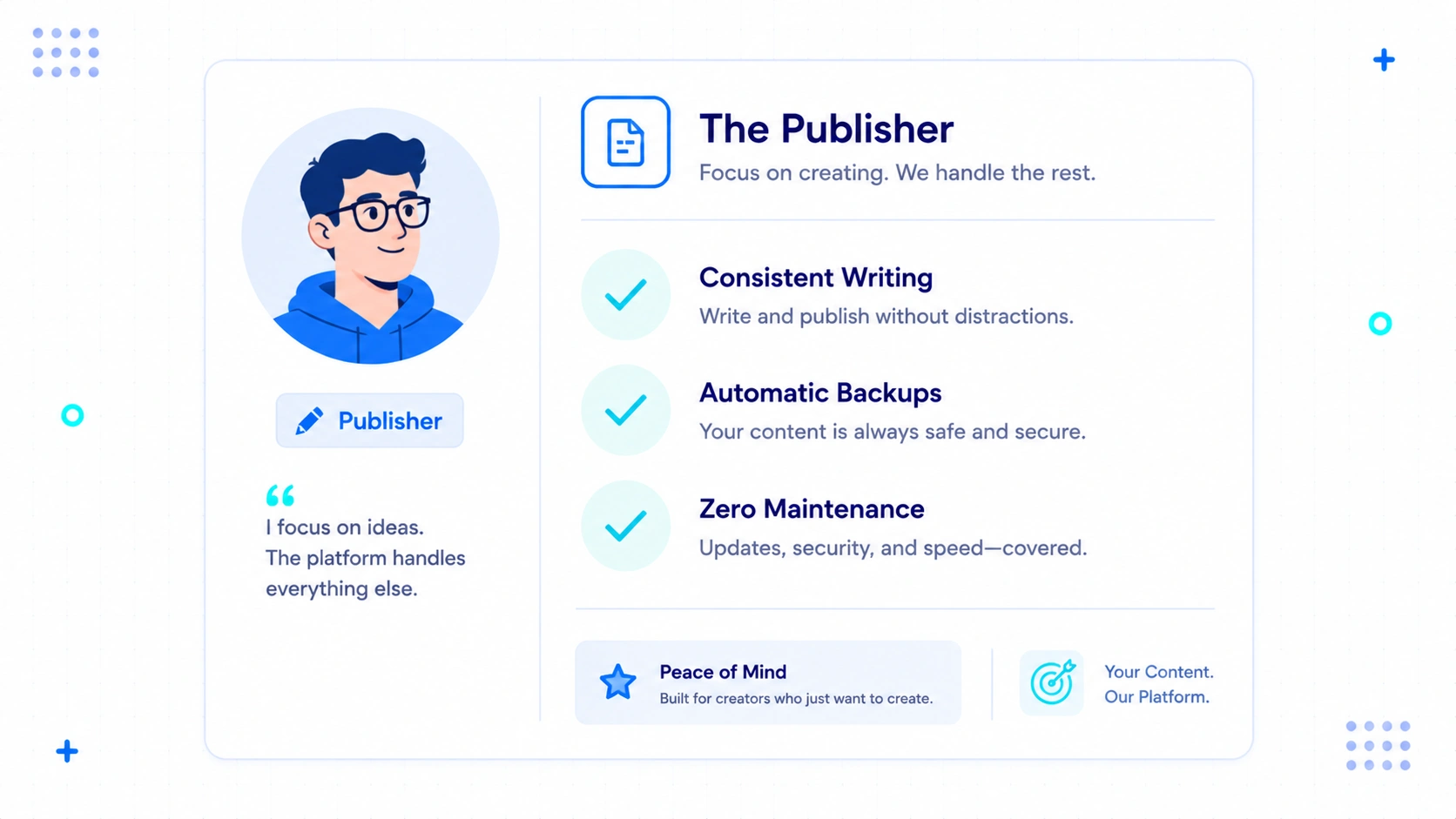
- Professional Bloggers: If your revenue depends on writing and publishing content consistently.
- Affiliate Marketers: If you need fast page load times and secure layouts without managing security plugins.
- Small Businesses: If you want a reliable web presence without hiring a full-time web developer.
- Freelancers: If you want to hand over clean, functional sites to clients without explaining server maintenance.
Who Should Stay on Self-Hosted WordPress
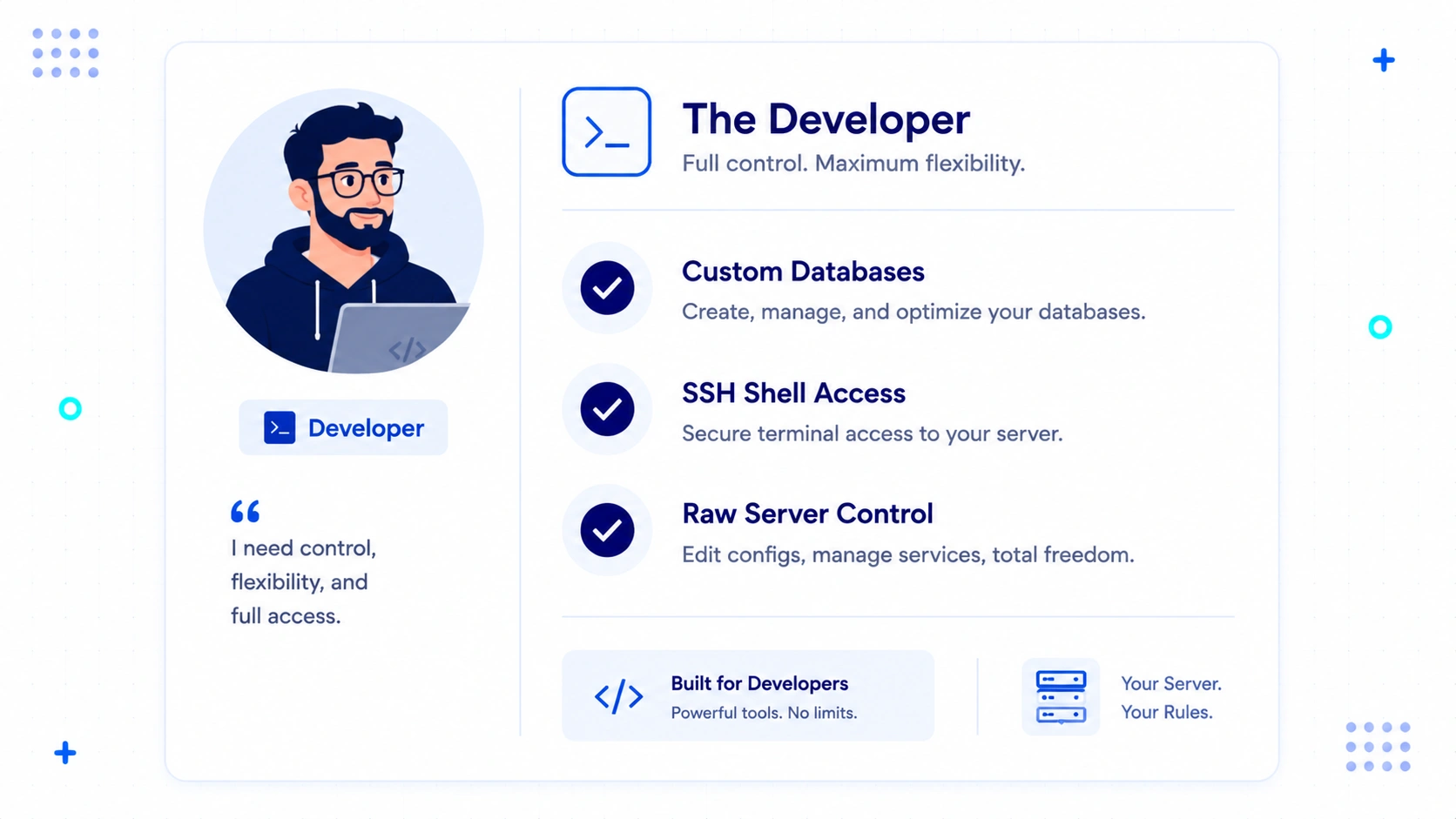
- Custom App Developers: If you are building complex web applications with unique server-level dependencies.
- Enterprise Teams with In-House IT: If you already have a dedicated team of systems administrators to monitor servers.
- High-Volume Database Users: If your site requires custom database structures and raw SQL terminal access.

About The Author
Bishnu Mahali is a blogger, content creator, and digital marketer with over seven years of experience building WordPress websites, publishing content, and testing online business tools for himself and clients. He regularly evaluates WordPress themes, plugins, hosting platforms, SEO software, and marketing solutions through hands-on projects, sharing practical insights based on real-world experience rather than theory.