Disclosure: This website uses affiliate links; I may earn commissions at no extra cost to you. Learn more.
In this ultimate HubSpot VS FluentCRM, I will help you decide which one is the right fit for your business growth.
Choosing a CRM is a massive decision. Get it right, and your business scales. Get it wrong, and you’re stuck in a tangle of tech headaches and lost data.
I’ve been there. For years, I tried to duct-tape my business together using a dozen different WordPress plugins. I thought I was saving money, but I was actually spending my most valuable resource: time.
That’s the exact crossroad you’re at if you’re comparing HubSpot CRM and FluentCRM. You’re weighing an all-in-one, industry-leading platform (HubSpot) against a powerful, self-hosted WordPress plugin (FluentCRM).
I’ve used both ecosystems extensively. In this post, I’m going to break down the exact differences, the hidden costs, and the one critical question you must answer before you choose.
You’ll see why, for almost every business that wants to grow, HubSpot’s platform, starting with its powerful free CRM, is the clear winner.
What is HubSpot CRM? The All-in-One Growth Platform
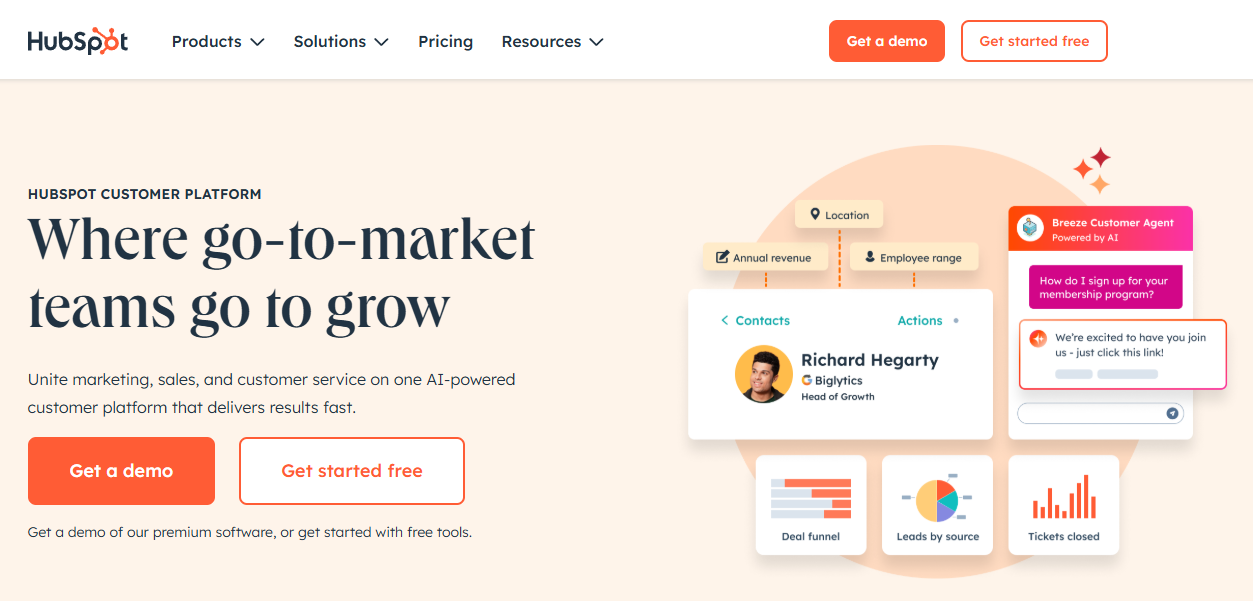
When you hear “HubSpot,” you might think of it as just a CRM. But that’s like calling an iPhone just a phone.
HubSpot is a complete “customer platform.” It’s an entire ecosystem built around a central, and 100% free, Smart CRM. This central database then connects to specialized “Hubs” for every part of your business:
- Marketing Hub: For email marketing, AI-powered content creation, landing pages, forms, and marketing automation.
- Sales Hub: For advanced deal pipelines, lead scoring, meeting scheduling, and sales automation.
- Service Hub: For customer support, ticketing systems, a help desk, and customer feedback surveys.
- Content Hub: For building your entire website on top of your CRM data.
- Data Hub: For syncing data and automating business processes.
The key here is that HubSpot is a SaaS (Software-as-a-Service). They handle all the servers, security, updates, and tech. You just log in and use it.
This HubSpot software is built to grow with you, from a one-person startup using the free CRM to a massive enterprise.
What is FluentCRM? The WordPress-Native CRM

FluentCRM is a different beast entirely. It is a self-hosted WordPress plugin.
This means it lives inside your WordPress dashboard. This is its biggest strength and its greatest weakness.
FluentCRM is designed to be a powerful email marketing automation and lightweight CRM for businesses that live exclusively on WordPress. It integrates beautifully with other WordPress plugins like WooCommerce, LearnDash, and form builders.
But here’s the critical part: you are responsible for everything.
- Performance: It runs on your website’s server. A big email list or complex automation can slow your whole site down.
- Email Deliverability: FluentCRM doesn’t send emails. It’s an automator. You still have to sign up for, and pay for, a separate sending service (an SMTP provider) like Amazon SES or SendGrid.
- Updates & Conflicts: It’s a plugin. You have to manage updates and hope it doesn’t conflict with your other 30 plugins.
It’s a powerful tool for WordPress, but it is not an all-in-one business platform.
HubSpot CRM vs FluentCRM: A Quick Comparison
The best way to see the difference is side-by-side. I’ve put HubSpot first because it’s the benchmark.
| Feature | HubSpot Customer Platform | FluentCRM (WordPress Plugin) |
|---|---|---|
| Core Product | All-in-One SaaS Platform (Smart CRM, Marketing, Sales, Service) | Self-Hosted WordPress Plugin (Email & Light CRM) |
| CRM (Free) | Yes (Extremely Powerful). Full contact management, deal pipelines, live chat, free landing pages, free AI tools. | No. The plugin itself is the “CRM.” A limited free version exists. |
| Email Marketing | Yes (Marketing Hub). Advanced builder, A/B testing, AI content. | Yes (Core Feature). Strong builder, A/B testing, good automation. |
| Marketing Automation | Yes (Marketing Hub). Visual, powerful, and can trigger based on any customer data (sales, service, etc.). | Yes. Good visual builder, but mostly limited to WordPress-based triggers. |
| Sales Pipeline | Yes (Sales Hub). A dedicated, best-in-class tool for managing deals. | No. This is a major gap. It’s not built for sales teams. |
| Help Desk / Ticketing | Yes (Service Hub). A complete ticketing system and customer service solution. | No. Requires a separate plugin (Fluent Support). |
| Hosting & Tech | HubSpot manages everything. No tech headaches. | You manage everything. Requires your server, a 3rd-party email sender, and your time. |
| Pricing Model | Freemium. Starts with a powerful free CRM. Paid plans are subscription-based. | Annual License. Starts at $129/year. Unlimited contacts, but you pay for email sending. |
| Best For | Businesses of all sizes (especially those that want to scale), B2B, and service companies. | WordPress-centric solopreneurs, bloggers, and course creators on a budget. |
The Core Difference: SaaS Ecosystem vs. WordPress Plugin
This is what you have to understand. My “aha!” moment came when I realized I was spending 10 hours a month fighting with my tech stack instead of growing my business.
FluentCRM is the “DIY” path. It’s appealing because the license fee is low and it promises “unlimited contacts.” But there are hidden costs:
- Email Sending Fees: You will pay for a service like Amazon SES. FluentCRM’s own site highlights users paying for this. This is cheap to start, but it gets technical to set up, and the cost grows with every email you send.
- Server Costs: As your list grows, you’ll need a more powerful (and expensive) server to handle the load without crashing your website.
- Your Time: When a plugin conflict breaks your automation, you are the support team. When your emails land in spam, you have to fix the DNS records.
HubSpot is the “Done-for-You” path. Yes, the paid Marketing Hub plans cost more as your list grows. But you are paying for so much more than just email.
You’re paying for:
- A world-class free CRM that’s better than most paid tools.
- Zero tech headaches. No servers, no SMTP setup, no plugin conflicts.
- Industry-leading deliverability. Your emails just get sent.
- A single, unified platform where your lead management, marketing, and customer support data all live in one place.
- An AI CRM (called Breeze) that helps you write emails, create reports, and analyze data for free.
For me, paying for HubSpot’s platform buys me back time and gives me a stable foundation to build on.
Deep Dive: HubSpot Marketing Hub & CRM Features
Let’s look at what you actually get. The HubSpot marketing tools are in a league of their own.
HubSpot’s Free CRM: More Than Just Contacts
This is HubSpot’s secret weapon. The HubSpot Free CRM is not a “free trial.” It’s a 100% free, permanent platform that includes:
- Full Contact Management: Track every interaction with a contact.
- Deal Pipelines: A visual way to track sales leads (something FluentCRM has no answer for).
- Forms: A simple form builder that syncs directly to your CRM.
- Live Chat & Chatbots: A chatbot builder to capture leads on your site 24/7.
- Email Marketing: A free email marketing tool to send newsletters and track opens.
- Landing Pages: Yes, you can build and host simple landing pages 100% for free.
- Free AI Tools: You get access to the Breeze AI Copilot to help you write emails and customer notes right inside the free CRM.
You can run a small business for years on just the free tools.
Advanced Marketing Hub: Automation, Landing Pages, and AI
When you’re ready to scale, you upgrade to the Marketing Hub. This unlocks:
- Powerful Automation: Create “if-this-then-that” workflows for everything. Nurture leads, tag users, and send internal notifications. It’s fast and reliable.
- AI Content Tools: HubSpot’s AI CRM features (Breeze Agents) will write your blog posts, social media updates, and ad copy. It’s a huge time-saver.
- Social Inbox: Manage all your social media DMs and comments from one inbox.
- A/B Testing: Test everything, from emails to landing pages, to improve conversions.
The Power of HubSpot Service Hub & Sales Hub
This is what truly separates HubSpot. When a customer has a problem, you can manage it in the HubSpot Service Hub with a professional ticketing system.
That ticket is automatically linked to their contact record. So, your sales team can see they had a support issue before they try to upsell them. This “360-degree view” of the customer is something a WordPress plugin simply cannot do.
Deep Dive: FluentCRM Features & Limitations
FluentCRM is genuinely impressive for what it is. Its main focus is email.
Excellent Email Marketing (Inside WordPress)
The automation builder is visual and powerful. You can create complex email sequences based on tags, list signups, and user actions within WordPress.
For example:
- If someone buys a product on WooCommerce, you can trigger a 10-email upsell sequence.
- If a student completes a lesson in LearnDash, you can tag them and send a “congrats” email.
This is fantastic for WordPress-specific businesses.
The “Catch”: Relying on Your Server and Other Plugins
The big limitation is that it’s all reliant on WordPress. It can’t see if a customer called your sales team. It can’t manage a support ticket (unless you buy another plugin like Fluent Support).
And again, the performance is tied to your web host. I’ve seen sites with large FluentCRM lists grind to a halt during a big email broadcast.
Where FluentCRM Falls Short for Scalability
- No real Sales CRM: There’s no pipeline or deal management. This is the #1 most-requested feature from their community, and it’s still missing. It’s not for a sales team.
- No Service Desk: There is no customer success management or help desk. This requires a completely separate plugin, Fluent Support, which costs extra.
- Limited Integrations: It integrates with WordPress stuff, but HubSpot integrates with thousands of apps (Salesforce, Slack, Google, etc.).
- “Island” Data: The data is trapped in WordPress. It’s hard to connect it to the rest of your business.
Pros and Cons: HubSpot vs FluentCRM
Here’s the simple breakdown I use when advising my clients.
HubSpot CRM: Pros & Cons
Pros:
- The Best Free CRM: The free plan is a complete, powerful, and permanent solution with features (like landing pages and AI) that others charge for.
- Truly All-in-One: One login for marketing, sales, and service. All data is connected.
- Built to Scale: You can start free and grow into an enterprise powerhouse on the same platform.
- No Tech Headaches: HubSpot manages the servers, security, and deliverability.
- Powerful Integrations: Connects to virtually any other software you use.
Cons:
- Can Get Expensive: The paid plans, especially for the Marketing Hub, are a significant investment as your contact list grows.
- Steeper Learning Curve: It’s a professional platform. There’s more to learn than a simple plugin (though their Academy is excellent).
FluentCRM: Pros & Cons
Pros:
- Excellent Value: The $129/year license fee is very low for the features you get.
- Unlimited Contacts: No penalty for growing your list (though your server and email sender will charge you more).
- Deep WordPress Integration: If your entire business is on WordPress, it’s a perfect fit.
- You “Own” Your Data: Your contact list is on your own server (which is also a risk).
Cons:
- DIY Headaches: You are the IT department. You manage performance, security, and email deliverability.
- Not a Real CRM: It’s an email automation tool with “CRM” in the name. It lacks sales and service features.
- Hidden Costs: The plugin fee is just the start. You must pay for a better server and an email sending service like Amazon SES.
- Data is Trapped: It’s very difficult to connect to non-WordPress tools.
What About Other Alternatives?
No comparison is complete without looking at the market.
- GetResponse: If your main focus is email marketing and automation, GetResponse is a fantastic, all-in-one alternative. It’s a SaaS platform like HubSpot but more focused on email, and it’s one of my top-rated tools. It’s a great middle-ground.
- ActiveCampaign: This is a much closer competitor to HubSpot’s Marketing Hub. It has powerful automation and a built-in sales CRM. It’s still a SaaS platform, but often more affordable than HubSpot’s higher tiers.
- Brevo (formerly Sendinblue): This is another strong SaaS competitor. If you’re curious, I’ve written a detailed comparison in my HubSpot vs Brevo article.
How I Use HubSpot to Scale My Business (Use Case)
My personal stack is a hybrid, and it’s what I recommend for most WordPress users.
- WordPress Site: I still use WordPress for my blog. My site runs on the Astra PRO theme, which is fast and lightweight.
- Lead Capture: I use Formidable Forms (the best form builder, in my opinion) to create all my contact forms and lead magnet signups.
- The “Hub”: All those Formidable Forms submissions feed directly into the HubSpot Free CRM. The native integration is flawless.
This gives me the best of both worlds. I get the content flexibility of WordPress, but all my valuable leads are safe and sound inside the HubSpot software.
I use HubSpot’s free chatbot builder on my high-traffic pages. I track my lead management in HubSpot’s free pipeline. And when I send a newsletter, I use HubSpot’s free email tool.
I haven’t had to pay a dime yet, and I’m running my entire business on it. When I’m ready to scale, I’ll just upgrade the Marketing Hub—no migration needed.
Frequently Asked Questions (FAQ)
What is HubSpot CRM best for?
HubSpot CRM is best for any business, from solopreneur to enterprise, that wants a single, reliable platform to manage the entire customer lifecycle. It’s ideal for B2B, service businesses, and any company that has a sales or support team.
Is FluentCRM a real competitor to HubSpot?
No. FluentCRM competes with email plugins and some email marketing services. HubSpot competes with massive platforms like Salesforce and ActiveCampaign. They are in completely different leagues.
Can I use FluentCRM and HubSpot together?
Technically, you could, using an integration tool like Zapier. But there’s no real reason to. HubSpot’s own forms, landing pages, and email marketing tools are far more powerful and seamlessly integrated.
How does HubSpot pricing compare to FluentCRM?
FluentCRM has a low annual fee (starting at $129/year) for the plugin. HubSpot has a 100% free CRM. HubSpot’s paid “Starter” plans (like the Marketing Hub Starter) begin at around $15-45/month. While FluentCRM looks cheaper, remember to add the costs for a better server and a separate email sending service.
The Final Verdict: Why I Recommend HubSpot
Let me be very clear. FluentCRM is a good plugin.
But HubSpot is a business platform.
My journey taught me that saving a few bucks on a plugin only to create a “job” for myself as a part-time IT admin is a terrible trade.
The choice is simple.
If you are a hobbyist blogger or have a tiny WordPress-only store and are certain you will never scale up, never hire a sales team, and never need a support desk, FluentCRM can save you some money.
For everyone else—for every business that wants to grow, that values its time, and that wants a stable, scalable, and professional system—the choice is HubSpot.
Start with the 100% free HubSpot CRM. Upload your contacts, build a form, and try the chatbot builder. See for yourself how powerful it is to have everything in one place.
You have nothing to lose and an entire scalable business platform to gain.