Disclosure: This website uses affiliate links; I may earn commissions at no extra cost to you. Learn more.
Are you stuck choosing between HubSpot‘s all-in-one business platform and Kit‘s (formerly ConvertKit) powerful creator-focused email tools? You’re not alone.
It feels like comparing an entire toolkit to a single, specialized wrench, and honestly, picking the right one early on can save you massive headaches later.
As someone who has built a business from a simple blog, I’ve used both platforms extensively.
When I first started, a tool like Kit felt like the perfect fit – simple, focused on email, and great for creators. However, as my needs grew beyond just sending newsletters (think managing client projects, tracking sales leads, and providing support), I hit a wall.
While I still appreciate Kit for pure newsletter management, I’ve seen firsthand how HubSpot’s connected platform helped a service client of mine triple their lead-to-customer conversion rate by tracking the entire journey, something Kit simply can’t do because it’s fundamentally just an email tool with some creator-centric features.
In this guide, I’ll break down the HubSpot vs Kit debate.
We’ll explore exactly why Kit is a great email tool, but why HubSpot is the actual system you need to build, scale, and manage a long-term, profitable business, often starting completely free.
HubSpot vs Kit: Quick Summary
We’ll talk about everything in detail, but if you’re in a hurry, here’s a quick takeaway:
HubSpot is a comprehensive Customer Relationship Management (CRM) platform offering integrated tools for marketing, sales, customer service, content management, and operations, designed for businesses of all sizes looking to scale. It’s a great platform for marketing automation.
Kit (formerly ConvertKit) is primarily an email marketing and automation tool specifically built for creators (bloggers, YouTubers, artists, musicians) to grow their audience and sell digital products. It has limited marketing automation, but enough for most creators.
What Is HubSpot?
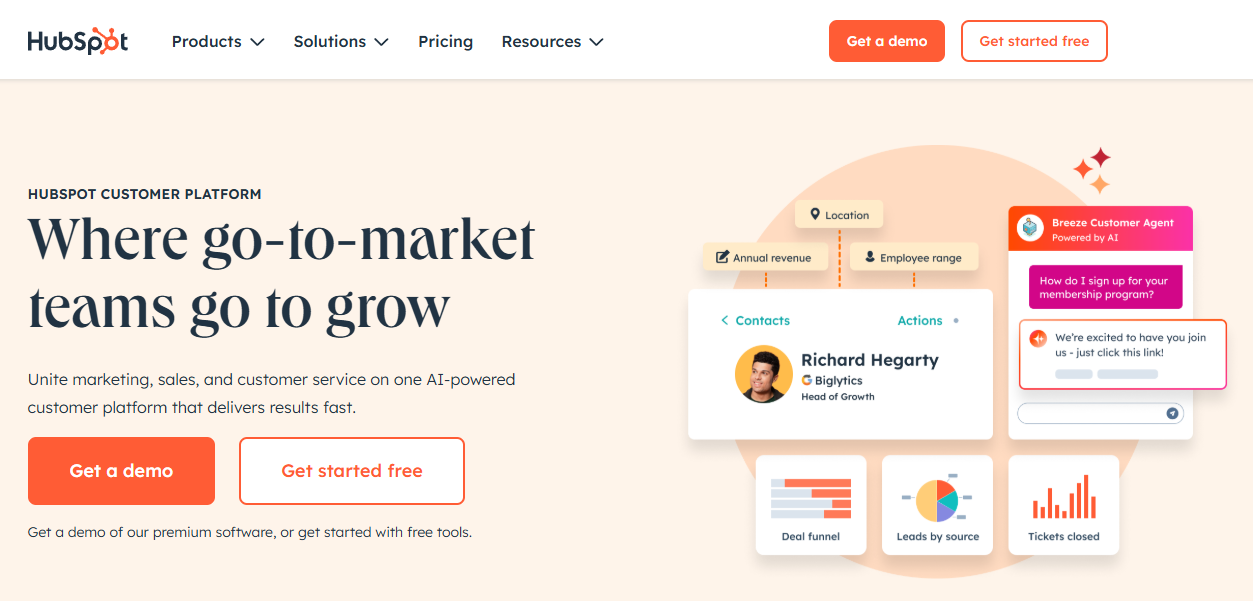
HubSpot provides a full suite of software built around a powerful free CRM.
It includes Marketing Hub, Sales Hub, Service Hub, Content Hub, and Data Hub, allowing you to manage the entire customer lifecycle from lead generation to post-sale support within one interconnected system.
Many core features, including the CRM, are free forever to get started with.
What Is Kit (ConvertKit)?
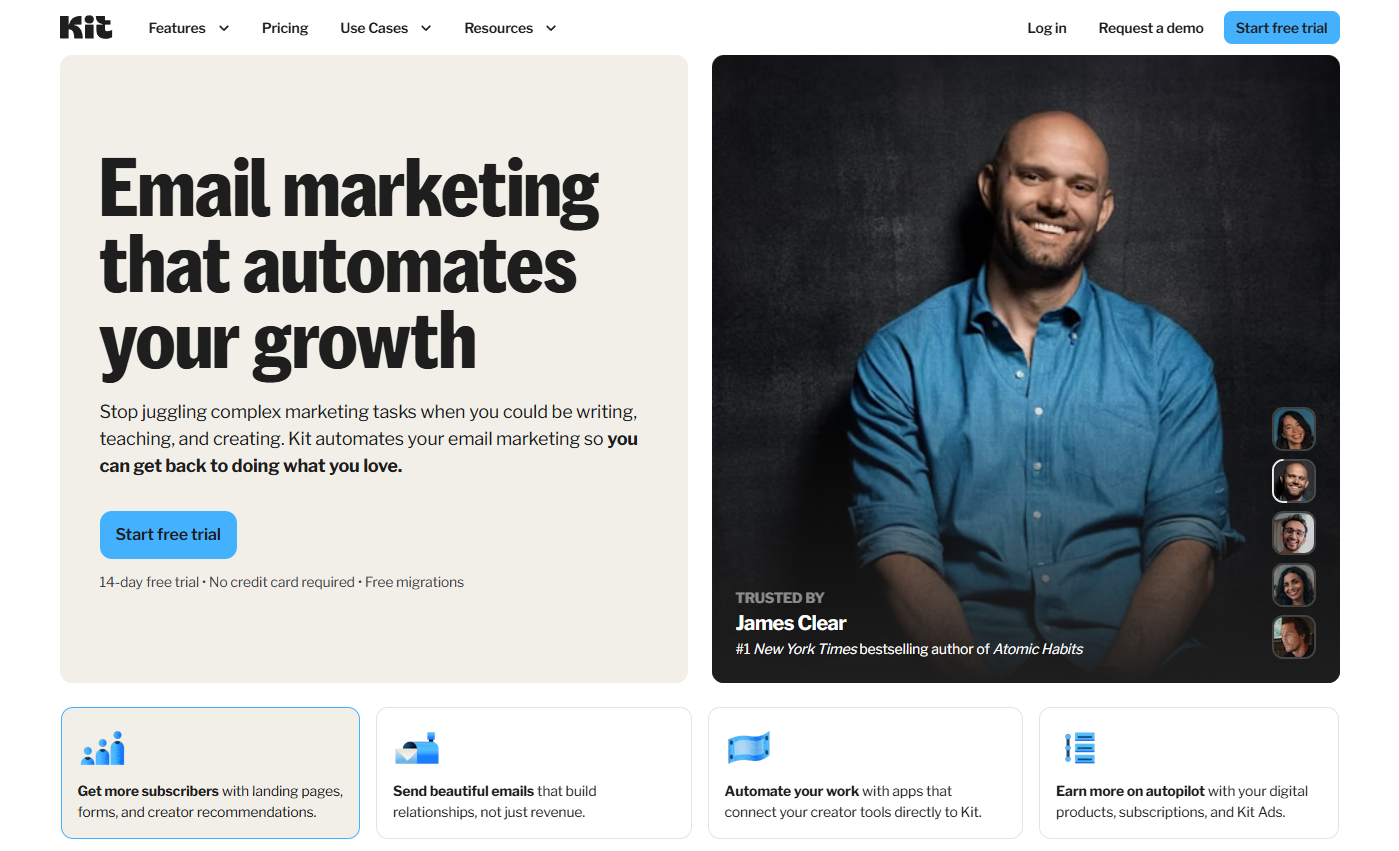
Kit focuses on helping creators build email lists, automate email sequences, sell digital products/subscriptions, and run paid newsletters.
It excels at audience segmentation and delivering targeted content, but lacks native CRM, sales pipeline, or customer service functionalities beyond basic email support.
The Key Differentiator
The core difference lies in scope.
HubSpot is a business operating system, while Kit is a specialized email marketing product.
Choosing between them depends on whether you need an all-encompassing platform for growth or just a tool for audience communication and digital sales.
For most businesses aiming for scalable growth, HubSpot’s platform approach provides far more value and capability, especially starting with its free tools.
My Personal Experience: What Made Me Choose Them?
When I first started blogging, my primary goal was simple: build an email list and run email campaigns.
Like many bloggers, I gravitated towards tools designed for creators – things like GetResponse initially, and then I explored options like Kit (formerly ConvertKit).
They were intuitive for sending newsletters and setting up basic welcome sequences. Kit, in particular, felt tailor-made for bloggers with its focus on tagging subscribers based on interests.
For a while, it worked. My list grew.
But then, things got more complex. I started offering consulting services, selling digital products, and running my freelance agency at the same time.
Potential clients weren’t just email subscribers; they were leads with specific needs, requiring follow-ups, proposals, and tracking through a sales process.
I tried managing this through spreadsheets and my email inbox, but it quickly became chaotic.
Who did I need to follow up with? What stage was that potential deal at? Did I remember to send that proposal? Email marketing tools weren’t my only need anymore.
Around the same time, readers started asking for support – maybe clarification on a blog post, help implementing a strategy, or even issues accessing a free resource.
My inbox became a messy mix of sales inquiries, support questions, and general comments.
Taping together my email tool with separate project management apps and maybe a contact form plugin felt incredibly inefficient.
That’s when I seriously looked into HubSpot. The game-changer was realizing the HubSpot CRM is free.
Not a trial, but genuinely free forever for core features.
I could finally centralize everything.
Every contact – whether a blog subscriber, a lead, or an existing client – lived in one place.
I could see their entire history: which blog posts they read, which emails they opened, any support tickets they submitted, and importantly, where they stood in my sales pipeline.
Switching felt like upgrading from a flip phone to a smartphone.
Kit was great at its one job (email), but HubSpot became the central “brain” connecting marketing, sales, content management, and service.
It allowed me to see the bigger picture and manage relationships, not just send emails. That visibility and integration were crucial for turning my part-time adventures into a real business.
HubSpot vs Kit: At A Glance
To give you a clearer picture, let’s break down the core offerings side-by-side.
Remember, HubSpot is positioned first as it generally offers a broader range of functionalities crucial for business growth.
Feature Comparison: HubSpot vs Kit (ConvertKit)
| Feature | HubSpot | Kit (ConvertKit) | My Take |
|---|---|---|---|
| Primary Function | All-in-one CRM Platform (Marketing, Sales, Service, CMS, Ops) | Email Marketing & Automation Platform for Creators | HubSpot runs your business; Kit runs your email list & digital products. |
| Best For | SMBs, B2B, B2C, Service businesses, Sales teams, Businesses needing integrated marketing, sales & service | Bloggers, YouTubers, Authors, Artists, Musicians, Coaches, Online course creators | HubSpot scales with business complexity; Kit excels in the creator niche. |
| Free Plan | Robust Free CRM, Free Marketing, Sales & Service Tools (Generous limits) | Free plan for up to 1,000 subscribers (Limited features, basic email/landing pages) | HubSpot’s free tier offers significantly more business functionality. |
| CRM | Yes (Core Feature, Free Forever) | No (Basic subscriber list management only) | This is the biggest difference. HubSpot is built around relationships. |
| Sales Pipelines | Yes (Sales Hub, Free tools available) | No (Focuses on selling digital products via emails/landing pages) | You can’t manage a consultative sales process effectively in Kit. HubSpot Sales Hub is essential here. |
| Email Marketing | Yes (Marketing Hub, Free tools available) | Yes (Core Feature) | Kit is excellent for creators. HubSpot email marketing is powerful because it integrates deeply with CRM data. |
| Marketing Automation | Yes (Marketing Hub, Advanced workflows) | Yes (Visual automations, good for creator funnels) | Kit’s automation is email-centric. HubSpot’s automates across marketing, sales and service tasks. |
| Landing Pages | Yes (Marketing Hub, Free tools available) | Yes (Good templates for creators) | Both offer landing pages. HubSpot’s integrate better with CRM/Sales processes. |
| Forms | Yes (Marketing Hub, Free tools available, advanced features like progressive profiling) | Yes (Basic opt-in forms) | HubSpot forms are smarter, gathering more data over time without annoying users. |
| Customer Support Tools | Yes (Service Hub, Ticketing, Help Desk, Knowledge Base, Feedback – Free tools available) | No (Relies on direct email communication) | HubSpot Service Hub provides actual tools to manage and scale support. |
| AI Features | Yes (AI Content Assistant, Chatbot Builder, Predictive Lead Scoring, AI CRM tools) | Yes (Basic AI for subject lines) | HubSpot is heavily investing in AI across its platform; Kit’s AI use is currently minimal. |
| Pricing Model | Freemium + Tiered Hubs (Pay for advanced features/scale) | Subscriber-based tiers + transaction fees for product sales | HubSpot lets you start free and add power. Kit’s cost scales directly with list size, which can become expensive. |
HubSpot VS Kit: The Feature Deep Dive Where HubSpot Wins
While Kit is a strong contender in the email marketing space for creators, HubSpot’s breadth and depth as an integrated platform give it a significant edge for businesses looking to grow beyond a simple newsletter. Let’s dive into the specifics.
The Core Difference: HubSpot’s Free CRM (Kit Has No Answer)
This is, without a doubt, the most crucial distinction. Kit manages subscribers; HubSpot manages relationships.
What is the HubSpot CRM, and why does it matter?
The HubSpot CRM is the central database where all information about your contacts, companies, deals, and interactions lives.
Think of it as the brain of your business operations. It’s 100% free forever, and it’s incredibly powerful right out of the box.
It allows you to track every interaction a person has with your business, providing a complete picture that an email list alone simply cannot offer.
Centralized Contact Management: See the Entire Customer Journey.
With Kit, a contact is primarily an email address with some tags. With HubSpot CRM, a contact record can include:
- Email interactions (opens, clicks)
- Website pages visited
- Form submissions
- Sales calls logged
- Meeting notes
- Support tickets raised
- Deal stage (if they are a lead)
- Company association
- Social media interactions
- and much more…
This 360-degree view is invaluable.
You can see precisely how a lead found you, what content they engaged with, their interactions with your sales team, and any support issues they’ve had.
Lead Management & Activity Tracking: Know Every Touchpoint.
HubSpot’s platform automatically logs many activities. When someone fills out a HubSpot form, their website activity (tracked via a simple code snippet) is linked to their contact record.
Emails sent through HubSpot are tracked. Calls made via HubSpot Sales Hub can be logged and recorded. This means you have a real-time feed of interactions, making follow-ups more relevant and effective.
Kit tracks email opens and clicks, but that’s where its visibility largely ends.
My Take: Why an email list isn’t a customer relationship.
An email list is a communication channel. A CRM is a relationship management system.
Early on, I thought just having a list was enough. But when I needed to understand who my most engaged leads were, or why certain clients kept needing support, my email tool couldn’t tell me.
HubSpot CRM provided those answers because it connected all the dots.
Sales Hub: Actually Managing and Closing Deals
If your business involves any kind of sales process beyond a simple “buy now” button (e.g., consulting, services, B2B products), this is another area where HubSpot leaves Kit far behind.
Visual Sales Pipelines (HubSpot) vs. Selling Digital Products (Kit).
Kit allows creators to sell digital products and subscriptions directly. That’s great for ebooks or courses. But it offers no tools for managing a multi-stage sales process.
HubSpot Sales Hub (which has free tools) provides customizable visual sales pipelines.
You can drag-and-drop deals from one stage (e.g., “Lead In,” “Meeting Scheduled,” “Proposal Sent,” “Closed Won”) to the next.
This gives you instant visibility into your sales forecast and helps you identify bottlenecks.
How I use HubSpot’s deal tracking and meeting scheduler for my consulting.
When a potential consulting client contacts me via a HubSpot form, a deal is automatically created in my pipeline.
I use HubSpot’s free meeting scheduler link to let them book a discovery call.
Notes from that call are logged directly onto the contact and deal record in the HubSpot CRM.
Tasks are automatically created for follow-ups.
This structured process, managed entirely within HubSpot software, ensures no lead falls through the cracks – something impossible to manage efficiently with Kit alone.
Service Hub: Supporting Customers for Long-Term Loyalty
Customer retention is just as important as acquisition. Providing excellent support builds loyalty and referrals. Kit offers no dedicated support tools; HubSpot Service Hub provides a suite of features (many with free starting points).
The HubSpot Ticketing System: Managing support requests seamlessly.
Instead of drowning in support emails, HubSpot Service Hub lets you manage customer inquiries as tickets.
Emails to your support address can automatically create tickets, which can then be assigned, prioritized, and tracked until resolution.
This ensures accountability and provides data on common issues.
Building a Knowledge Base with Help Desk Software.
You can use HubSpot’s Help Desk features to create a searchable knowledge base of articles and FAQs.
This empowers customers to find answers themselves, reducing support requests for common questions.
Using Customer Feedback tools to improve your service.
HubSpot includes tools to send customer satisfaction surveys (like NPS, CSAT). Gathering this customer feedback systematically helps you understand what you’re doing well and where you need to improve.
Kit’s “Support”: Emailing you back.
With Kit, customer support typically means customers emailing you directly, and you managing those replies from your inbox. This doesn’t scale and offers no tracking or insights.
Marketing Hub: An Integrated Powerhouse
While Kit’s core strength is email marketing for creators, HubSpot Marketing Hub offers a broader set of tools that work together seamlessly because they’re all connected to the central HubSpot CRM.
Email Marketing: HubSpot vs Kit
Kit excels here for creators with its simple interface, strong deliverability, and focus on tagging/segmentation.
HubSpot email marketing, however, derives immense power from its CRM integration.
You can segment lists based on any CRM property (deal stage, last purchase date, support ticket status, website activity) and trigger emails based on behaviors across the entire customer journey, not just email interactions.
HubSpot’s A/B testing and reporting are also very robust.
Landing Pages & Forms: Beyond a Simple Opt-in
Both platforms offer landing page builders. Kit’s templates are creator-focused and easy to use.
HubSpot landing pages and forms offer more advanced business features like conditional logic.
Submissions automatically update HubSpot CRM records, trigger workflows, and can even create sales deals or support tickets.
The “Extras” Kit Doesn’t Have: SEO tools, Blogging, and a Social Inbox.
HubSpot Marketing Hub includes built-in SEO recommendations, topic cluster tools, and even a blogging platform (Content Hub).
It also features a Social Inbox to manage social media interactions and schedule posts across multiple platforms.
Kit focuses purely on email and landing pages/forms related to list building.
Marketing Automation: True Business Workflows vs. Simple Sequences
Automation is key to scaling, and both platforms offer it, but with different philosophies.
Kit’s Visual Automations (Good for creators).
Kit provides an intuitive visual builder for creating email sequences triggered by actions like form submissions or link clicks. It’s excellent for welcome sequences, course delivery, or launching digital products.
HubSpot’s Workflows (Automating tasks, sales follow-ups, support tickets, and more).
HubSpot’s Marketing Automation (via Workflows) goes far beyond email. You can automate:
- Lead nurturing sequences based on CRM data.
- Internal notifications to sales reps when a lead takes a key action.
- Task creation for sales or support teams.
- Updating contact properties or deal stages.
- Sending customer satisfaction surveys after a support ticket is closed.
- Managing data cleanup and segmentation.
It’s a true business process automation engine, not just an email sequencer.
AI Features: The Future of Marketing and Sales
Artificial intelligence is rapidly changing how businesses operate. HubSpot is embedding AI across its entire platform, while Kit’s adoption has been slower.
HubSpot’s AI CRM features (AI Content Assistant, Chatbot Builder, Predictive Lead Scoring).
HubSpot AI tools include:
- Content Assistant: Helps draft blog posts, emails, landing page copy, and social posts.
- Chatbot Builder: Create AI-powered chatbots for your website to qualify leads or answer common questions 24/7.
- Predictive Lead Scoring: Uses machine learning to identify which leads are most likely to close (available on higher tiers).
- AI CRM features: Summarizing calls, generating reports, and forecasting sales.
Kit’s AI (Primarily for subject line generation).
Kit currently offers AI primarily to help generate or refine email subject lines. While helpful, it’s a much narrower application compared to HubSpot’s platform-wide AI integration.
Reporting & Analytics: What Gets Measured, Gets Managed
Understanding your performance is crucial for growth.
Kit’s Analytics (Subscriber growth, email opens/clicks).
Kit provides solid reporting on email list growth, open rates, click-through rates, and conversion rates for its forms and landing pages. If you sell products through Kit, you’ll see sales data too.
HubSpot’s Analytics (Full-funnel reporting, from first-click to final sale).
Because HubSpot’s platform tracks the entire customer journey, its reporting is far more comprehensive. You can build custom dashboards to track:
- Marketing attribution (which channels are driving leads and revenue).
- Sales pipeline velocity and conversion rates by stage.
- Customer service response times and satisfaction scores.
- Website traffic and lead generation performance.
- Email marketing ROI is tied directly to closed deals.
This holistic view allows you to make much smarter decisions about where to invest your time and resources.
Feature Deep Dive: Where Kit (ConvertKit) Shines for Creators
It wouldn’t be a fair comparison without acknowledging where Kit truly excels. If you fit squarely into the “creator” box, Kit offers some compelling advantages specifically designed for you.
Unmatched Simplicity for Content Creators
Kit’s user interface is clean, intuitive, and purpose-built for creators who primarily focus on email. Setting up automations, tagging subscribers, and designing landing pages feels straightforward.
While HubSpot is powerful, its sheer breadth of features can sometimes feel overwhelming for someone who only needs email marketing. Kit’s laser focus makes it incredibly easy to get started and manage your core creator tasks.
Built-in Digital Product & Paid Newsletter Monetization
This is a key strength for Kit. It has built-in features (Kit Commerce) allowing you to directly sell digital products (like ebooks, presets, templates) and run paid newsletters or memberships without needing separate integrations (though transaction fees apply).
While you can certainly sell digital products using HubSpot (often integrating with tools like WooCommerce or Stripe via Content Hub or third-party apps), Kit makes it incredibly simple and native to its platform, which is a big plus for creators focused on direct monetization of their content.
Pricing Battle: HubSpot’s Free-Forever Plan vs. Kit’s Creator Tiers
Pricing is often a deciding factor, but it’s crucial to look beyond the sticker price and consider the value and scalability.
HubSpot Pricing: The Unbeatable Power of “Free-Forever”
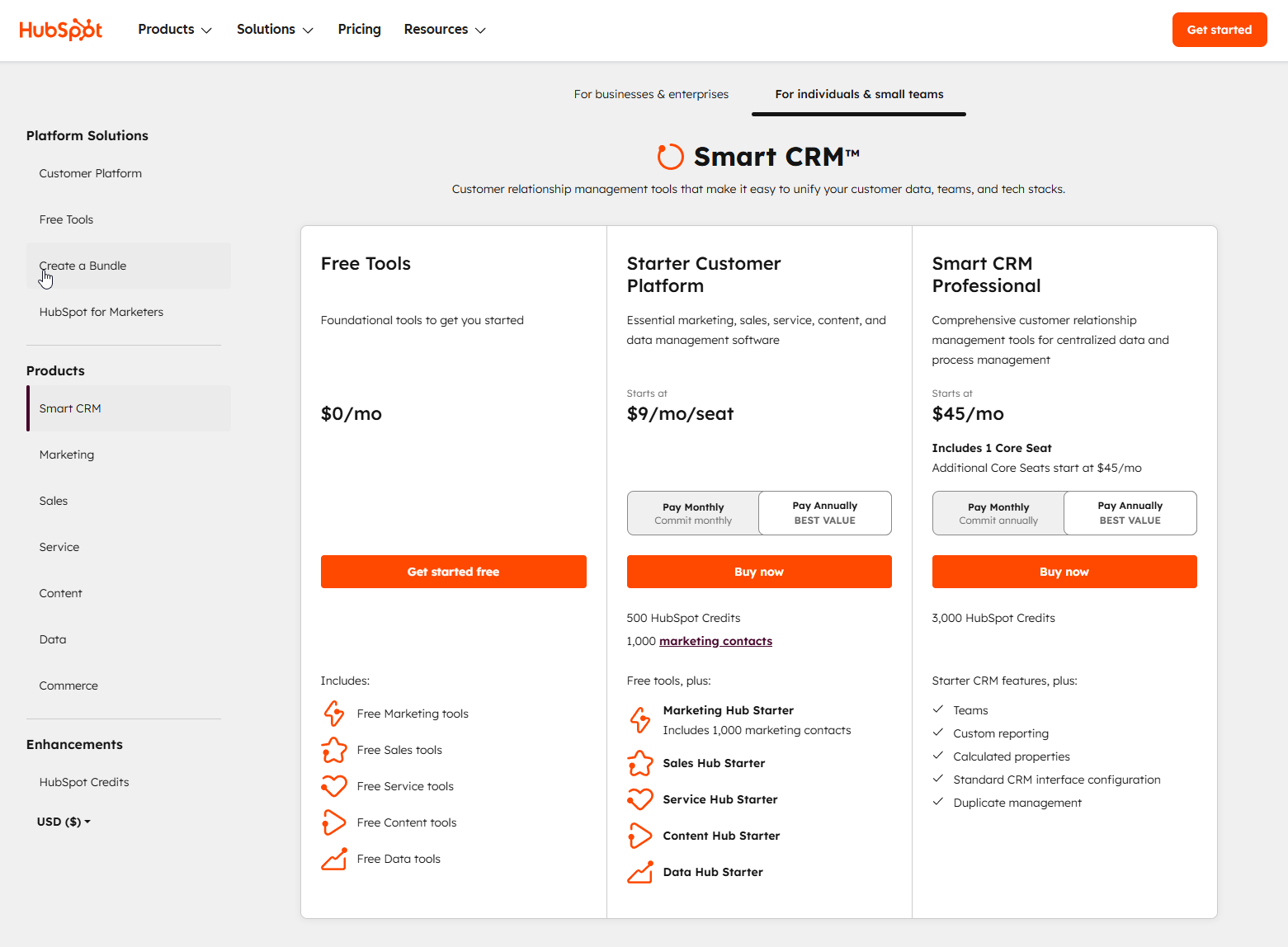
HubSpot’s pricing model is unique. Its core CRM is free forever, and it comes bundled with a generous set of free tools across Marketing, Sales, and Service Hubs. This includes:
- Contact management (up to 1 million contacts!)
- Email marketing (up to 2,000 sends/month with HubSpot branding)
- Forms & Landing Pages
- Live chat & basic chatbots
- Deal pipelines (2 pipelines)
- Meeting scheduler
- Ticketing system (2 pipelines)
- Reporting dashboards
You only start paying when you need more advanced features or higher limits within specific Hubs (Marketing Hub Starter, Sales Hub Starter, etc.), often bundled in the affordable “Starter Suite.”
This freemium model allows you to build a solid foundation for free and scale your investment as your business grows.
Kit (ConvertKit) Pricing: The Subscriber-Based Ladder
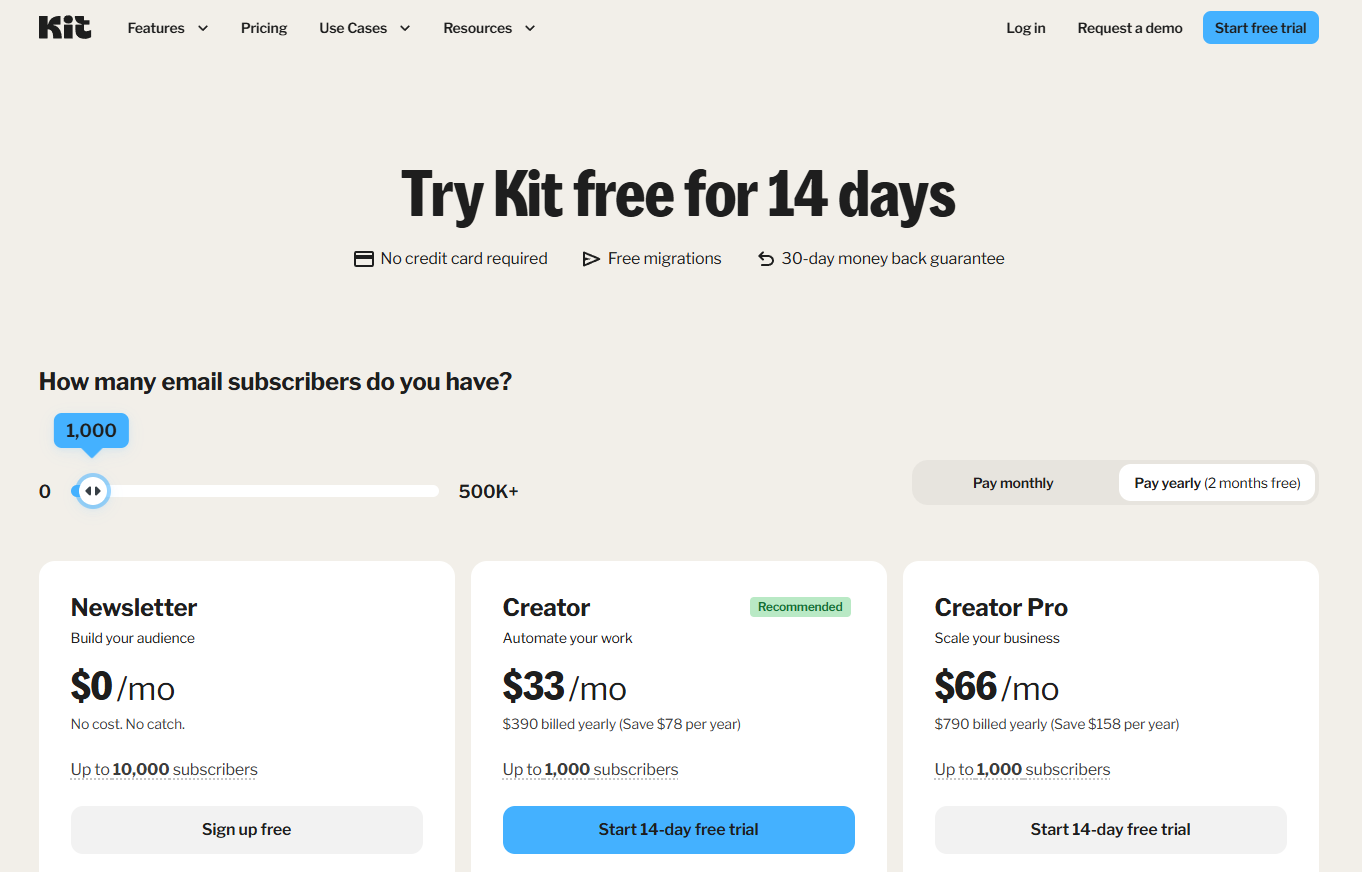
Kit offers a free plan for up to 1,000 subscribers, which includes basic email sending, landing pages, and forms. However, crucial features like automated sequences and advanced reporting require a paid plan (“Creator” or “Creator Pro”).
Kit’s paid plans are primarily priced based on the number of email subscribers you have.
This means your costs automatically increase as your list grows, regardless of whether those subscribers are actively engaged or generating revenue. Additionally, Kit Commerce charges transaction fees on top of your monthly subscription.
The Verdict on Value: Which is Truly Cheaper?
While Kit’s entry-level paid plans might seem cheaper initially if you only need email automation for a small list, HubSpot’s free plan offers vastly more business functionality from day one (CRM, sales tools, service tools).
As your business scales, managing thousands of contacts in HubSpot’s free CRM costs nothing, whereas Kit’s subscriber-based pricing can quickly become a significant expense.
For overall long-term business value and scalability, HubSpot’s model is generally more advantageous.
Final Verdict: Who Should Choose HubSpot vs Kit?
So, after breaking it all down, who is HubSpot really for, and who might still be better off with Kit?
When You MUST Choose HubSpot…
- You are a B2B, B2C, or Service-Based Business: If you sell products or services that involve any kind of consideration phase, sales process, or ongoing customer relationship, HubSpot’s CRM and integrated hubs are essential.
- You have (or plan to have) a sales team (even if it’s just you): Managing leads, tracking deals, and forecasting revenue requires tools like HubSpot Sales Hub. Kit offers nothing here.
- You need to track a full customer lifecycle: From the first website visit to repeat purchases and support interactions, HubSpot’s platform provides that crucial visibility.
- You provide customer support: Managing support efficiently requires tools like HubSpot Service Hub’s ticketing system and knowledge base.
- You want one platform to run your entire business: If you value integration and want marketing, sales, and service data interconnected, HubSpot is the clear winner. [Internal Link Idea: Link to HubSpot Review post: https://bloggerself.com/hubspot-review/]
- You want to start powerful but free: HubSpot’s free tools provide incredible value and a runway for growth unmatched by Kit’s free tier.
When You Might Still Choose Kit…
- You are exclusively a hobbyist content creator: If your primary focus is writing, creating art, or making music, and your only goal is building an email list and maybe selling a simple digital product directly, Kit’s simplicity might be appealing.
- Your only goal is building and monetizing a simple newsletter: If you have no intention of building out sales processes or offering structured customer support, Kit’s focused toolset could suffice.
- You find all-in-one platforms overwhelming: If the breadth of HubSpot feels intimidating and you don’t foresee needing its advanced features, Kit offers a gentler learning curve for basic email marketing.
The Bottom Line: Start with HubSpot, Scale with HubSpot
For the vast majority of businesses and serious creators aiming for sustainable growth, my recommendation is clear: Start with HubSpot’s free platform today.
You get a world-class free CRM, robust marketing tools, essential sales features, and basic service capabilities, all for $0. It’s a platform designed to scale with you.
As your needs evolve, you can add paid features or Hubs incrementally. Kit is a good email tool, but HubSpot software is a growth engine.
Your Next Step: Stop Taping, Start Growing
Are you tired of juggling multiple disconnected tools? Trying to manage leads in spreadsheets, support via email chaos, and marketing through a tool that doesn’t talk to anything else?
It’s time to stop taping things together and build your business on a real, integrated platform.
Get started with HubSpot’s powerful free CRM and marketing tools today.
It’s the single best decision I made for my own business growth, moving beyond just blogging, and it’s the platform I confidently recommend and trust for my clients. You have nothing to lose and a whole lot of efficiency and insight to gain.
Now, I’d love to hear from you: What’s the #1 task in your business right now that feels “disconnected” from your email list or overall customer view? Let me know in the comments below!
Frequently Asked Questions (FAQ) about HubSpot vs Kit
Here are answers to some common questions when comparing these two platforms:
What is HubSpot CRM best for?
HubSpot CRM is best for businesses of all sizes that need a central place to organize, track, and manage relationships with leads, prospects, and customers.
It excels at providing a unified view of all interactions across marketing, sales, and service, making it ideal for companies focused on growth and alignment between teams.
Its free version is incredibly powerful for startups and small businesses.
Is Kit (ConvertKit) a CRM?
No, Kit (ConvertKit) is not a CRM. It is an email marketing and automation platform designed for creators.
While it manages a list of subscribers and allows for tagging and segmentation, it lacks the core functionalities of a CRM, such as deal tracking, sales pipeline management, comprehensive contact activity logging (beyond email), company records, and integrated customer service tools.
How does HubSpot compare to Kit for email marketing specifically?
Both offer strong email marketing capabilities. Kit is often praised for its simplicity, deliverability, and creator-focused features like easy segmentation.
HubSpot email marketing stands out due to its deep integration with the HubSpot CRM.
This allows for highly personalized and behavior-triggered emails based on a wider range of data points (e.g., website activity, sales stage, support history).
HubSpot also offers more advanced A/B testing and analytics capabilities tied to overall business goals.
Can I use HubSpot and Kit together?
Yes, you can use them together, often via integrations (like Zapier or native integrations if available), but it introduces complexity and potential data syncing issues.
A common scenario might be using Kit for the newsletter and HubSpot for CRM, sales, and service. However, the real power of HubSpot comes from using its integrated Marketing Hub for email, as it keeps all data in one place.
For most businesses, consolidating onto the HubSpot platform is more efficient long-term.
When should a small business use HubSpot?
A small business should use HubSpot as early as possible, even starting with the free CRM and tools.
It’s beneficial if you:
Need to organize contacts beyond a simple email list.
Want to track leads through a sales process.
Plan to grow your marketing efforts beyond basic newsletters.
Need to provide structured customer support.
Value having all customer data in one integrated system.
Starting with HubSpot’s free platform allows you to build a solid foundation without an initial cost.
Is HubSpot’s free plan really free forever?
Yes, the core HubSpot CRM and the features included in the free tools tier for Marketing, Sales, and Service Hubs are genuinely free forever.
You can use them indefinitely without paying. You only pay if you choose to upgrade to access more advanced features, higher limits, or remove HubSpot branding from certain assets (like forms or emails).