Disclosure: This website uses affiliate links; I may earn commissions at no extra cost to you. Learn more.
This is the ultimate HubSpot vs Keap battle to help you out, as choosing the right CRM is one of the most critical decisions you’ll make for your business.
It’s the central hub for all your customer interactions, the engine that powers your growth, and the tool that can either streamline your operations or create a chaotic mess.
You’re not just picking software; you’re choosing a partner for your business’s future.
With all these tons of CRM options out there, two names frequently rise to the surface for small and medium-sized businesses: HubSpot and Keap.
Both are powerful platforms designed to help you attract leads, nurture them, and turn them into loyal customers.
However, they approach this mission from fundamentally different angles, making them suitable for very different types of businesses.
This article is your definitive guide to understanding the HubSpot vs Keap debate.
We will go beyond a simple feature list and dive deep into their core philosophies, strengths, weaknesses, pricing structures, and ideal user profiles.
My goal is to give you the clarity you need to confidently decide which platform will best serve your unique business goals.
For those of you looking for a quick answer, here it is: for the vast majority of businesses seeking a scalable, user-friendly, and truly all-in-one platform with an unbeatable free starting point, HubSpot is the clear winner.
On the other hand, Keap remains a formidable contender for a particular niche of solopreneurs and service-based businesses who prioritize advanced, intricate automation above all else.
If you’d like to know everything in detail, let’s dive in and find out why.
HubSpot vs Keap: The Quick Verdict
Before we get into the nitty-gritty details, let’s start with a high-level overview. This is the answer you need if you’re in a hurry.
Choose HubSpot if you want a user-friendly, all-in-one platform that can scale with your business. Here’s when HubSpot is your best option:
You need a powerful and completely free CRM to build your foundation.
You want a single platform for your marketing, sales, and service teams to work from.
You value an intuitive user interface and world-class free training from HubSpot Academy.
Your growth strategy is built around inbound marketing and creating valuable content.
Choose Keap if you are a service-based business that needs advanced sales and marketing automation. Here’s when Keap is the right choice:
You are a solopreneur, coach, or consultant whose business runs on automated funnels.
You want to build complex customer journeys with an advanced visual campaign builder.
You need native invoicing and appointment scheduling features built into your main platform.
You prioritize deep automation power over having a broad, all-in-one feature set.
Here’s a quick comparison table to get an overview of who might be the right fit for you:
| Feature | HubSpot | Keap (Formerly Infusionsoft) | Winner |
|---|---|---|---|
| Free Plan | Yes, a robust free CRM and free tools | No, 14-day free trial only | HubSpot |
| Core Strength | All-in-one platform (Marketing, Sales, Service, CMS) | Advanced sales & marketing automation | HubSpot (for versatility) |
| Ease of Use | Highly intuitive, easy to learn | Steeper learning curve | HubSpot |
| Scalability | Excellent, from startup to enterprise | Good for small businesses, less enterprise-ready | HubSpot |
| Automation | Powerful, visual workflow builder | Legendary visual campaign builder (its main draw) | Keap (for complexity) |
| Customer Service | Full suite (Service Hub) with ticketing, knowledge base | Limited native tools, relies on integrations | HubSpot |
| App Ecosystem | Massive marketplace (>1,500 apps) | Good marketplace, strong Zapier support | HubSpot |
| Pricing Model | Freemium, with scalable paid tiers per “Hub” | Tiered, based on contacts and users | Tie (Depends on needs) |
Now, let’s explore these two titans in much greater detail.
What Is HubSpot? The All-on-One Growth Platform
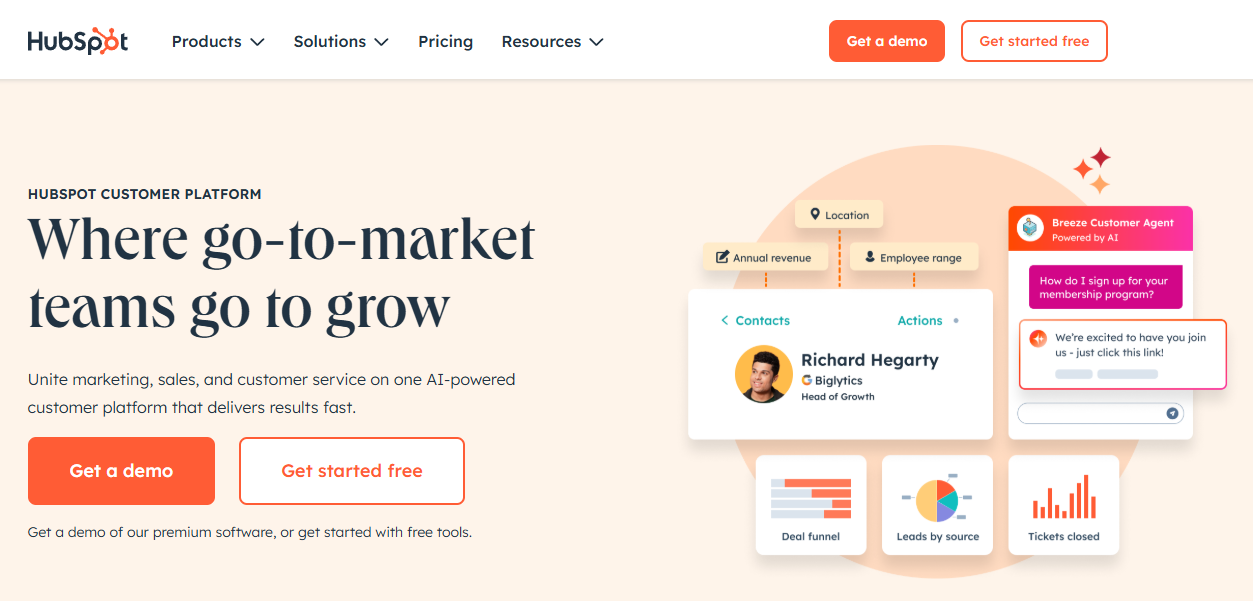
HubSpot is an all-in-one growth platform built on the philosophy of “inbound marketing,” which is the idea of attracting customers by creating valuable content and experiences tailored to them.
HubSpot isn’t just a single product; it’s an ecosystem of tools working together in harmony.
At its heart is the HubSpot CRM, which serves as the single source of truth for every interaction a contact has with your business.
This CRM is, remarkably, 100% free forever to get started, and it’s not a stripped-down trial version—it’s a genuinely powerful tool on its own.
Built on top of this central CRM are some distinct “Hubs” that you can add as your business grows:
Marketing Hub: This is where you attract your audience. It includes tools for email marketing, lead generation, marketing automation, social media management, and analytics.
Sales Hub: This Hub is for closing deals. It provides tools for email tracking, sales automation (sequences), meeting scheduling, pipeline management, and advanced reporting.
Service Hub: Focused on delighting customers. It offers tools for ticketing, customer feedback, a knowledge base, live chat, and conversational bots.
Content Hub: This is for building and managing your website. It’s a powerful Content Management System that is directly integrated with your CRM, allowing for personalized web experiences. If you’re serious about content, you might be interested in how to start a blog that converts.
Data Hub: The glue that holds everything together. This Hub helps you sync customer data, automate business processes, and ensure your data is clean and reliable.
Commerce Hub: This is the set of tools and features that allow you to do all the commercial stuff, such as collecting payments, creating invoices, and more.
The true power of the HubSpot software is how these Hubs work together.
A lead can fill out a form created in Marketing Hub, their data is stored in the CRM, a salesperson from Sales Hub engages with them, and if they become a customer, Service Hub handles their support tickets.
It creates a seamless, unified view of the customer, which is the holy grail of business growth.
What Is Keap? The Small Business Automation Specialist
Keap has a long and respected history in the automation space. Many of you might know it by its former name, Infusionsoft.
The rebranding to Keap aimed to make the platform more accessible, but its core DNA remains rooted in powerful, intricate automation for small businesses.
Unlike HubSpot’s broad, all-in-one approach, Keap is laser-focused on helping you automate your sales and marketing processes.
It combines CRM, email marketing, landing pages, appointment scheduling, and invoicing into a single, cohesive platform designed specifically for the needs of entrepreneurs and small teams.
Keap’s crown jewel is its Campaign Builder.
This is a visual, drag-and-drop canvas where you can map out entire customer journeys with sophisticated if/then logic.
You can set goals, create timers, apply tags, and trigger a vast array of actions, from sending an email to creating a task for a team member.
For businesses whose success hinges on complex sales funnels, this tool is incredibly powerful.
Keap’s product line is simpler than HubSpot’s:
Keap Pro: The core offering for most service-based businesses, including the CRM, automation, and key features like invoicing and appointments.
Keap Max: Includes all Pro features plus advanced functionality like lead scoring and e-commerce tools.
Keap Max Classic: This is the original, most powerful version of Infusionsoft, offering the highest level of customization and control for true power users.
Keap‘s entire philosophy is about saving you time through automation.
It’s designed to be the engine that runs your business in the background, allowing you to focus on serving your clients and doing what you do best.
HubSpot vs Keap: Core Feature Comparison
Now, let’s break down how these two platforms stack up across the most important feature categories. This is where you’ll start to see the key differences that will influence your decision.
CRM And Contact Management
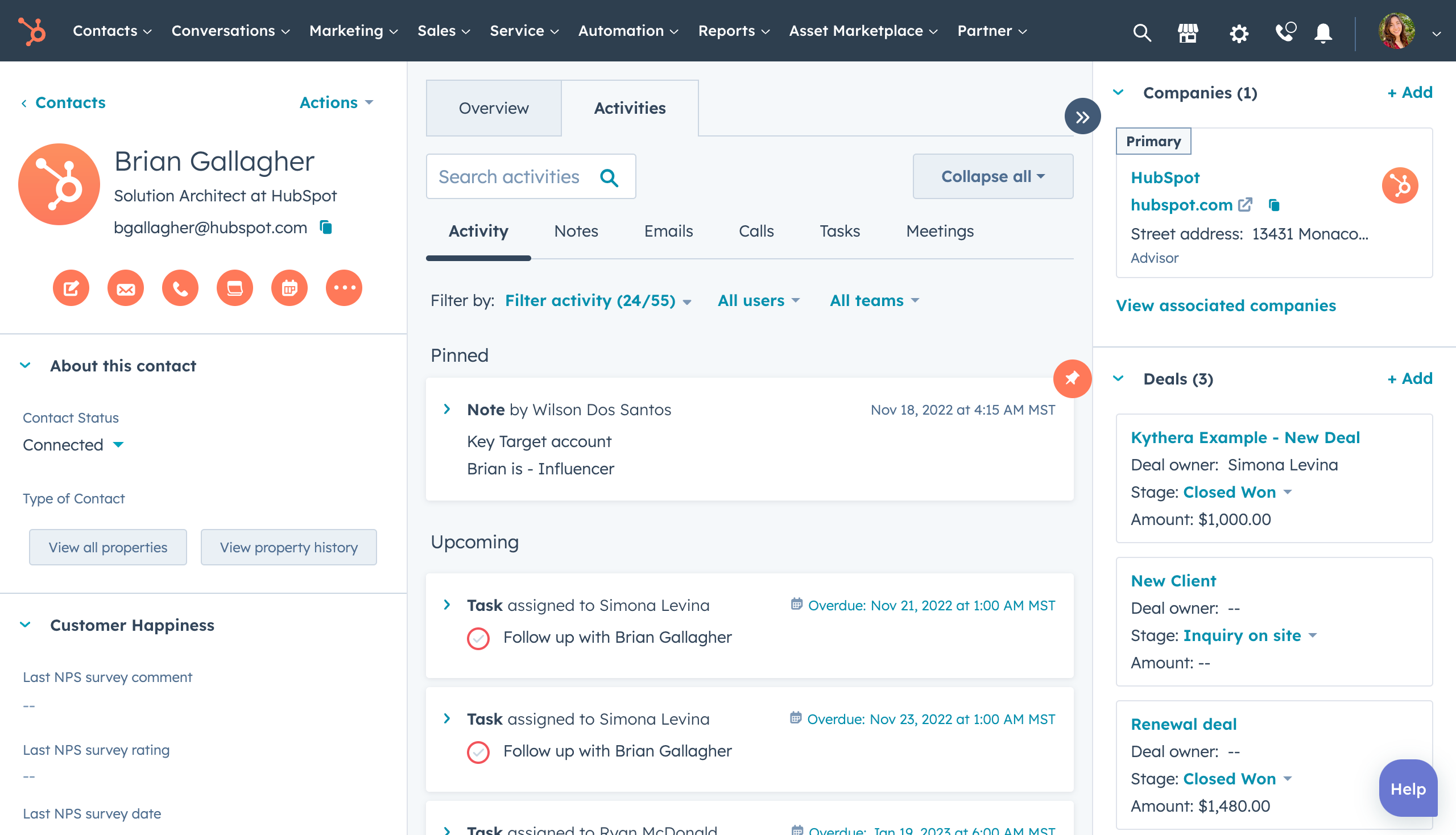
A CRM is nothing without its ability to manage contacts effectively. This is the foundation upon which everything else is built.
HubSpot beats Keap at managing contacts by providing a more powerful and intuitive CRM that’s completely free to start.
It provides a clean, comprehensive timeline view of every single interaction a contact has with your company.
This includes page views, email opens, form submissions, support tickets, and sales calls.
HubSpot also automatically enriches contact data, pulling in information like company size and location from its vast database.
Its contact management is incredibly intuitive.
You can easily create custom properties, filter your contacts into active or static lists, and get a deep understanding of your audience without any technical expertise.
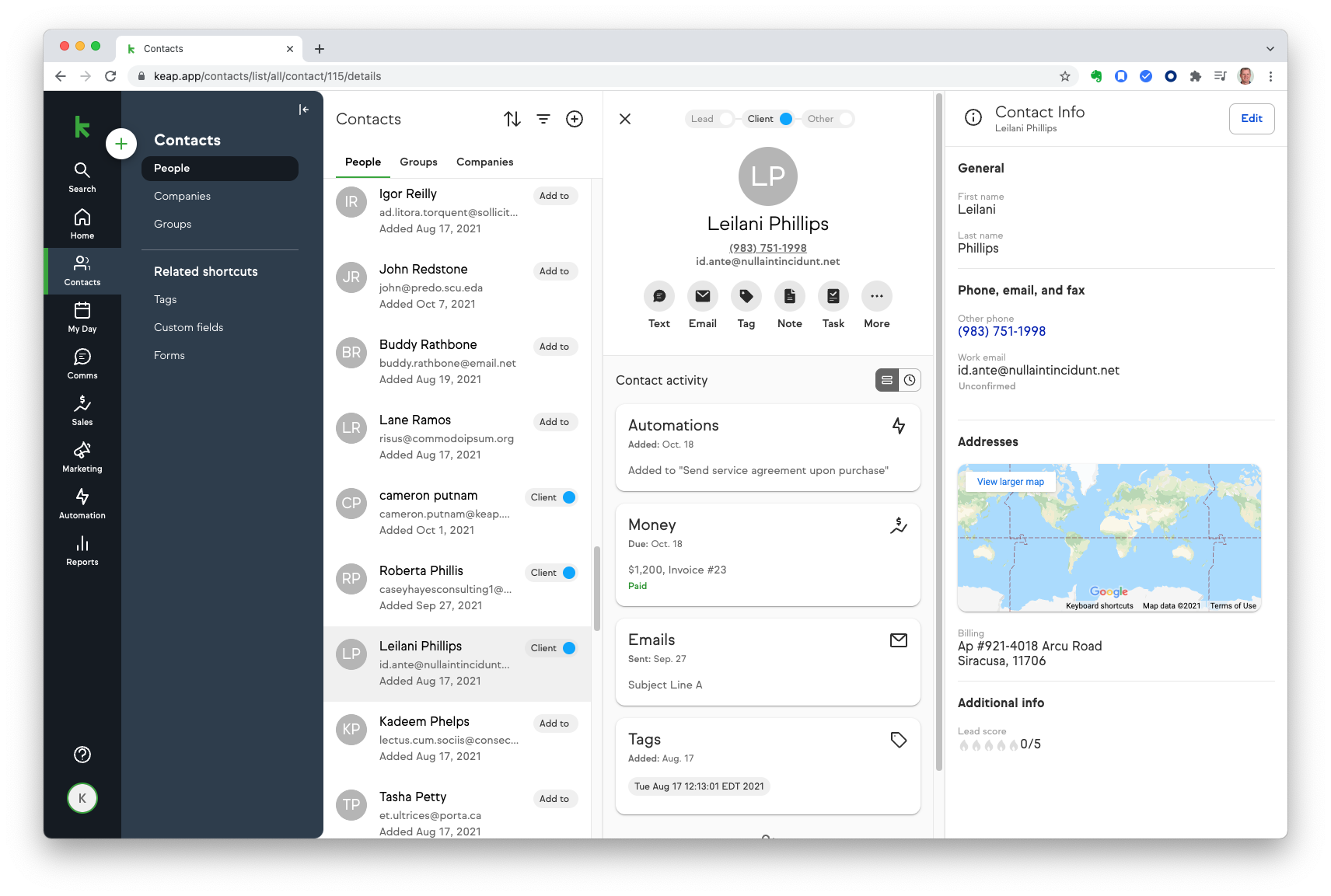
Keap also has a solid, integrated CRM.
Its strength lies in its use of tagging.
You can apply an unlimited number of tags to contacts based on their actions, interests, or purchase history.
This allows for incredibly granular segmentation, which is crucial for triggering the right automation campaigns.
However, Keap’s CRM interface can feel a bit dated compared to HubSpot’s modern design.
While powerful, it lacks the automatic data enrichment and the seamless, all-encompassing timeline view that makes the HubSpot platform so insightful.
Pro Tip: Regardless of which CRM you choose, make sure your data is clean from the start. Use a consistent naming convention for tags and properties to avoid confusion as your database grows.
Verdict
HubSpot. Offering a more powerful, intuitive, and visually appealing CRM for free is an unbeatable value proposition. It’s one of the best CRM options for small businesses available today.
Marketing Automation
This is the category where the battle is fiercest.
Both platforms are renowned for their automation capabilities.
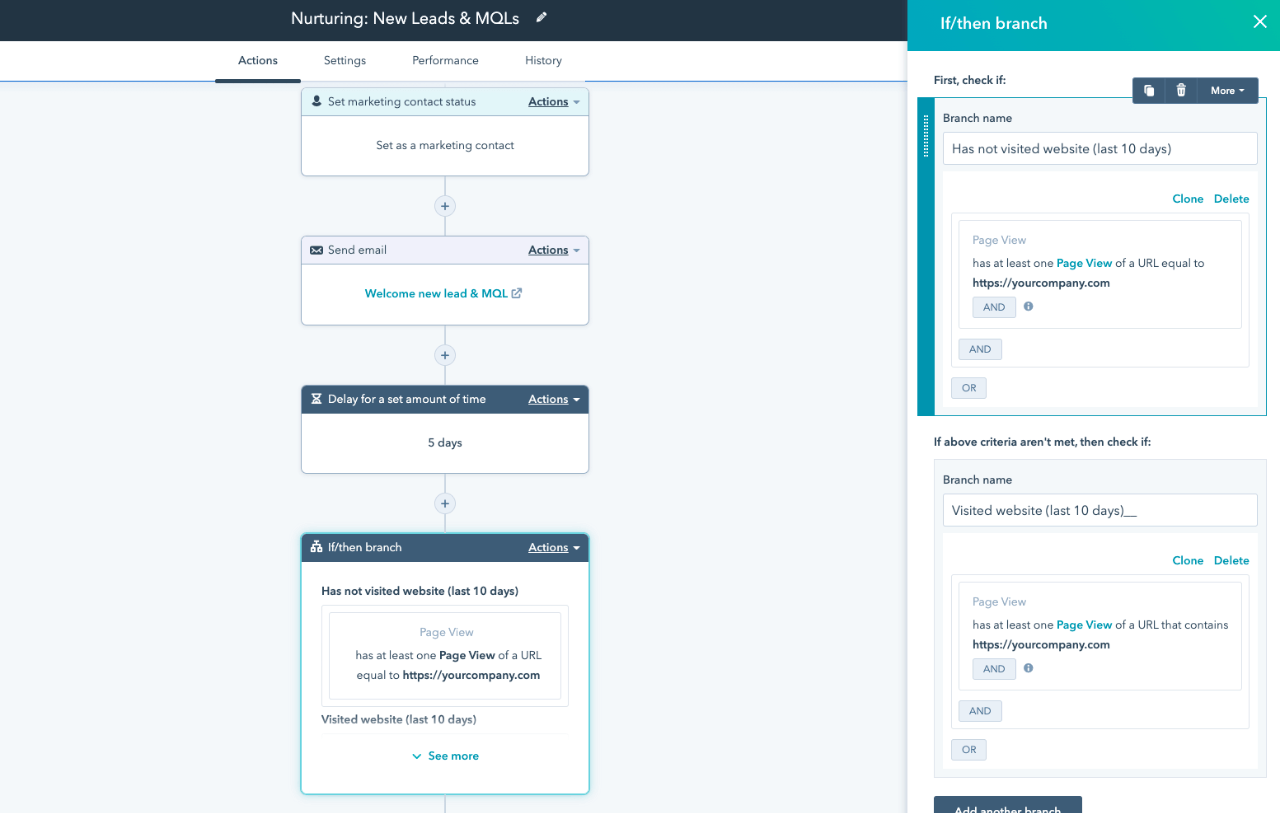
HubSpot offers powerful automation that is more user-friendly than Keap’s for most businesses.
Its visual workflow builder allows you to set enrollment triggers based on almost any data point in the CRM and create everything from simple email drips to complex, branching logic.
The integration with the rest of the platform means you can trigger workflows based on service tickets or deal stages, creating a truly connected experience.
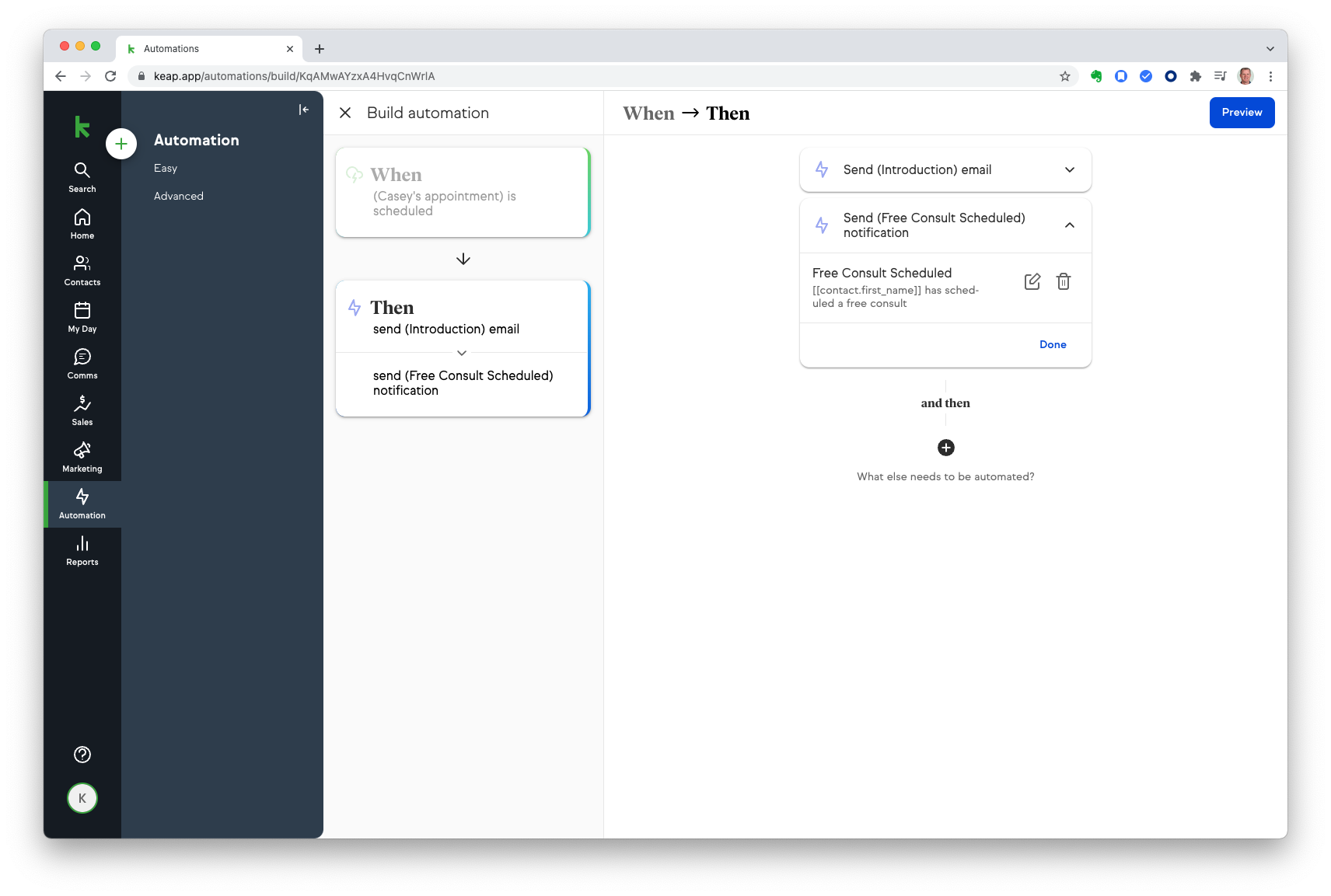
Keap, however, is legendary for its Campaign Builder. This is where Keap truly shines.
It’s a free-form canvas that gives you immense control over building automation sequences.
You set goals (like a form submission or a product purchase), and then build the sequence of emails, timers, and tasks that lead to that goal.
Keap’s builder is often considered more powerful for pure sales and marketing funnels, allowing for incredibly complex and nuanced campaigns.
However, this power comes at the cost of a steeper learning curve.
It can be intimidating for new users, and it’s easy to build overly complicated campaigns that become difficult to manage.
Verdict
Keap wins for pure, unadulterated automation complexity.
Its Campaign Builder is the tool of choice for automation purists.
However, HubSpot’s workflows are more than powerful enough for 95% of businesses and are far easier to learn and manage.
Sales Automation & Pipeline Management
Getting new leads is only half the battle.
You need tools to manage your sales process and automate outreach to close deals efficiently.
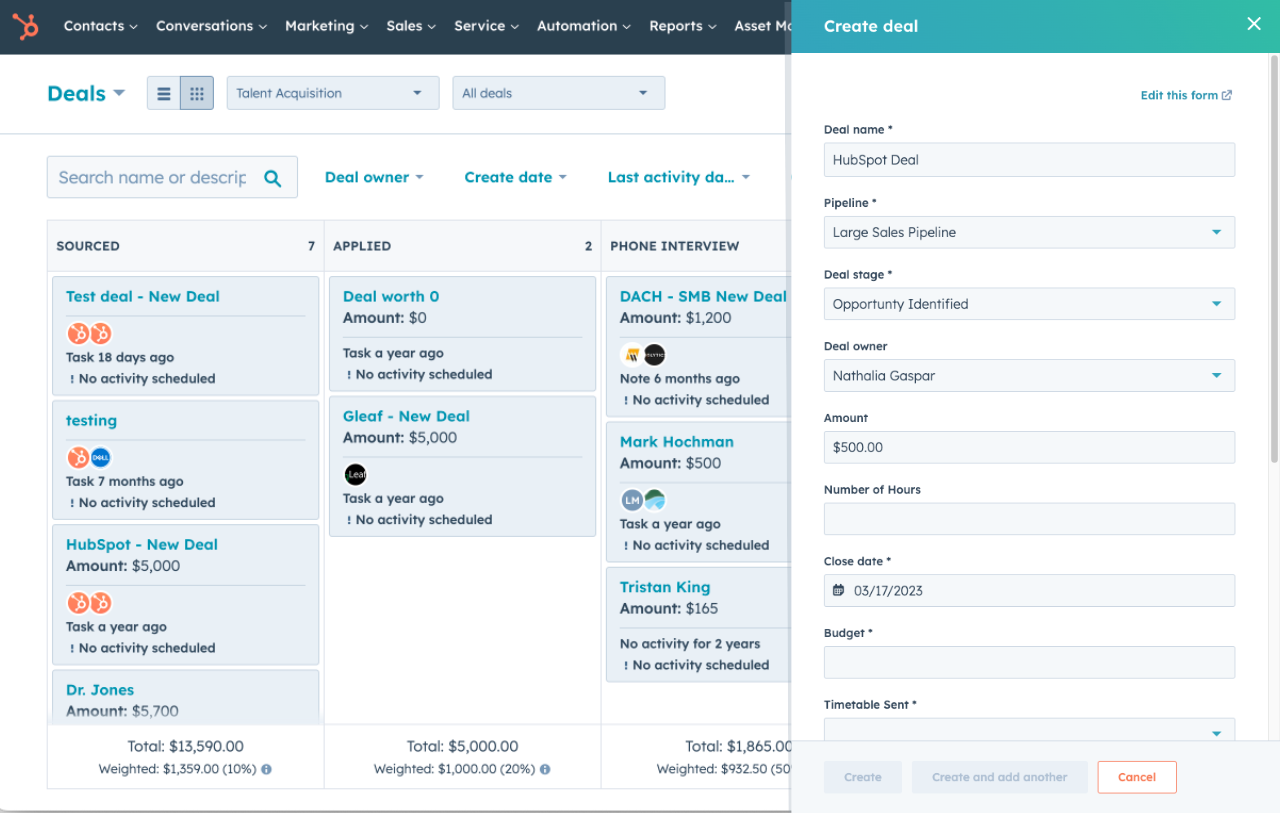
HubSpot Sales Hub provides a more comprehensive and modern toolkit for sales teams than Keap.
It features a clean, drag-and-drop deal pipeline that you can customize to match your exact sales process.
You can create tasks, log calls, and schedule meetings directly from the CRM, with all information automatically tracked on the contact’s timeline.
One of HubSpot’s standout sales features is Sequences.
This allows you to create a series of personalized, automated emails and follow-up tasks for your sales reps.
It takes the guesswork out of outreach while still allowing for personalization, ensuring no lead ever falls through the cracks.
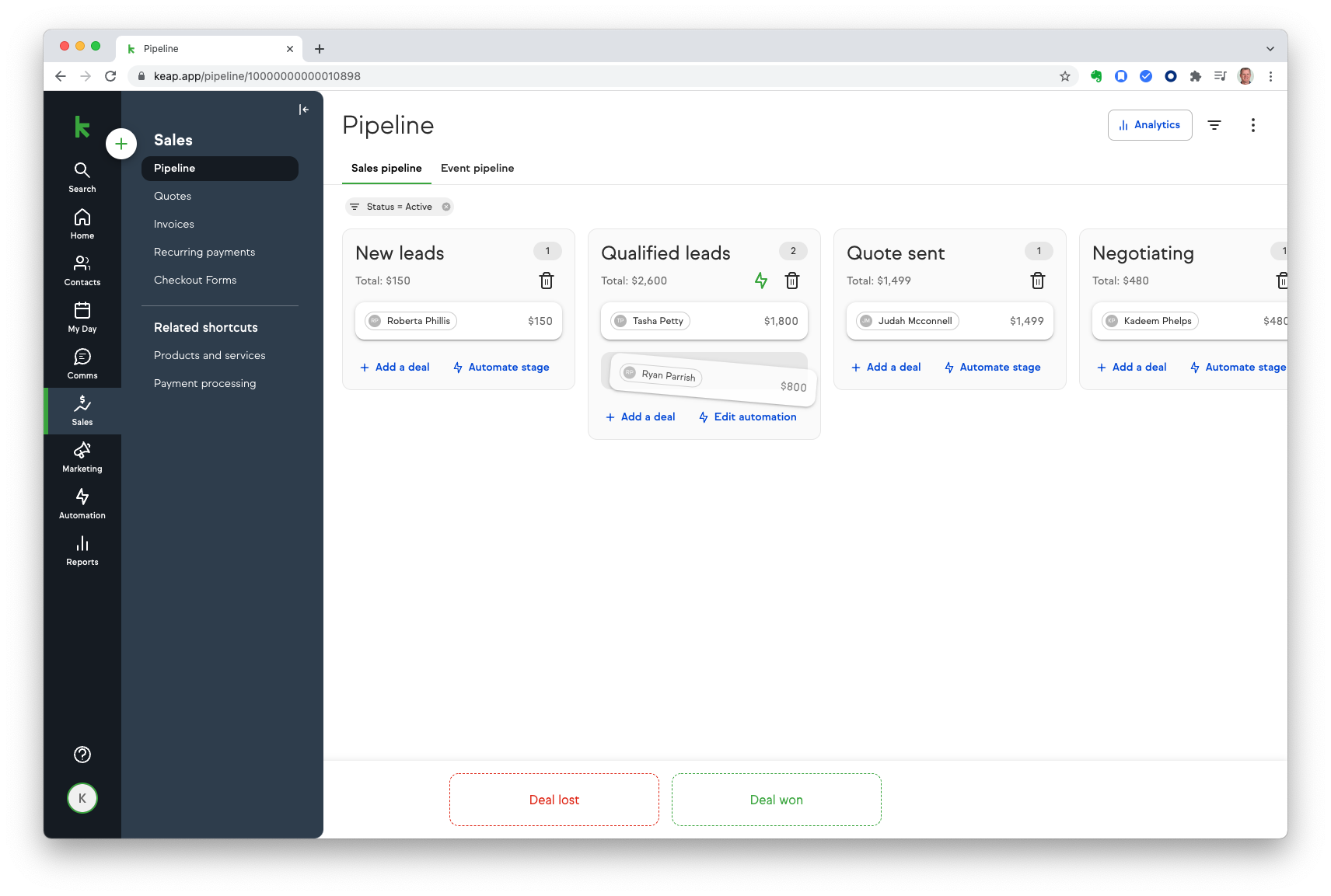
Keap is also very strong in sales pipeline management.
It offers a similar customizable pipeline view and allows you to trigger automations when a deal moves from one stage to the next.
This is a powerful feature for automating follow-ups and internal notifications.
Keap also has built-in quotes and invoicing, which is a significant advantage for small businesses.
You can create and send invoices directly from the CRM and even automate reminders for unpaid bills. In HubSpot, this functionality typically requires an integration with a tool like FreshBooks.
Verdict
Tie. HubSpot offers a more robust suite of sales engagement tools like Sequences and Playbooks. Keap‘s built-in invoicing and tight integration with its campaign builder give it a unique edge for solopreneurs.
Email Marketing
Email is the backbone of digital marketing.
Your CRM’s email marketing capabilities can make or break your campaigns.
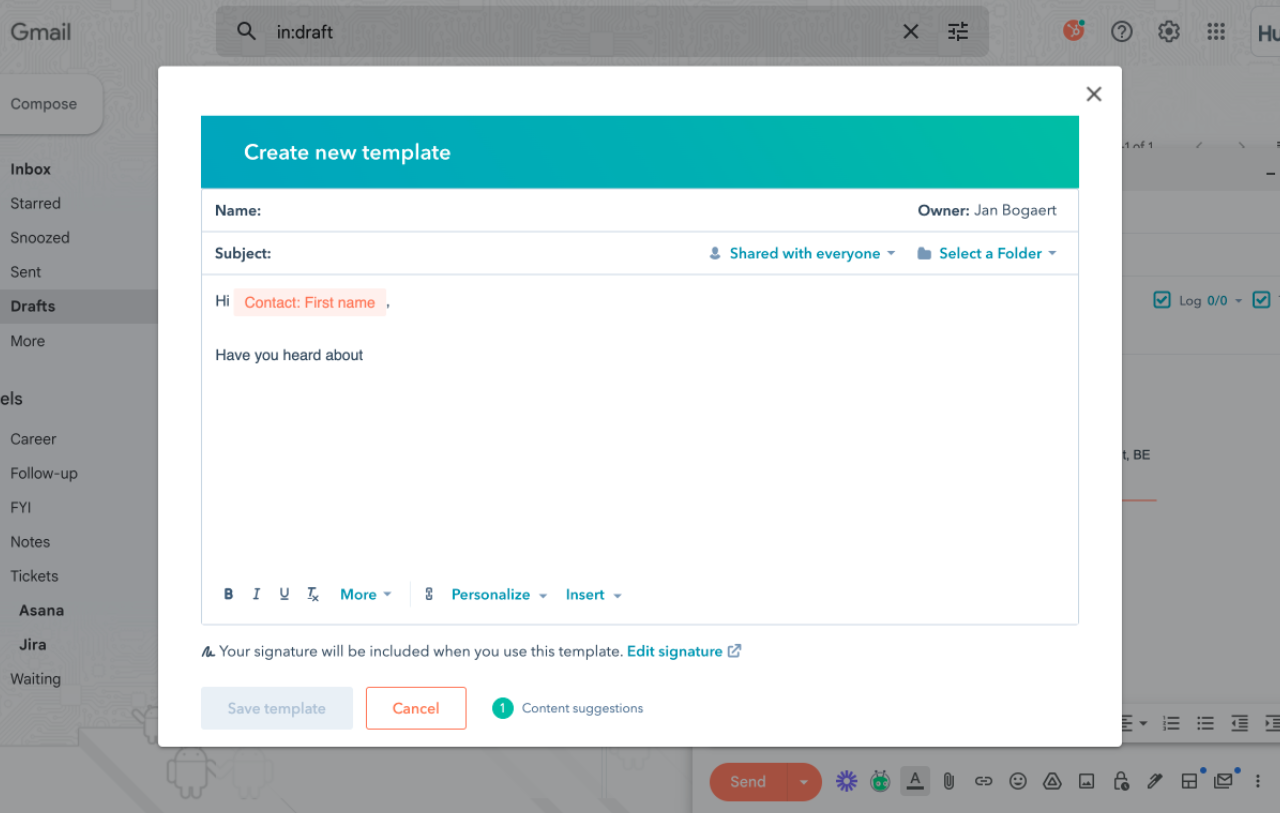
HubSpot delivers a more modern and feature-rich email marketing experience than Keap.
It features a modern, intuitive drag-and-drop editor that makes it easy to create beautiful, responsive emails.
It also offers powerful features like A/B testing, smart content (which displays different content to different list segments), and detailed analytics on opens, clicks, and engagement.
Because it’s natively tied to the HubSpot CRM, personalization is effortless.
You can pull in any data point from the contact record to create highly relevant messages.
For a great primer, check out this guide on email marketing for beginners.
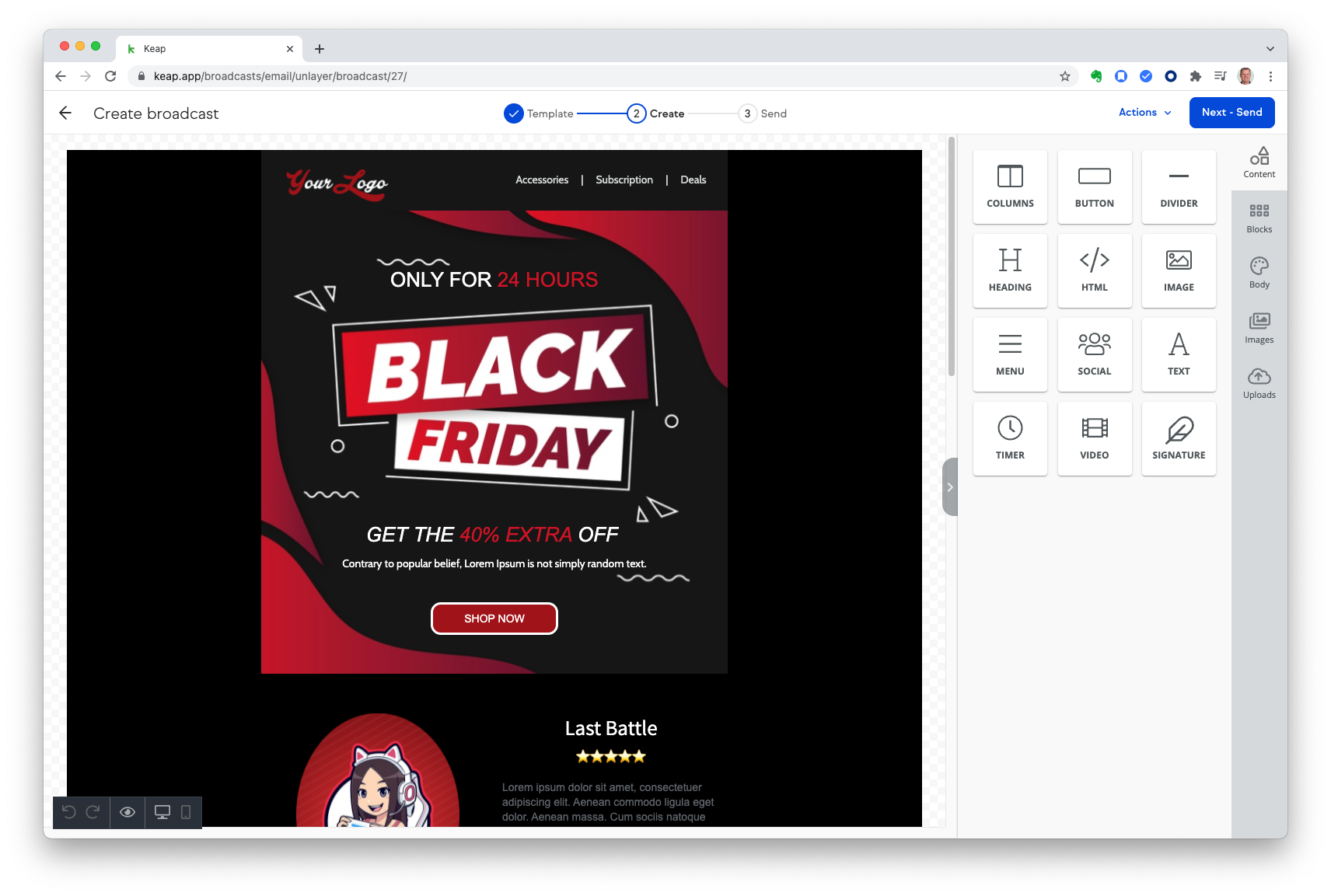
Keap‘s email marketing is functional but less refined than HubSpot’s.
The editor is simpler, and it lacks some of the advanced design and testing features.
Its strength isn’t in creating the prettiest emails, but in its ability to send the right email at the right time through its powerful automation engine.
For businesses that just need to send simple, text-based emails as part of a larger automation sequence, Keap is perfectly adequate.
But for those who value design, testing, and advanced features, it may feel limiting.
Many users who need a beautiful design often turn to specialized tools like GetResponse or Kit.
Verdict
HubSpot. It offers a more modern, feature-rich, and user-friendly email marketing experience.
Landing Pages & Forms
Landing pages and forms are your primary tools for lead capture.
Having them integrated into your CRM is a massive advantage.
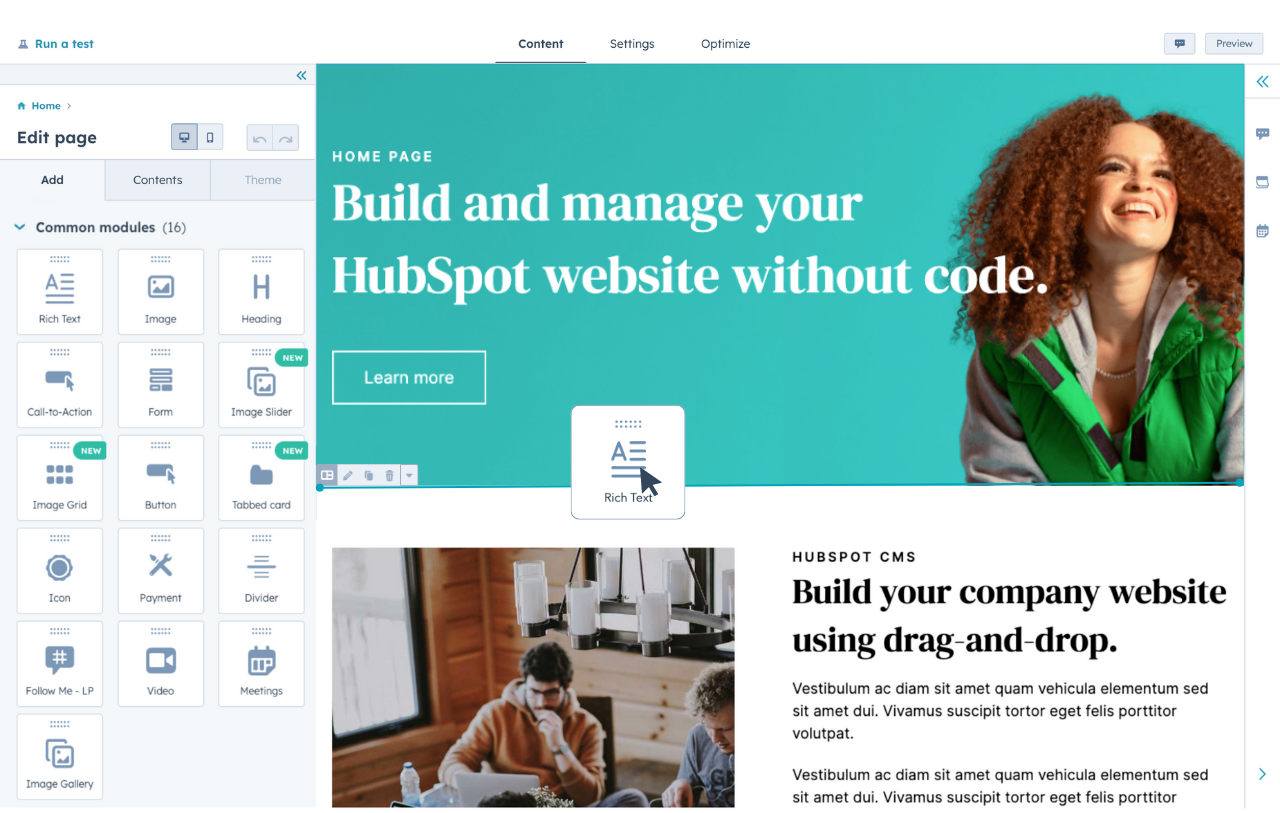
HubSpot’s landing page builder is more powerful and integrated than Keap’s.
Just like its email tool, the landing page builder is a drag-and-drop affair, allowing you to create professional-looking pages without any code.
The real magic happens with its smart forms, which can progressively ask for more information from returning visitors, increasing conversion rates.
Because it’s part of the HubSpot platform, any data captured is instantly and correctly mapped to the CRM record.
If you also use the Content Hub, your branding and design elements are all seamlessly connected.
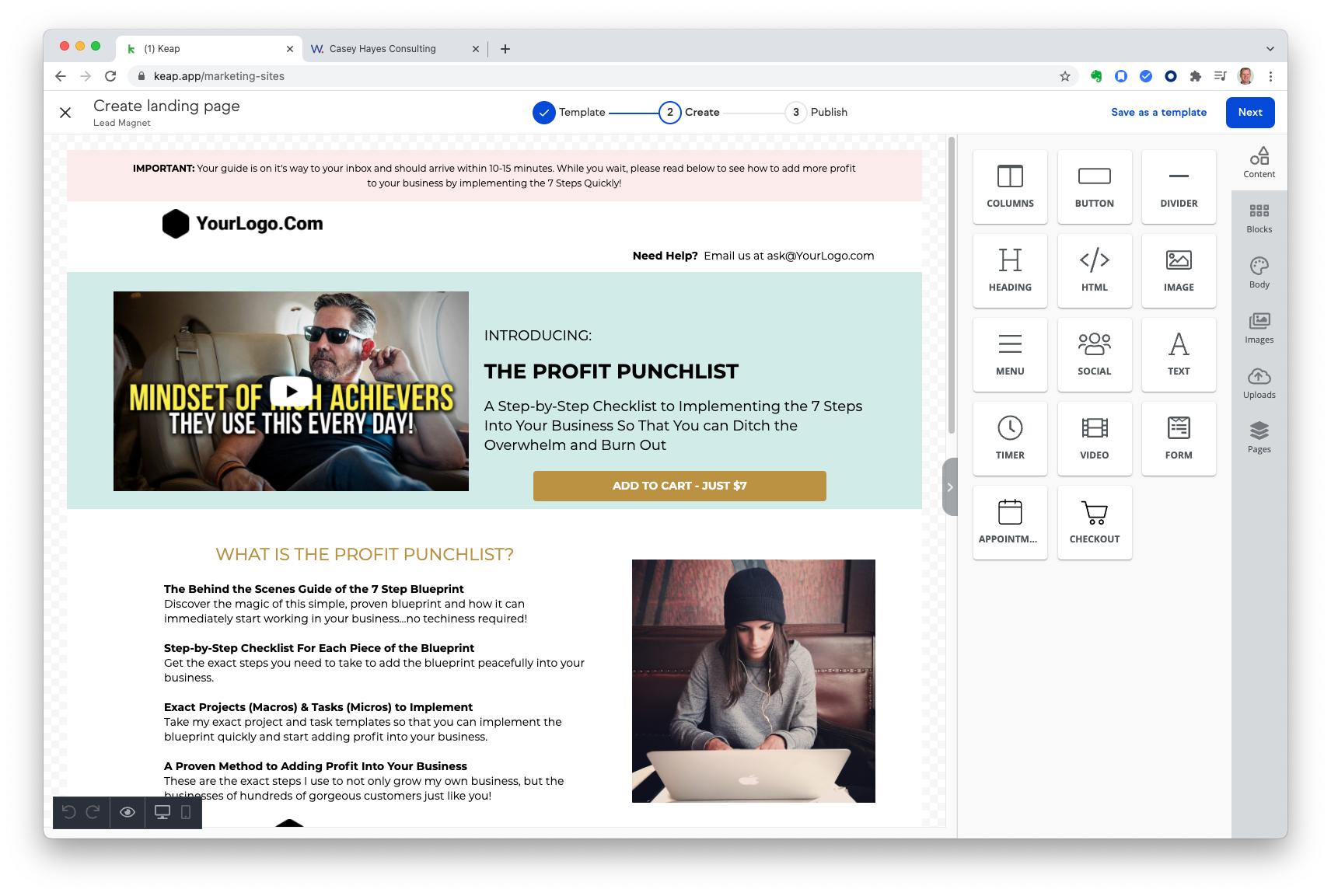
Keap also includes a landing page builder, and it’s a solid tool for creating simple, effective capture pages.
It has a good selection of templates and is easy to use.
It’s perfectly capable of handling the needs of most small businesses that need to quickly spin up a page for a new offer.
However, it lacks the advanced features of HubSpot, such as smart content and deep integration with a full CMS.
For users who need more design flexibility and A/B testing capabilities, dedicated platforms like Leadpages or Unbounce are often a better choice.
Verdict
HubSpot. Its builder is more powerful, and the integration with the broader platform provides significant advantages in personalization and data management.
Reporting & Analytics
“What gets measured gets managed.” Your CRM must provide you with clear, actionable insights into your performance.
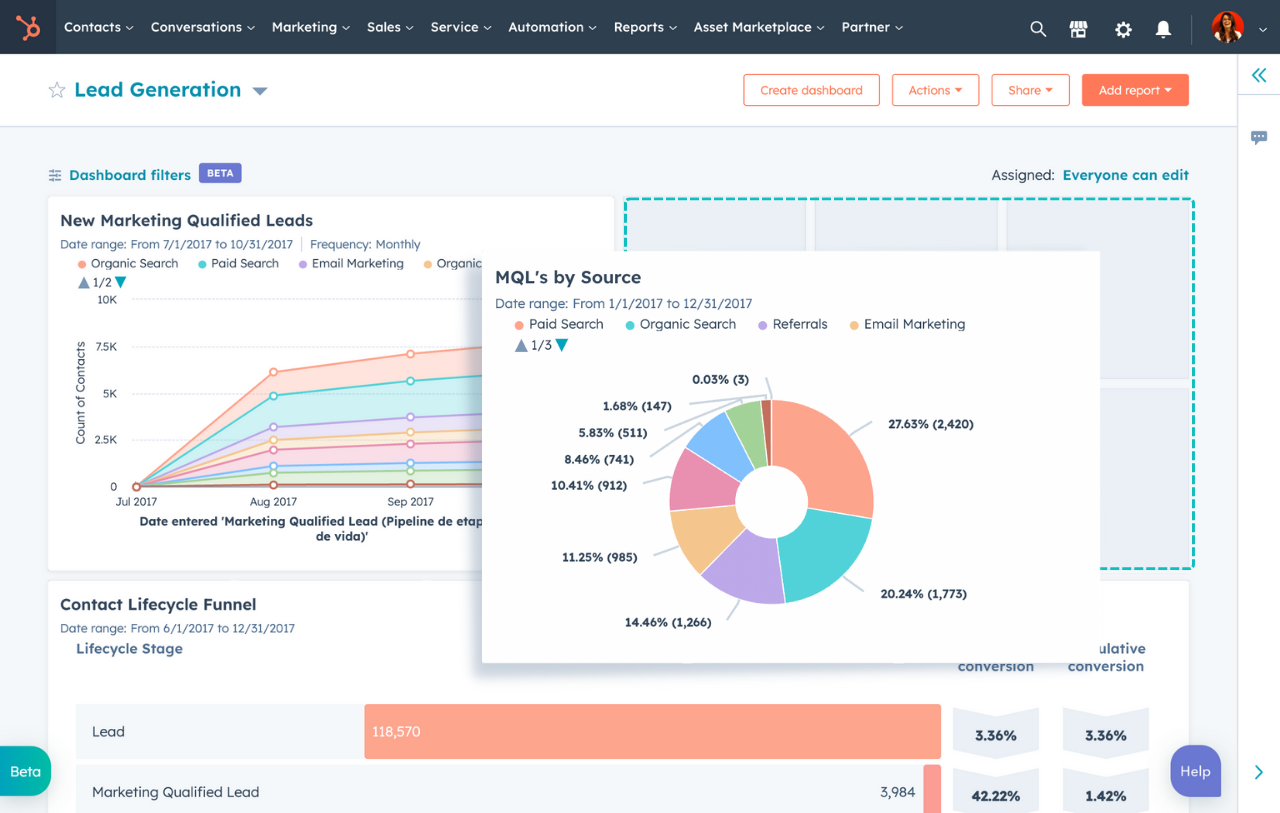
HubSpot offers a far more comprehensive and customizable reporting engine than Keap.
It provides dozens of pre-built reports and the ability to create fully custom dashboards for marketing, sales, and service.
You can track everything from campaign performance and lead attribution to sales velocity and team productivity.
HubSpot’s reporting allows you to connect all your activities back to bottom-line revenue, which is crucial for proving the ROI of your efforts.
The visual dashboards make it easy to see at a glance what’s working and what’s not.
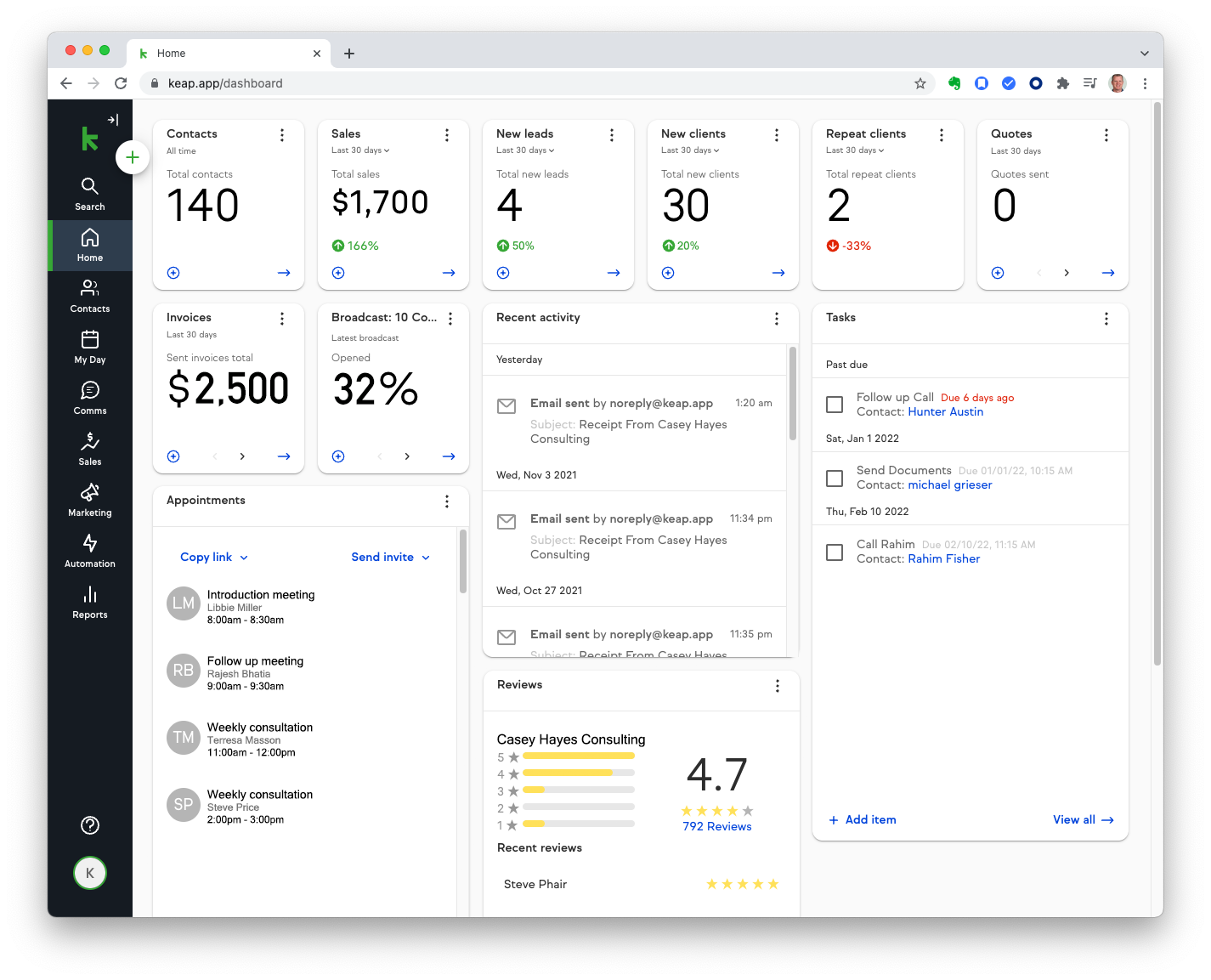
Keap‘s reporting is much more focused on the performance of its automation campaigns.
You can get detailed analytics on email performance and see how contacts are moving through your funnels.
It also provides good reports on sales activity and revenue.
While its reporting is effective for what it does, it lacks the breadth and customizability of HubSpot’s analytics suite.
It’s harder to build the kind of comprehensive, cross-departmental dashboards that you can in HubSpot.
Verdict
HubSpot. It offers a far more comprehensive, customizable, and insightful reporting engine that covers the entire customer lifecycle.
Customer Service Tools
Turning customers into loyal fans requires excellent service. This is where the platforms diverge significantly.
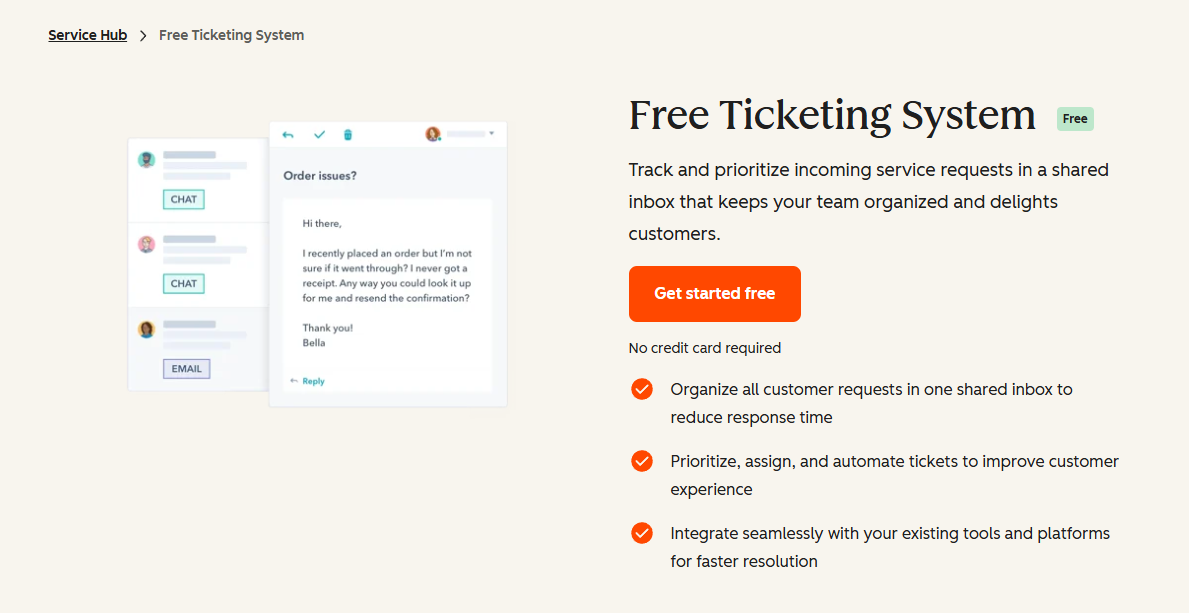
HubSpot includes a dedicated Service Hub for customer support, a crucial feature that Keap lacks.
It includes a professional ticketing system to manage customer inquiries, a knowledge base builder to enable self-service, live chat, and chatbots for real-time support, and tools for collecting customer feedback (like NPS surveys).
Having service tools on the same platform as your sales and marketing data is a game-changer.
A support agent can see a customer’s entire purchase history and marketing engagement when resolving a ticket, leading to a much better customer experience.
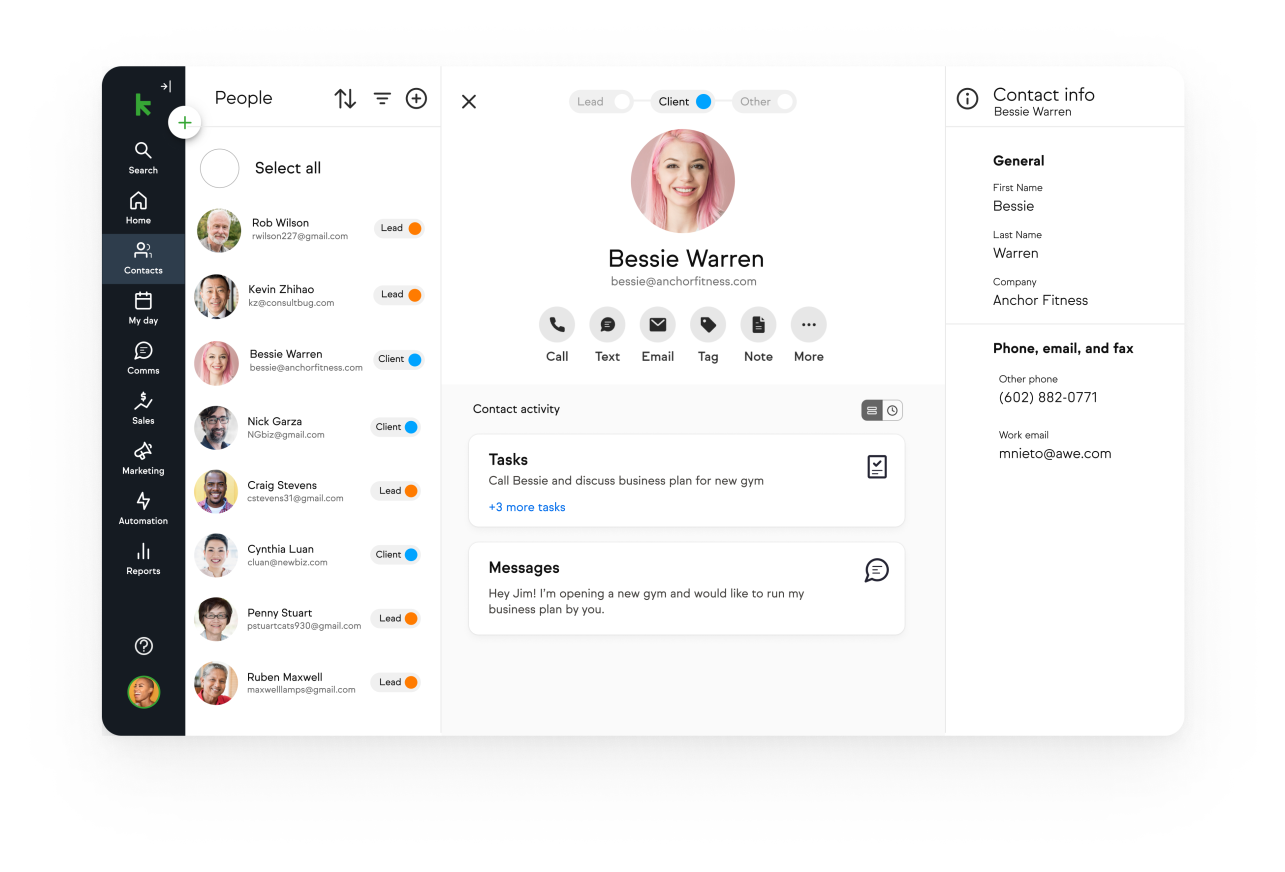
Keap does not have a dedicated suite of customer service tools.
While you can manage some customer communication through the CRM, it lacks a formal ticketing system or knowledge base.
To get this functionality, you would need to integrate a third-party help desk solution, often through an automation tool like Zapier.
Verdict
HubSpot, by a landslide. If customer service is a key part of your business, HubSpot’s integrated Service Hub is a massive advantage that Keap cannot match.
Ease of Use & Onboarding
A powerful tool is useless if your team can’t figure out how to use it.
The user experience and onboarding process are critical factors.
HubSpot is significantly easier to learn and use than Keap.
It’s designed to be user-friendly from the moment you sign up.
The navigation is logical, and the tools are generally easy to understand without extensive training.
Furthermore, HubSpot has invested heavily in education.
The HubSpot Academy is an incredible free resource with thousands of hours of video courses, certifications, and guides covering every aspect of the platform and inbound marketing in general.
This makes it easy for teams to self-onboard and get up to speed quickly.
Keap has a reputation for having a steeper learning curve.
While the newer versions of the software are more user-friendly than the old Infusionsoft, the heart of the platform—the Campaign Builder—can be intimidating for beginners.
It takes time and practice to master.
To address this, Keap often requires new customers to purchase an onboarding package.
This provides personalized coaching to help you get set up correctly.
While this support is valuable, it represents an additional cost and time commitment that you don’t necessarily have with HubSpot.
Verdict
HubSpot. Its intuitive design and the unparalleled resources of HubSpot Academy make it far more accessible for new users and growing teams.
HubSpot vs Keap: The Pricing Battle
Pricing for CRM and automation platforms can be complex.
Especially if they involve a lot of variables, like we see with HubSpot. On the other hand, it can also be very simple, like we see with Keap.
Please note that the pricing is variable based on a lot of factors, and it would be best to check it on their official websites; however, to give you an idea, let’s talk about them anyway in a generalized way.
Let’s break down how HubSpot and Keap structure their plans so you can understand the true cost.
HubSpot Pricing Structure
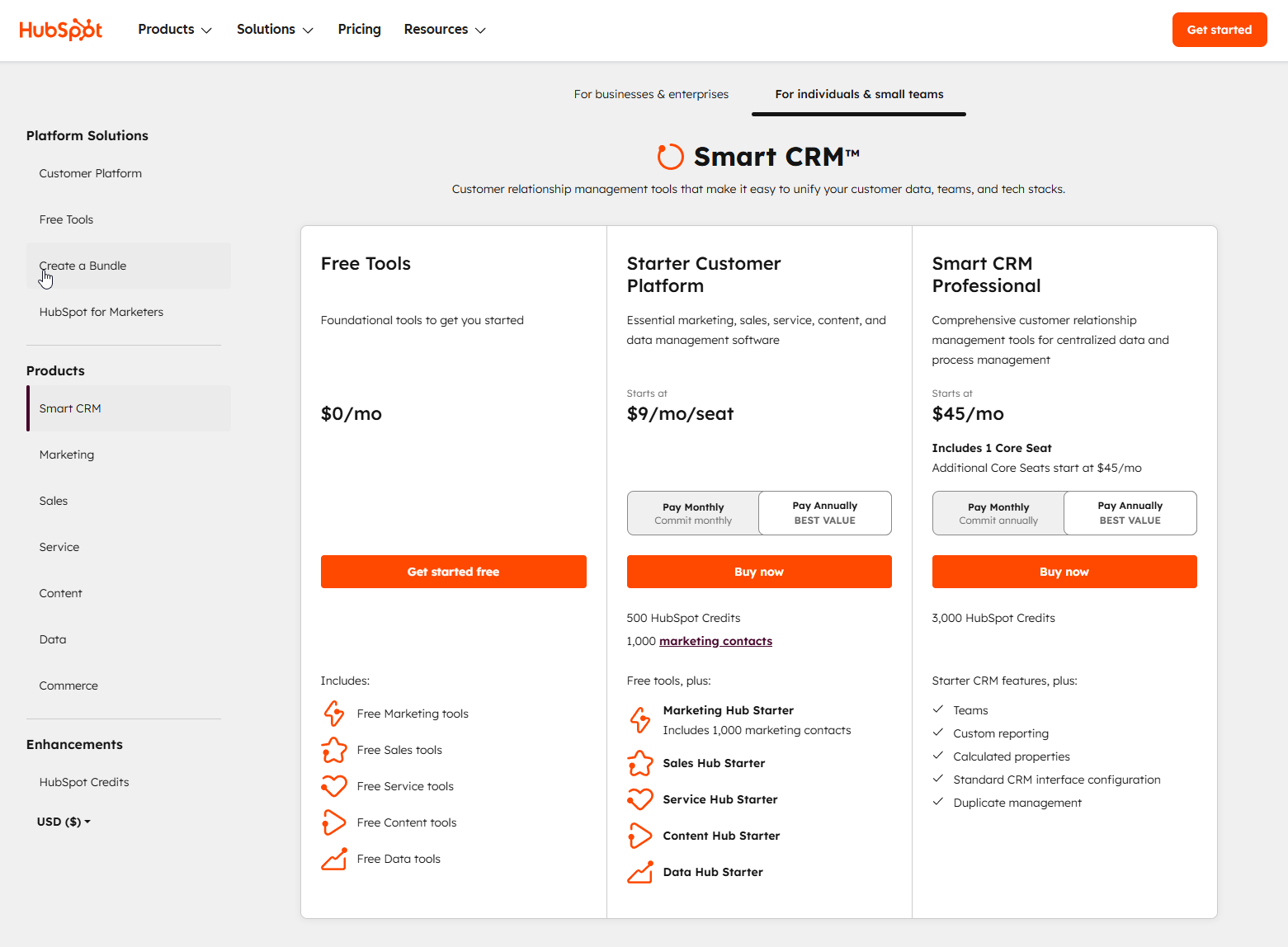
HubSpot’s pricing is unique because it’s both “freemium” and modular.
You can start for free and then add paid “Hubs” or customize your plan as needed.
Free Tools: The HubSpot CRM is the star here. It’s free forever and includes tools like contact management, deal pipelines, live chat, and a meeting scheduler. This is an incredible starting point for any business.
Starter Plans (Starting at $9/month): These are the entry-level paid plans. They remove HubSpot branding and add more features, like simple automation and more robust reporting. The CRM Suite Starter bundle packages all the Hubs together at a steep discount and is one of the best deals in SaaS.
Professional Plans (Starting at $45/month): This is the most popular tier for growing businesses. It unlocks the truly powerful features, like full marketing and sales automation (workflows), custom reporting, A/B testing, and much more.
Enterprise Plans (Starting at $75/month): This tier is for large, complex organizations that need advanced permissions, predictive lead scoring, and multi-touch revenue attribution.
The beauty of the HubSpot platform is that you can mix and match.
You might start with the free CRM, add the Sales Hub Starter plan, and then upgrade to Marketing Hub Professional when you’re ready.
This flexibility allows the platform to grow with you.
Keap Pricing Structure
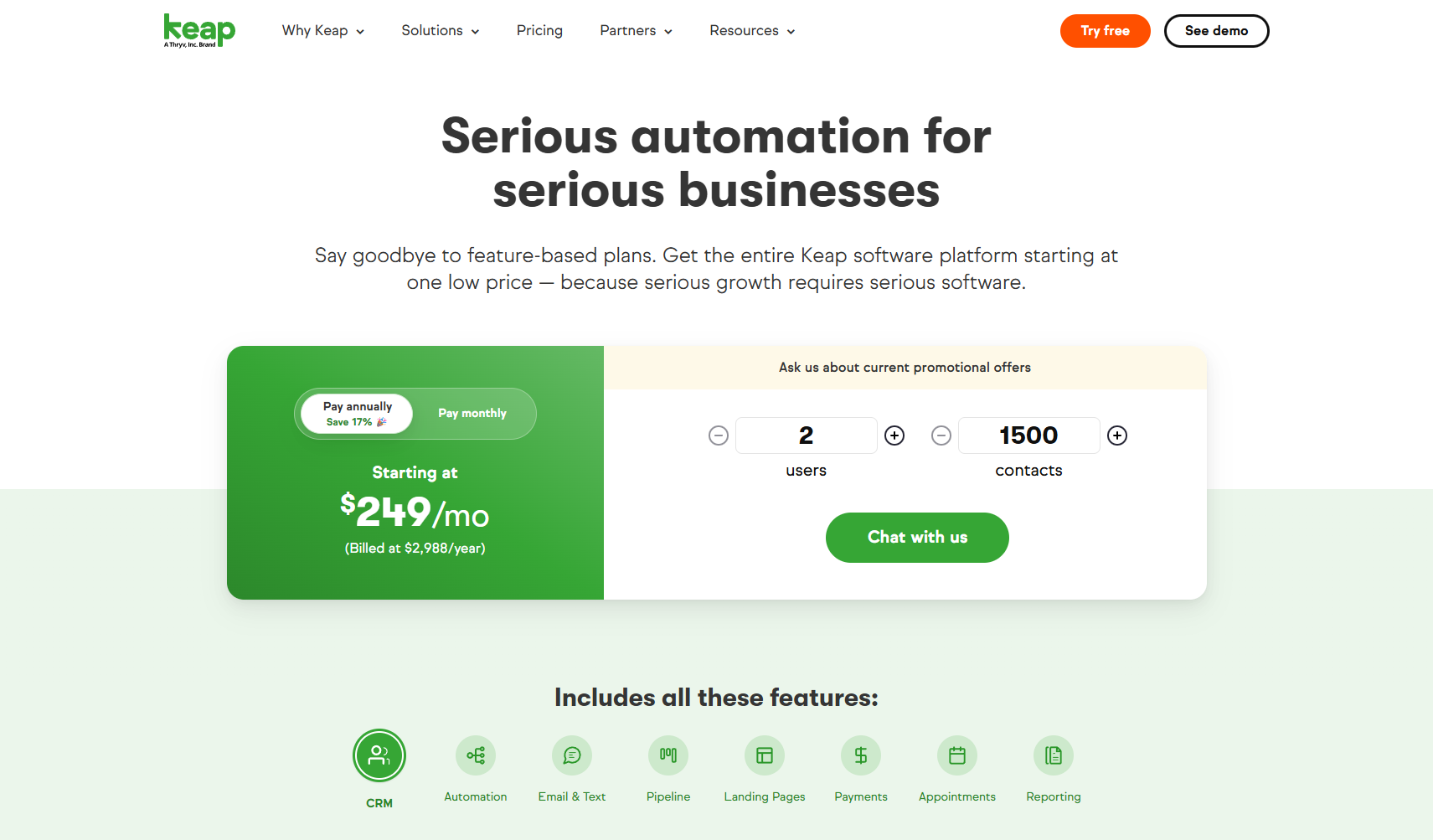
Keap‘s pricing is more traditional, based on the number of contacts in your database and the feature tier you choose.
Keap Pro (Starting around $199/month): This plan typically includes 1,500 contacts and 2 users. It gives you the core CRM, the campaign builder, and features like appointments and invoicing.
Keap Max (Starting around $289/month): This tier adds more advanced features like lead scoring, one-click upsells, and more robust e-commerce and analytics functionality.
Keap Max Classic (Custom Pricing): This is the most powerful version of Keap (the original Infusionsoft) and is priced based on your specific needs.
A key thing to note with Keap is the potential for a mandatory “Expert Coaching” or onboarding fee, which can add several hundred dollars to your initial investment.
Verdict
For new and small businesses, HubSpot‘s free and low-cost starter plans offer a much more accessible entry point.
As you scale into the professional tiers, the costs can become comparable, but HubSpot’s value often feels higher due to the breadth of its all-in-one platform.
Who Should Choose HubSpot?
Choose HubSpot if you want a scalable, user-friendly, and truly all-in-one platform. Here’s when HubSpot is your best option:
You’re a Startup or Small Business: The ability to start with a powerful free CRM and scale into paid plans as you grow is unmatched. You won’t outgrow the platform.
You Value an All-in-One Solution: You want your marketing, sales, and service teams working from the same playbook and the same data. You’re tired of juggling multiple disconnected tools.
Your Strategy is Content-Driven: If inbound marketing, blogging, and SEO are central to your growth strategy, HubSpot’s integrated CMS and marketing tools are designed for you. You need to do effective keyword research to make this work.
You Need a User-Friendly Platform: You want a tool that your entire team can adopt quickly without months of training.
Who Should Choose Keap?
Keap is a powerful, specialized tool. It’s the right choice for you if:
You’re a Solopreneur or “Expertpreneur”: If you are a coach, consultant, author, or speaker, Keap is built for your business model.
Your Business Lives and Dies by Funnels: If your entire business model is built around complex, multi-step sales and marketing funnels, Keap’s Campaign Builder is your command center.
You Need Integrated Invoicing: For service-based businesses that send a lot of quotes and invoices, having this functionality built directly into the CRM is a huge time-saver.
You’re an Automation Power User: You’re not afraid of a learning curve and want the ultimate control to build intricate, customized automation sequences.
Frequently Asked Questions (FAQ)
The Conclusion: Which One Wins The Race?
After an exhaustive comparison, the recommendation is clear.
While Keap is a valuable and powerful tool for a specific niche, HubSpot stands out as the superior choice for the vast majority of businesses.
Its combination of a world-class free CRM, a user-friendly interface, true all-in-one functionality, and unmatched scalability makes it the definitive growth platform for the modern era.
The HubSpot platform provides a foundation you can build on for years to come.
You can start for free, learn the ropes with HubSpot Academy, and confidently add more power as your revenue and team grow.
The seamless integration between marketing, sales, and service eliminates data silos and creates a customer experience that your competitors, struggling with a patchwork of disconnected tools, simply can’t match.
Keap‘s strength in complex automation is undeniable, but that strength is also its weakness.
It’s a specialist tool in a world that increasingly demands versatile, integrated platforms.
For the price of Keap’s entry-level plan, you can get a powerful bundle of tools from HubSpot that covers far more ground.
Your CRM is a long-term investment.
By choosing HubSpot, you are investing in a platform that is not only powerful today but is also built to support your biggest ambitions for tomorrow.
Ready to see for yourself?
Get started with HubSpot’s Free CRM today and build a better foundation for your business’s growth.