Can this lightweight yet powerful WordPress theme truly live up to the hype? In this detailed Neve Theme Review, we’re gonna uncover everything to make your decision easier.
Disclosure: This website uses affiliate links; I may earn commissions at no extra cost to you. Learn more.

Okay, now let’s get this going…
From its promise of speed and simplicity to its versatile adaptability, Neve claims to be the ultimate game-changer for any website.
Join me as I share my personal insights and explore whether Neve can establish or redefine your online presence, just as it has for many.
But before we move on, let’s talk about why choosing the right theme matters, just in case you don’t know the benefits yet and the consequences of making the wrong decision.
Why Is Choosing A Good WordPress Theme Important?
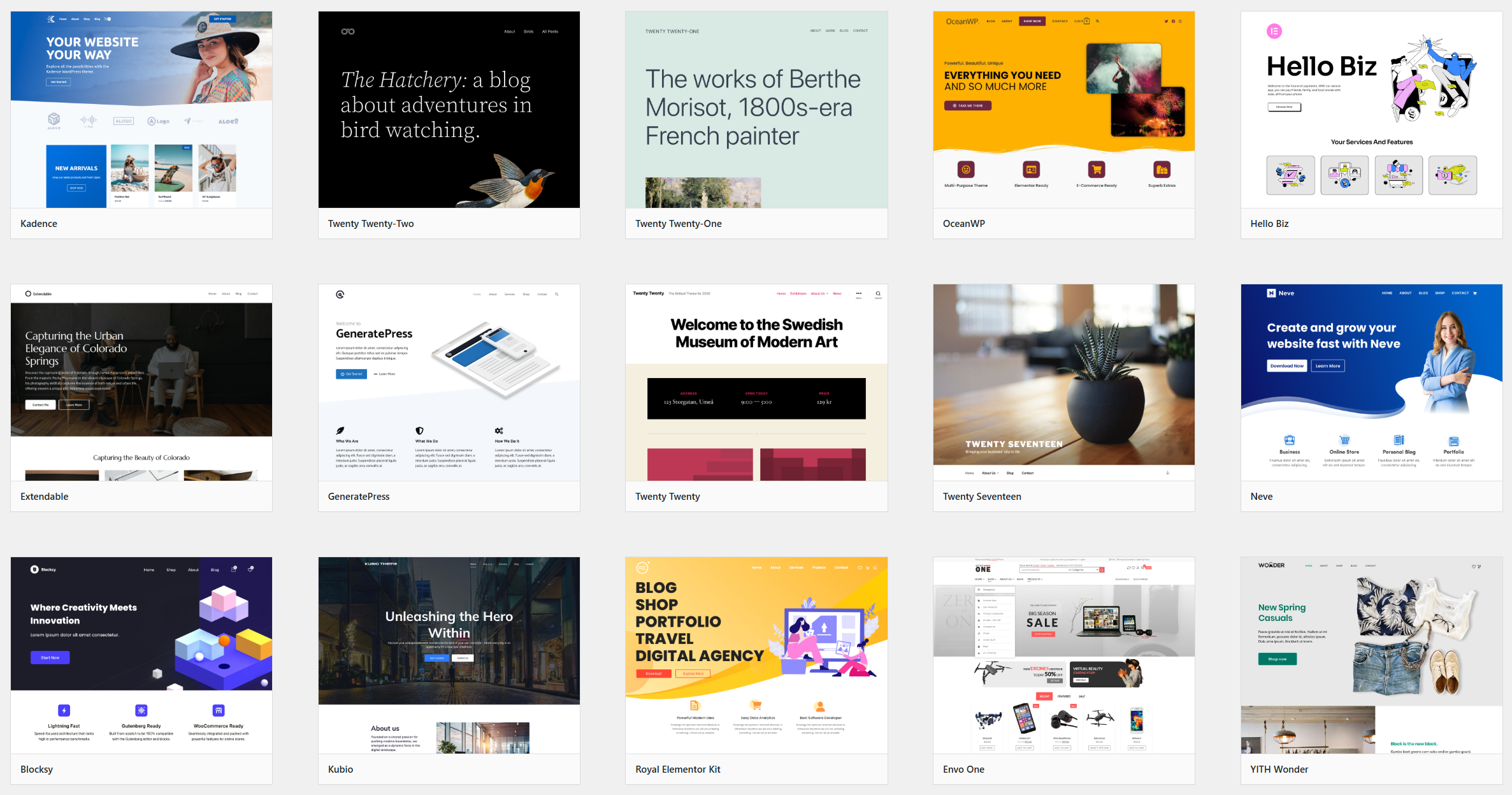
One of the most critical decisions you’ll ever make for your online presence is choosing a WordPress Theme.
If you’ve ever built a website, you know the agonizing feeling that comes with it.
You spend countless hours, maybe even sleepless nights, scrolling through an endless sea of themes on marketplaces like ThemeForest or the official WordPress repository.
Each one flashes a dazzling demo, promising to be “the one”—the perfect blend of breathtaking design, blazing speed, and limitless flexibility.
I’ve been down that rabbit hole more times than I care to admit.
It’s a journey paved with good intentions, but it often leads to disappointment.
You find a theme that looks stunning, only to discover it’s a bloated, code-heavy monster that grinds your site to a halt. Or you pick a “lightweight” theme that’s so bare-bones it requires a dozen extra plugins just to look decent.
It’s a frustrating balancing act.
This is precisely why finding a truly exceptional theme feels like you’ve discovered a secret mantra.
A great theme isn’t just a “skin” for your site; it’s the very bedrock of your digital identity.
It fundamentally impacts everything: your users’ experience, your search engine rankings, your conversion rates, and, just as importantly, your sanity during those late-night editing sessions.
All in all, this is one of the most important decisions that you’ll make for your website, and you shouldn’t take it lightly.
That being said, now let’s get going with the Neve Review.
Neve Theme Review: Is It The Best WordPress Theme In 2026?
For the past few years, Neve by Themeisle has been one of the themes that has consistently risen above the noise for me. It’s also become one of my go-to recommendations for everyone from first-time bloggers to established agencies.
It makes a bold claim: to be a super-lightweight, multipurpose theme built for speed and usability in the modern, mobile-first web.
But Neve isn’t a static product; it’s constantly evolving. With recent major updates, it has fundamentally changed its approach to performance and modularity.
So, does it still hold the crown in 2026?
Let’s find out in this comprehensive Neve WordPress Theme Review.
I’m going to take you on a granular, no-holds-barred deep dive into every facet of the modern Neve theme.
We’re going far beyond a simple feature list.
We’ll dissect its new performance engine, tear down its customization options, scrutinize its “Sparks” ecosystem, see how it integrates with page builders, and pit it head-to-head against its fiercest rivals.
My goal is to arm you with more than enough information to decide, with absolute confidence, if Neve is the right foundation for your next masterpiece.
Let’s get going.
Getting Started – The Modern Neve Experience
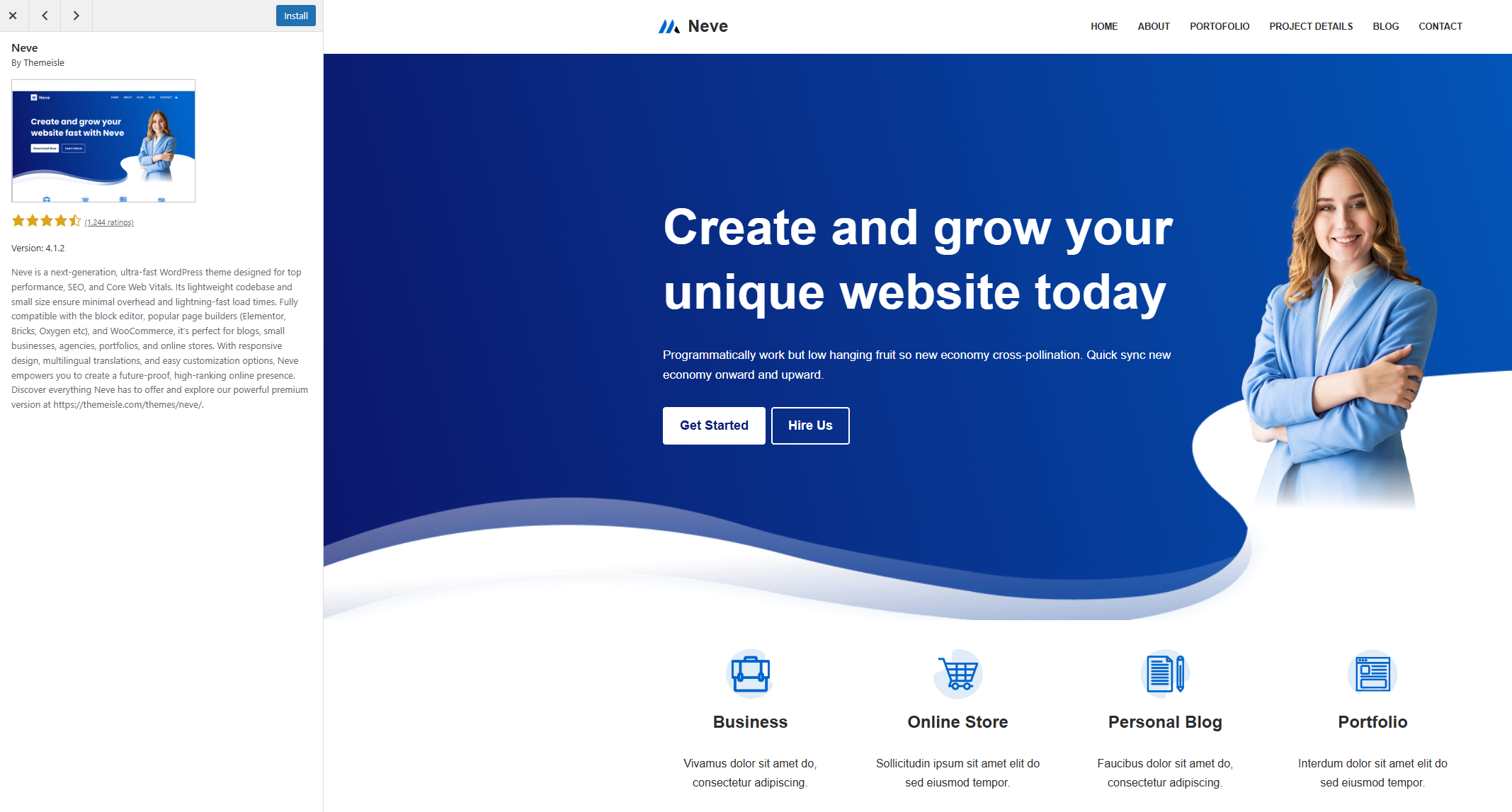
Even with its recent evolution, Neve’s commitment to a smooth onboarding process remains stronger than ever. The setup is designed to feel intuitive and empowering, reflecting the theme’s core philosophy.
Seamless Installation & The Modernized Dashboard

The initial installation is still as simple as ever—a quick search in Appearance → Themes and a click of the “Install” and “Activate” buttons. However, what happens after activation has been refined in Neve 4.0.
You’re now greeted by a sleek, modernized dashboard under Appearance → Neve Options.
This isn’t just a cosmetic change. The layout is more logical, grouping related settings and providing direct links to the Customizer, Starter Sites, and the new Sparks library.
It immediately feels more professional and organized.
From here, you’re gently guided to the Starter Sites library—the first step in bringing your vision to life.
The Onboarding Wizard & Optimized Starter Sites
The onboarding wizard remains a cornerstone of the Neve experience, but the starter sites themselves have been re-engineered. Each of the 150+ templates has been revisited for better performance and cleaner code.
When you select a starter site built for your favorite editor (Gutenberg Block Editor, Elementor, Divi, etc.), the import process is flawless.
It identifies and installs necessary plugins, imports demo content, and, crucially, sets up all the Customizer settings.
Within minutes, you have a pixel-perfect, high-performance replica of the demo, ready for you to customize and refine. This single feature remains one of the biggest time-savers in the WordPress world.
The Modern Performance Engine
This is where the latest versions of Neve have truly changed the game.
The theme has moved beyond simply being “lightweight” and has implemented a sophisticated, multi-layered performance engine.
This major architectural rewrite, codenamed “Sarmizegetusa” (a nod to Themeisle’s Romanian roots), is the foundation of its new speed.
The “Sparks for WooCommerce”: A Big Step Towards Modularity

The single biggest change in modern Neve is the introduction of Sparks for WooCommerce.
Earlier, Pro features were modules you toggled inside the theme, including all the features that were there for WooCommerce stores, which isn’t useful for most of the websites out there.
Now, many of these powerful features have been moved into a separate companion plugin called “Sparks or Sparks for WooCommerce”. Personally, I would have named it WooSparks, but anyway…
Why Is This A Big Deal?
It’s the ultimate commitment to performance.
Instead of the theme containing code for every possible feature (which you might not even use), you now only activate the specific “Sparks” you need.
If you’re not using any of the extra features or the WooCommerce Booster, that code is never loaded on your site.
This ensures zero code bloat from unused features, keeping your site as lean and fast as humanly possible.
This is a level of modularity that few other themes offer.
Advanced Asset Optimization
Neve now employs an intelligent system for loading its assets (CSS and JavaScript).
- Conditional Loading: Styles and scripts are loaded conditionally. The CSS for the blog post layout, for example, is only loaded on blog pages, not on your homepage or contact page.
- Optimized CSS Loading: Neve optimizes how it delivers CSS to the browser, prioritizing the styles needed to render the visible part of the page first (critical path CSS). This dramatically improves the “Largest Contentful Paint” (LCP) score, a key Google Core Web Vital.
- Vanilla JavaScript: Neve’s longstanding commitment to avoiding jQuery continues, relying on fast, modern vanilla JS for all its dynamic functions.
Performance Benchmarks Revisited (2026)
Talk is cheap. Let’s look at the data. I ran a fresh test on a Cloudways server with the latest version of Neve and an optimized starter site.
The results, even before adding a caching plugin, are a testament to this new performance engine:
- GTmetrix Grade: A (99%)
- Largest Contentful Paint (LCP): 0.9s
- Total Blocking Time (TBT): 1ms
- Cumulative Layout Shift (CLS): 0
- Fully Loaded Time: 0.9s
- Total Page Size: 413KB
The scores have actually improved.
Loading a beautiful, feature-rich page in under a second with zero layout shift is the holy grail of web performance, and Neve delivers it out of the box.
Pairing this with a top-tier optimization plugin like WP Rocket can push these numbers even further, handling things like database optimization and CDN integration that a theme can’t.
Unparalleled Customization Flexibility

Neve’s legendary flexibility remains, but it has been refined for a better user experience.
All options are still managed through the live WordPress Customizer, giving you a real-time preview of every change.
Drag-and-Drop Header & Footer Builder: This killer feature is as powerful as ever, allowing you to visually construct unique headers and footers for desktop and mobile. The Pro version adds more components (like social icons, contact details), sticky/transparent options, and powerful conditional logic (e.g., show one header on the homepage and a different one on blog posts).
Global Controls for Color & Typography: Neve’s global color palettes and typography settings are your brand’s command center. Define your styles once—like setting a primary blue accent color—and they apply everywhere, ensuring perfect consistency on links, buttons, and headings. This system integrates seamlessly with the Gutenberg block editor and popular page builders.
Revamped Blog Layouts: The blog customization options have been reorganized and enhanced. The dedicated “Blog” panel in the Customizer now has clearer “General” and “Design” tabs, making it easier to control everything from layout (list, grid, masonry) to meta information, post excerpts, and image aspect ratios.
The Power of Custom Layouts & The Revamped UI

The Custom Layouts module (a Pro feature) remains Neve’s secret weapon for ultimate control. It allows you to design content blocks with your favorite editor and “hook” them into any part of your theme using conditional logic.
What’s new in Neve 4.0 is the revamped Custom Layouts interface. The process of creating and managing these layouts is now far more intuitive and visual.
It guides you through creating custom headers, footers, 404 pages, or site-wide call-to-action blocks with clear categories and straightforward options.
Practical Example: You could design a special promotional banner in Elementor, set it to appear above the footer on all WooCommerce product pages, and have it automatically disappear after a specific sale date.
This level of dynamic control without touching code is simply incredible.
Powerful Integration With Block Editor & Page Builders

A theme’s power is often measured by how well it “plays with others.” Neve excels here.
Gutenberg/Block Editor: Neve is built with a block-editor-first mindset. Its global styling options perfectly synchronize with Gutenberg blocks, ensuring your brand colors and fonts are consistent. The integration with the Gutenberg editor is seamless and makes your content creation process buttery smooth.
Page Builders (Elementor, Divi Builder, Thrive Architect, etc.): Neve provides a perfect canvas. You can easily control page-level settings, disabling headers, footers, or sidebars to give the page builder full-width control. Whether you’re using Elementor, the Divi Builder, or Thrive Architect, Neve plays well with all of them. The Elementor integration adds powerful new widgets and controls directly into Elementor, creating a seamless building experience.
The best part? It doesn’t matter if you’re team Gutenberg or a die-hard fan of traditional page builders—Neve adapts beautifully.
Neve Theme SEO Optimization – Still Built to Rank?
Absolutely. In fact, its SEO foundation is now even stronger.
Minimal Code Bloat: The new “Sparks” system means your site only loads the code it needs, resulting in faster pages and leaner code—two things Google loves.
Core Web Vitals Focus: Neve is explicitly built to excel at Google’s Core Web Vitals (LCP, CLS, TBT), giving you a direct technical advantage in search rankings.
Schema & Plugin Harmony: It still includes built-in Schema markup for better search engine interpretation and works flawlessly with leading SEO plugins like Rank Math or AIOSEO, allowing you to execute a comprehensive on-page SEO strategy.
Neve vs. The Competition (Astra, GeneratePress, Kadence)

Neve doesn’t exist in a vacuum. Its main competitors are other top-tier, lightweight themes such as Astra Pro, GeneratePress, and Kadence. Here’s how it stacks up to them in 2026:
| Feature / Philosophy | Neve | Astra | GeneratePress | Kadence |
| Core Philosophy | Ultimate modularity & performance. Feature-rich out of the box. | Balance of speed and extensive starter templates. | Absolute minimalism & developer-friendliness. | Strong focus on header/footer building & deep Gutenberg integration. |
| Modularity | Sparks Ecosystem: Companion plugin for Pro features ensures zero theme bloat. The most modular approach. | Pro addon plugin with toggleable modules. | Pro addon plugin with toggleable modules. | Pro addon plugin with toggleable modules. |
| Free Version | Very generous. Includes Header/Footer builder and solid performance. | Highly capable. Excellent starter site selection. | Extremely lightweight but very basic. Requires Pro for most design features. | The most feature-rich free theme, especially its header builder. |
| Header/Footer Builder | Excellent, visual drag-and-drop builder. Pro adds advanced conditions. | Good builder, but Neve’s and Kadence’s feel slightly more intuitive. | Basic controls in free. Pro adds more robust options. | Excellent, arguably the most powerful free header/footer builder available. |
| Unique Selling Point | The Sparks system for performance and the Custom Layouts module for ultimate flexibility. | The sheer size and quality of its starter template library. | Unmatched speed for minimalists and developers who build from scratch. | Deep integration with their own Kadence Blocks plugin. |
| Best For | Users who want a perfect balance of cutting-edge performance, deep customization, and ease of use. | Users who want the fastest path to a finished site using a starter template. | Developers and performance purists who prefer a “blank slate” approach. | Users who are heavily invested in the Gutenberg block editor. |
Neve Free vs. Neve Pro – The 2026 Breakdown
The value proposition has shifted slightly with the introduction of Sparks. Here’s the updated comparison:
| Feature | Neve Free | Neve Pro (The Value Proposition) |
| Performance Engine | Excellent core performance and asset loading. | Unlocks the full Sparks ecosystem, allowing for ultimate modularity and performance tuning. |
| Header/Footer Builder | Basic components, robust functionality. | Activates the Header Booster Spark with advanced components, conditional logic, and sticky/transparent effects. |
| Blog Layouts | Standard list layout, good control. | Activates the Blog Booster Spark with Masonry/Grid layouts, read time, author bios, and advanced styling. |
| WooCommerce | Excellent basic customization. | Activates the WooCommerce Booster Spark, a full suite of conversion tools (quick view, floating cart, etc.). |
| Custom Layouts | Not available. | Unlocks the Custom Layouts Spark with the new, intuitive UI for limitless design possibilities. |
| White Label | Not available. | A dedicated Spark for agencies to replace Neve branding with their own. |
| Support | WordPress.org Community Forums. | Priority & Live Chat Support from the expert Themeisle team. |
My Verdict on the Upgrade: The logic remains the same, but the reasoning is even stronger. If you are serious about your website—whether you’re a business owner, agency, or content creator—the upgrade to Neve Pro is essential.
It’s no longer just about getting more features; it’s about unlocking a modern, modular, performance-focused framework that gives you a competitive edge.
Documentation, Support, and Pricing
![Neve Theme Review: Is It The Best WordPress Theme In [year] 1](https://bloggerself.com/wp-content/uploads/2025/06/Themeisle-Support-Page.png "Themeisle Support Page")
Neve’s support has also matured into something seriously impressive. If you’re on the free plan, you get access to the WordPress.org support forum.
But once you go Pro, you unlock their dedicated support portal, including live chat with a pretty solid response rate.
Plus, there’s a huge, helpful Facebook community where real users share tips, showcase their builds, and help each other out.
The documentation is also worth shouting out—it’s deep, constantly updated, and includes helpful video tutorials for everything from theme setup to advanced customizer options.
A theme is only as good as the support behind it.
Neve Pro users get access to priority email and live chat support directly from the Themeisle team, which is known for being responsive and knowledgeable.
The public documentation is extensive, with detailed articles and video tutorials covering nearly every feature.
As of 2026, Neve Pro is available in three tiers:
Personal Plan: This plan includes all Sparks and core Pro features and costs around $69/year.
Business Plan: This plan adds the WooCommerce Booster, LMS Booster, and priority support. It costs $149/year.
Agency Plan: This plan is designed for agencies and comes with even more features, including the White Label, Otter Blocks Pro, and VIP Support. This will cost you around $259/year.
The pricing is competitive and offers excellent value, especially the Agency plan for freelancers and professionals managing multiple client sites.
Neve Theme Review: The Pros & Cons
After an exhaustive deep dive into the modern Neve architecture, I can say with even more confidence than before that it is an elite WordPress theme. It hasn’t just kept up; it has actively innovated.
But nothing is always perfect, is it? The same goes for the Neve WordPress theme, and here I’ve summarized them into a few bullet points to make your decision easier.
PROS
CONS
Who Is The Neve Theme For?
The audience remains broad, but the reasons are more profound. The Neve theme is suitable for anyone in the world, but here are some examples just in case you’re wondering:
Performance Enthusiasts: Anyone obsessed with speed and Core Web Vitals will find their perfect match in Neve.
Modern Agencies & Freelancers: The Sparks system, White Labeling, and Custom Layouts make it the ultimate professional toolkit.
eCommerce Entrepreneurs: The WooCommerce Booster Spark provides a suite of conversion tools that can directly impact your bottom line.
Beginners Who Want to Grow: Start with the excellent free version and know that you have a powerful, professional upgrade path ready for you when you need it.
In conclusion, my recommendation for the Neve Theme is stronger than ever.
It has successfully navigated the changing web landscape by evolving into a smarter, faster, and more modular platform.
It isn’t just a theme; it’s a forward-thinking framework that provides a reliable, powerful, and future-proof foundation for any website you can imagine.
Final Thoughts
Neve isn’t just keeping up—it’s setting the pace. With the new Sparks ecosystem, enhanced support options, tighter page builder integration, and a massive library of optimized starter sites, it’s arguably the most future-ready WordPress Theme out there.
Whether you’re customizing your header element, tweaking blog layouts using the Gutenberg editor, or loading up Otter Blocks to supercharge your content, Neve delivers.
It’s easy to see why it’s often compared with the big guns like Divi Builder, yet it manages to stay lean and fast without sacrificing features.
And if things ever go sideways? The refund process is clear, fair, and backed by a team that actually listens.
My take? It’s a theme that respects your time, respects performance, and gives you real creative power, without locking you into some rigid ecosystem.
If you’re serious about building websites, Neve’s absolutely worth it.