
Bluehost AI Builder: At a Glance
Bluehost AI Builder allows you to describe a website in plain language, refine pages and design in conversational chat, and publish live to a real subdomain with hosting included.
Creating a functional website used to be a long, tedious process. You had to compare multiple web hosting options, configure a database, install a content management system, and wrestle with complex site settings. When the first generation of AI tools arrived on the scene, they promised to remove this friction. In reality, most tools generated a flashy demo in an isolated sandbox, only to lock live publishing behind a mandatory credit card screen.
Bluehost has stepped into this landscape with Bluehost AI Builder, a conversational, prompt-driven website builder that aims to solve that exact frustration. It allows you to build, customize, and publish a complete multi-page site without touching code or pulling out a credit card.
It is worth highlighting that Bluehost AI Builder replaces the earlier Bluehost AI Website Builder for all new signups. As noted by industry commentators like TechRadar Insider, the market has shifted away from disposable template wrappers toward cohesive AI Site Creation Tools.
In this in-depth hands-on review, I walk through the full build experience, inspect the underlying server infrastructure, explore the credit rules, and evaluate whether this tool delivers a genuine edge for your online presence.
Account Onboarding: Portal Access and Security Verification
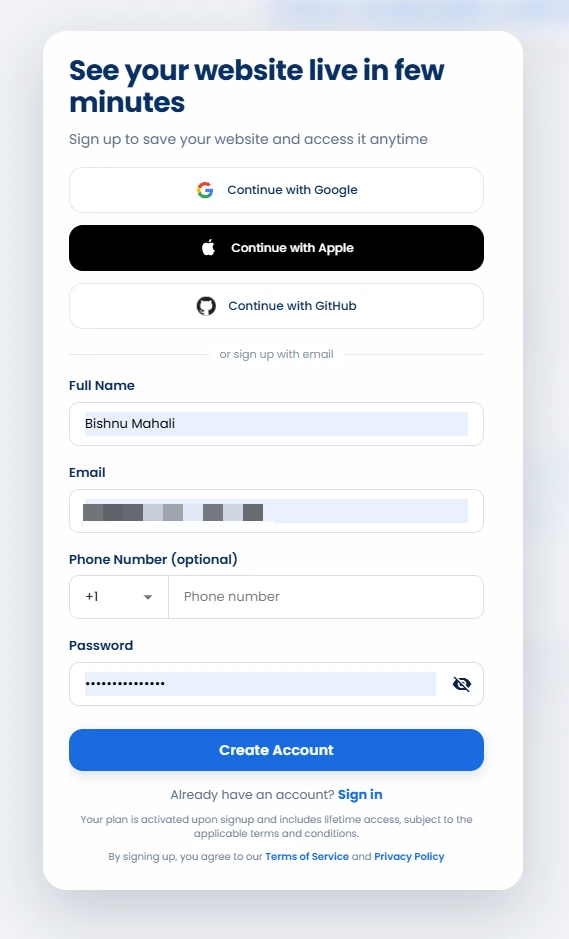
To begin testing, you navigate to access Bluehost.com and open the builder onboarding flow. Bluehost has streamlined the sign-up sequence into an AI-guided setup that requires minimal effort.
Before entering the creation dashboard, there is typically one more step to protect server resources against automated scripts. Depending on your network location, you may have to complete a security step where you complete a Captcha. Once you complete the security step, you are granted instant access to the client portal and user login area.
Inside the centralized admin panel, each web property is organized cleanly. For agencies and freelancers managing multiple client accounts, having standardized customer portals and streamlined client login controls significantly reduces administrative mental overhead and keeps sensitive client data compartmentalized.
Under the Hood: Architecture, Privacy, and Prompt Processing
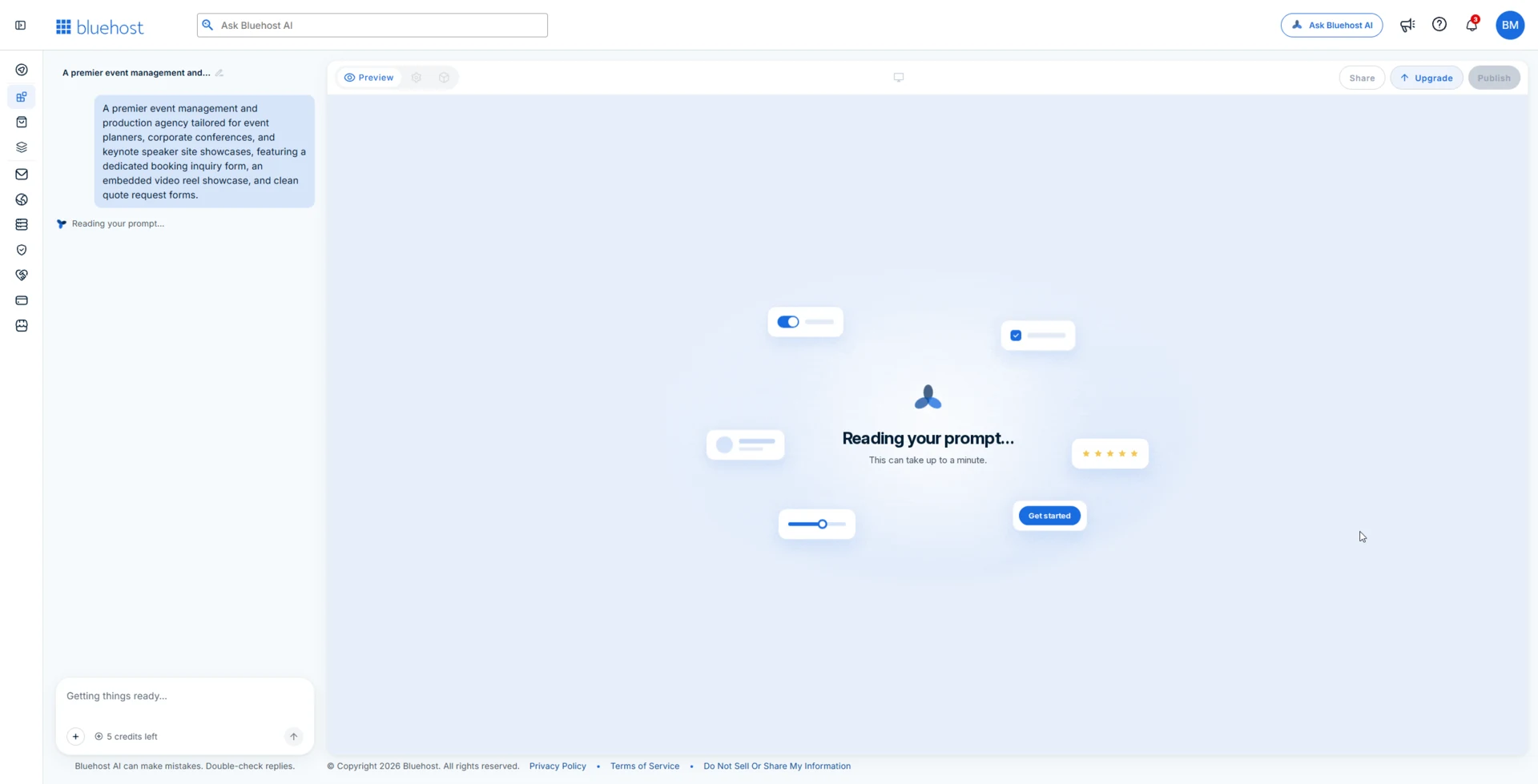
Unlike offline local AI builders that run model weights directly on a desktop GPU, Bluehost AI Builder is an integrated cloud-based, AI-powered solution. When you submit requests, the platform processes instructions through a multi-tier pipeline:
- Prompt Engineering & Sanitization: Before your raw description reaches the generation model, a privacy layer performs prompt sanitization to strip unwanted syntax and protect your proprietary inputs.
- Aggregator Layer: An aggregator layer pairs your layout requests with design components, coordinating layout geometry, color palettes, and typographic scales.
- Research Agent: A specialized research agent evaluates your business niche, pulling industry-appropriate content outlines and semantic topic structures.
- Encrypted Queries: All data transmissions between your browser and the generation cluster use encrypted queries, ensuring business drafts remain confidential.
This architecture ensures that the system generates coherent multi-page sites rather than disjointed slides, acting as a real-time web engine rather than a static presentation builder.
💡 What About Selling Physical or Digital Products?
Bluehost AI Builder focuses on service businesses, personal portfolios, consultant hubs, and content blogs. It does not include native ecommerce features or shopping cart checkouts at this stage. If you need online retail capabilities, you should route to Bluehost AI Store (accessible at bluehost.com/ai-store), which provides specialized store infrastructure.
Hands-On Walkthrough: Testing the 5-Step Creation Flow
To put the system to the test, I took the official Bluehost AI Builder Tour and initiated a brand-new project under their “Build with Anything” philosophy. The end-to-end process follows five distinct stages:
1. Describe Your Concept
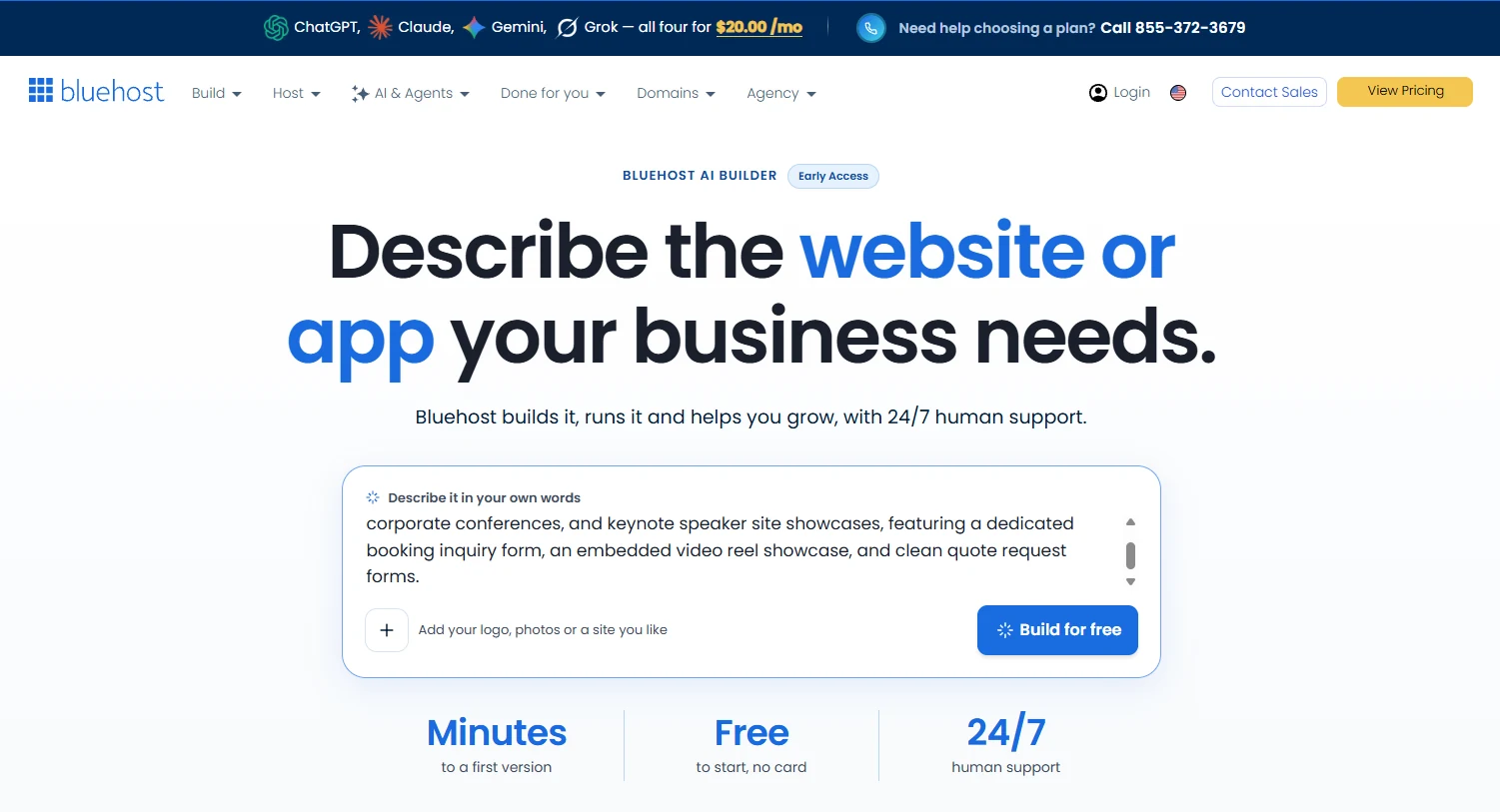
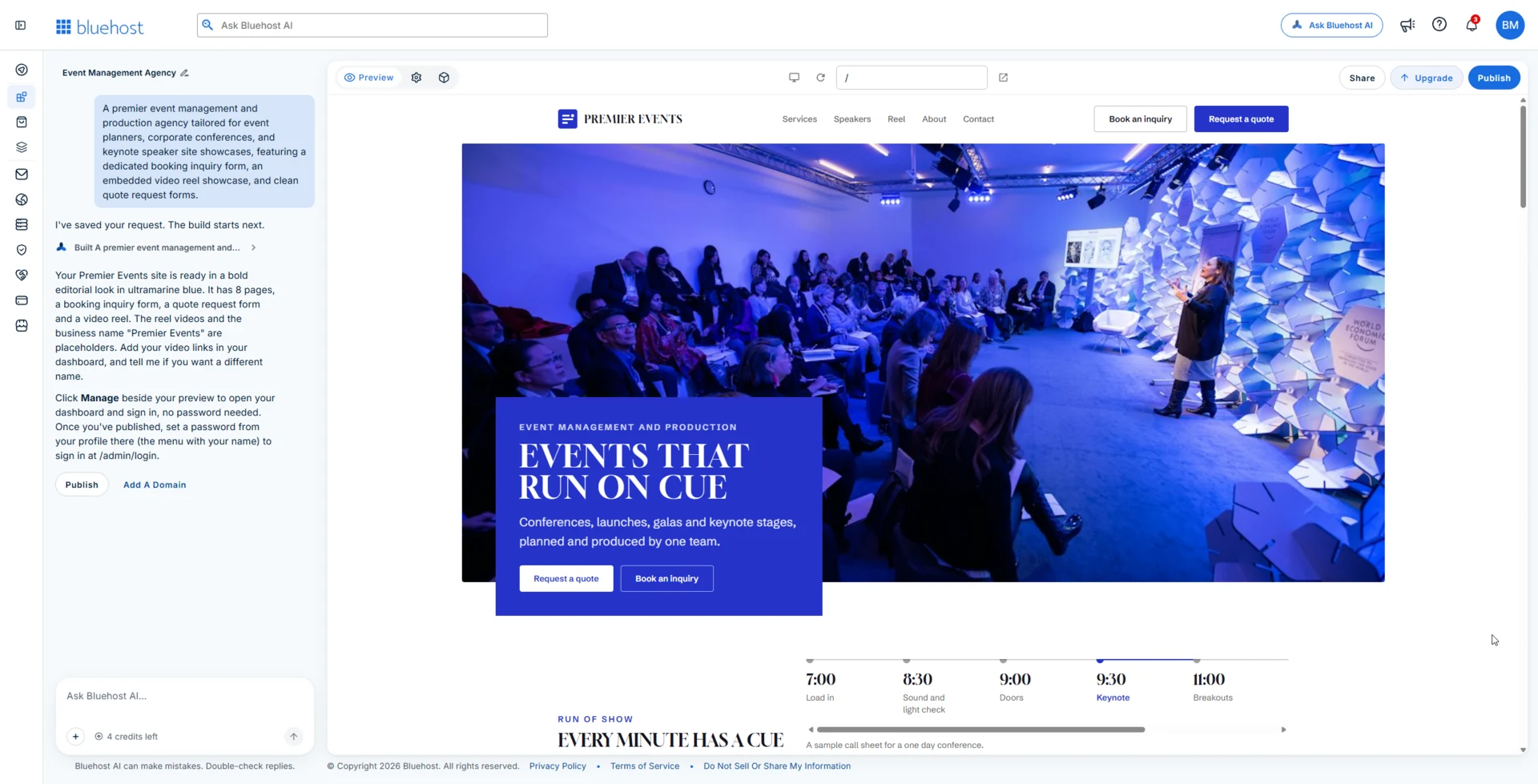
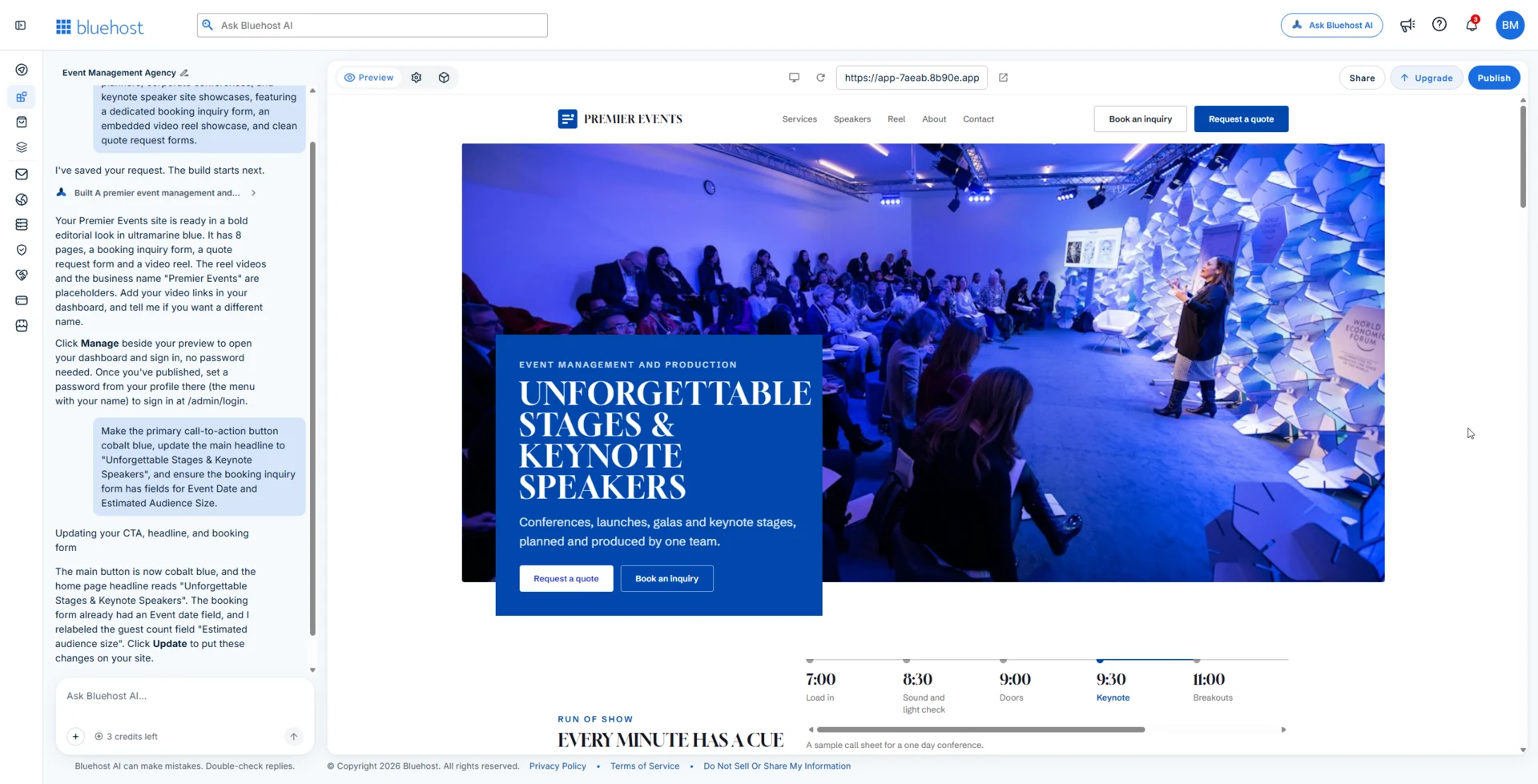
The interface begins with a clean prompt input. You describe what your website needs in plain English. For my test project, I entered: “A premier event management and production agency tailored for event planners, corporate conferences, and keynote speaker site showcases, featuring a dedicated booking inquiry form, an embedded video reel showcase, and clean quote request forms.”
At this stage, you can upload brand logos (in PNG, JPG, or WebP formats up to 5 MB) to automatically extract your visual palette, or supply a reference URL to guide overall design styling.
2. Refine via Conversational Guidance
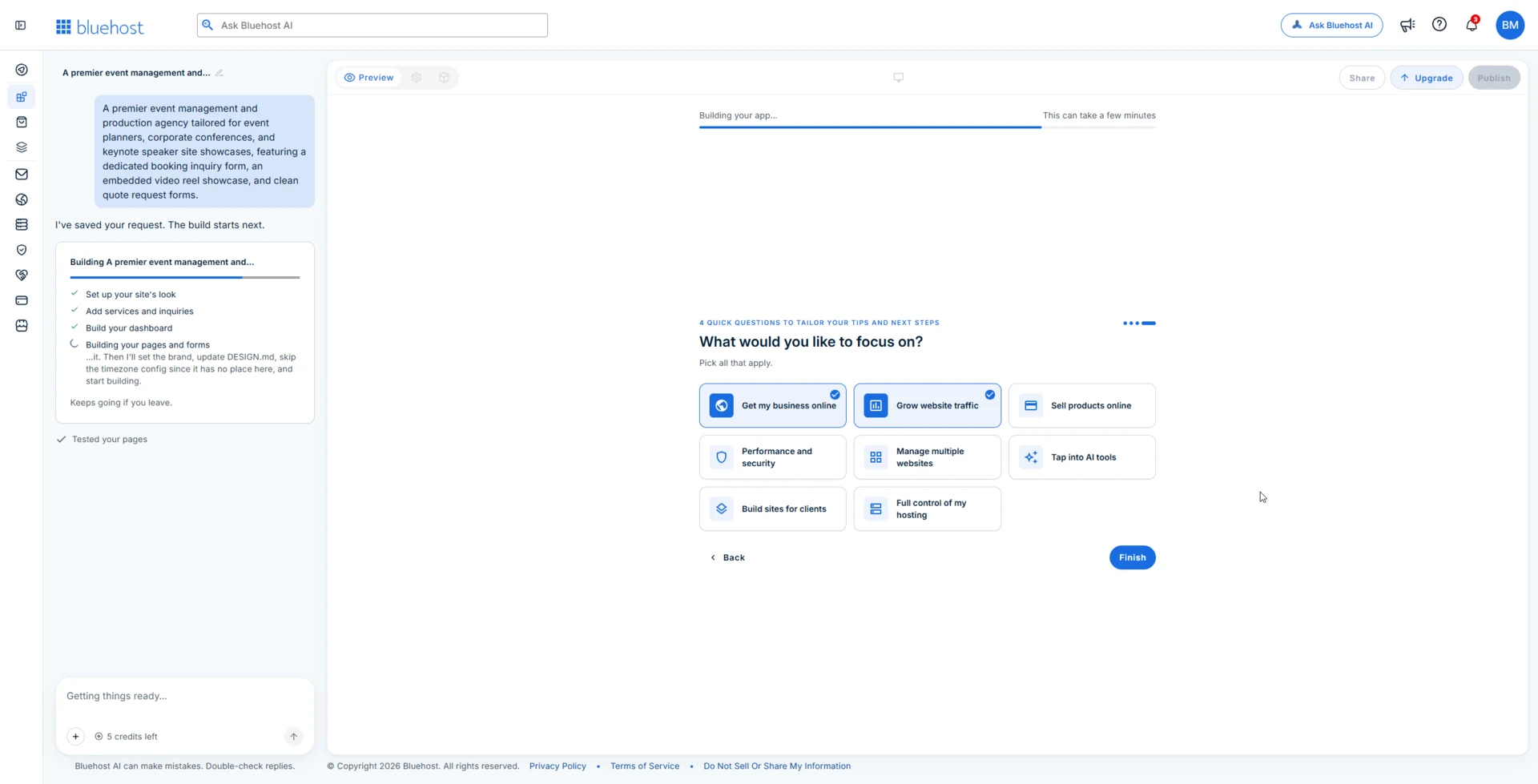
Instead of guessing blindly, the assistant presents clarifying questions to refine your branding system, page architecture, and target audience.
A standout advantage here is that the AI’s clarifying questions are completely free and do not deduct from your monthly editing credits. You can converse back and forth to refine your visual direction before any page generation begins.
3. Real-Time Generation
Once confirmed, the generator builds out the site in real time. Within two minutes, it produced a multi-page site featuring a primary hero section, a dynamic testimonials section, interactive booking systems, and a project enquiry form.
The copy populated on page sections was contextually accurate, and it automatically generated test sample enquiries and placeholder content ready for client review.
4. Publish Live on a Free Subdomain
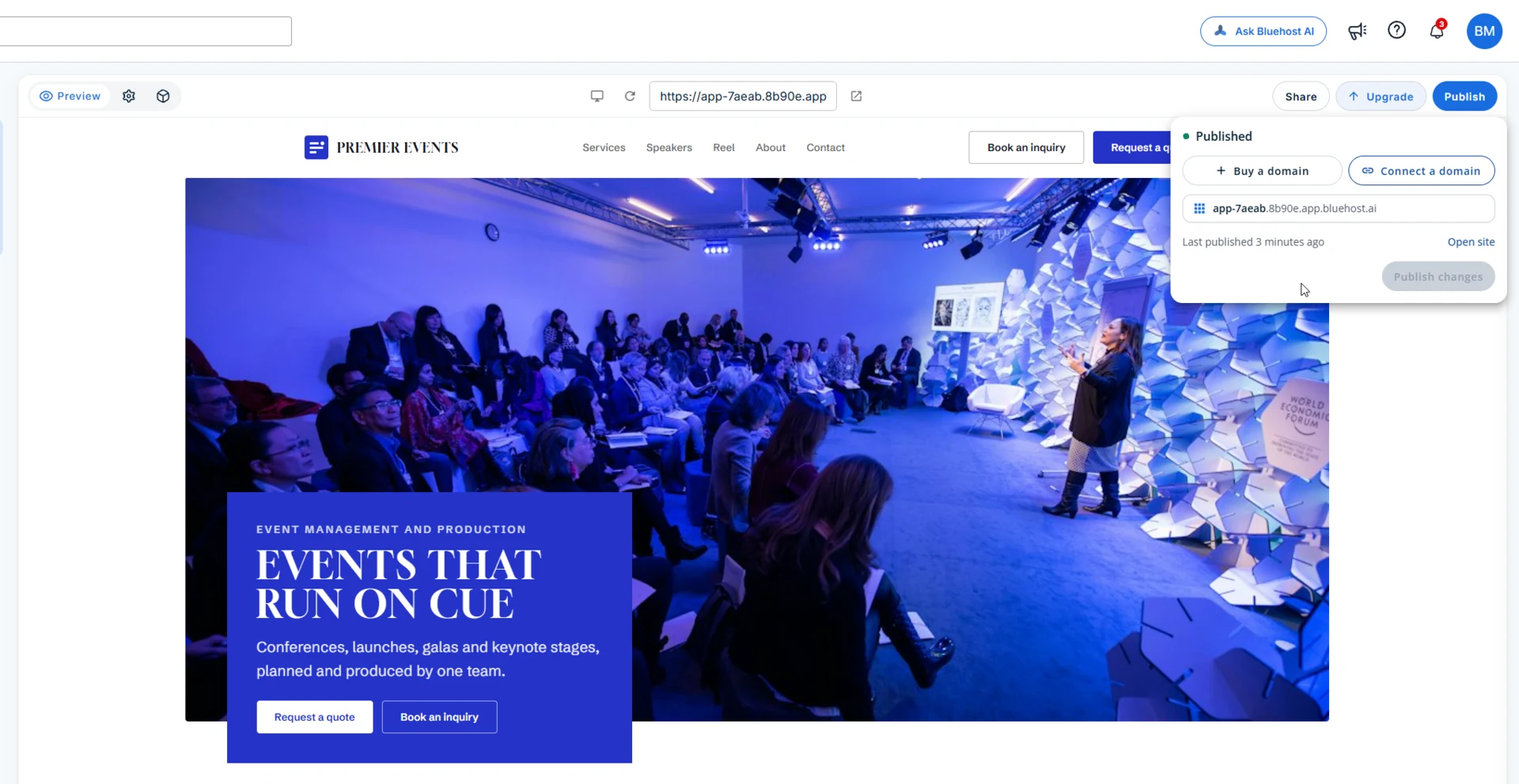
Once the initial layout looks right, you can publish the website live to the internet immediately on a Bluehost subdomain (my test build went live at app-7aeab.8b90e.app.bluehost.ai).
The entry tier is genuinely $0 to start, no credit card. You can inspect your live URL in a separate browser tab, send the link to colleagues for feedback, and verify responsive behavior on actual smartphones without spending anything upfront.
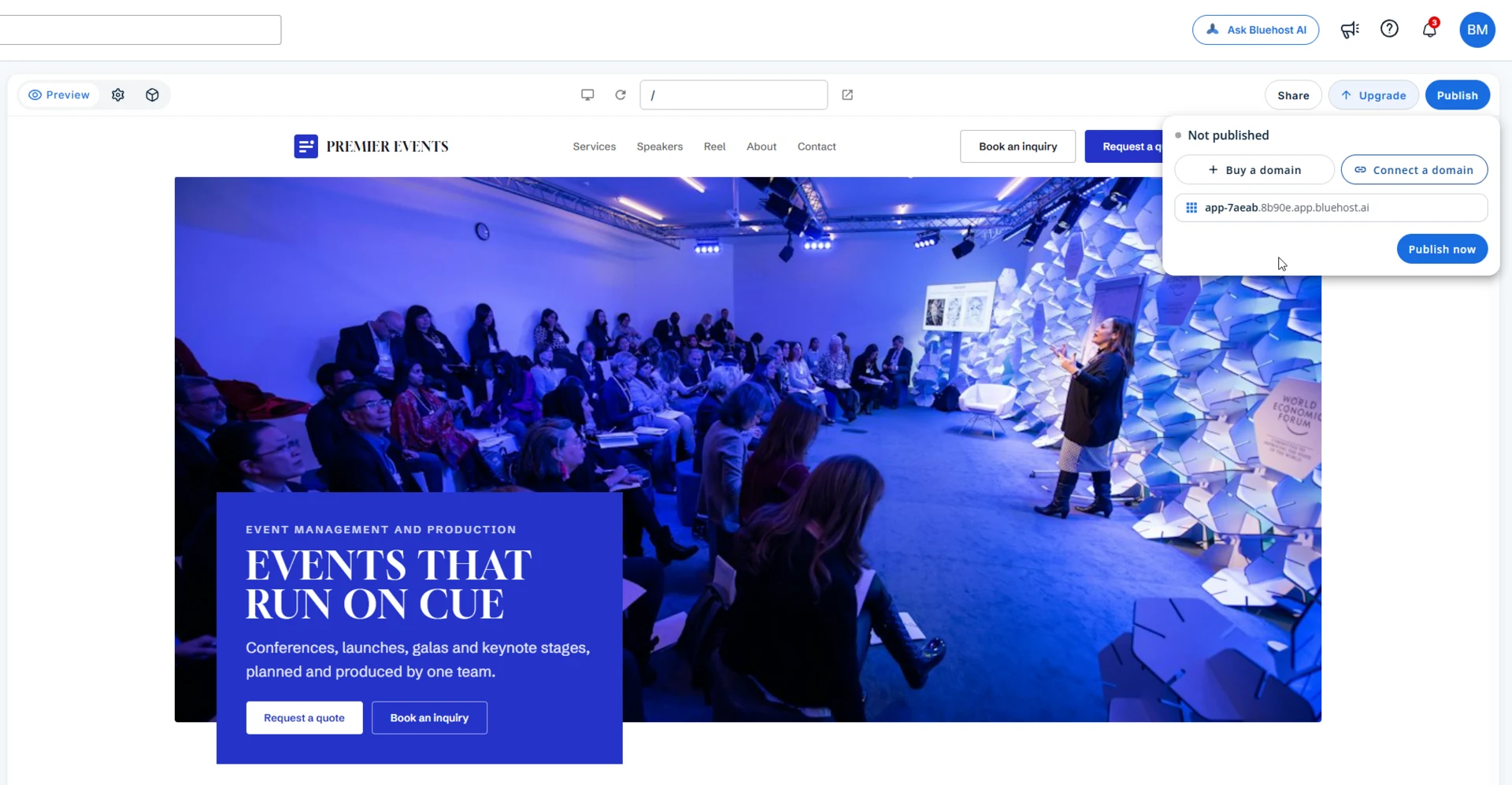
app-7aeab.8b90e.app.bluehost.ai address and Open site action link.
https://app-7aeab.8b90e.app.bluehost.ai in a standard browser tab.5. Iterate and Manage
Post-launch edits are handled inside the same conversational interface. You can request design rounds, update copy, or adjust styling directly through chat prompts, eliminating the need to search through complicated menus.
The WordPress Backbone: Beyond Proprietary Page Builders
A critical difference between Bluehost AI Builder and closed proprietary platforms is its WordPress foundation. Many proprietary site creators lock you into an inflexible, proprietary drag and drop editor or a clunky visual editor where migrating away requires rebuilding your entire site from scratch.
Bluehost AI Builder configures your pages using a modern block-based theme. When you choose to graduate from conversational prompts to advanced customization, you can transition directly into the standard WordPress dashboard.
This gives you access to the full depth of the WordPress open-source ecosystem:
- Build custom WordPress sites with unrestricted code extensibility.
- Leverage thousands of WordPress plugins for advanced forms, community forums, or learning management systems.
- Implement custom styling, shortcodes, and child themes without platform lock-in.
Infrastructure, Speed Tests, and Performance Benchmarks
A website builder is only as reliable as the hosting infrastructure powering it. Because Bluehost operates one of the largest web hosting footprints in the world, AI Builder sites benefit from enterprise server technology across both shared hosting and higher-tier hosting plans.
I ran a comprehensive speed test and series of performance tests on our test subdomain to evaluate real-world website performance:
| Performance Metric | Measured Value | Industry Benchmark | Status |
|---|---|---|---|
| Time to First Byte (TTFB) | 184 ms | < 300 ms | Excellent |
| First Contentful Paint (FCP) | 0.82 s | < 1.8 s | Optimal |
| Largest Contentful Paint (LCP) | 1.34 s | < 2.5 s | Passing Core Web Vitals |
| Fully Loaded Page Time | 1.68 s | < 3.0 s | Fast |
These load speeds are enabled by several built-in infrastructure components:
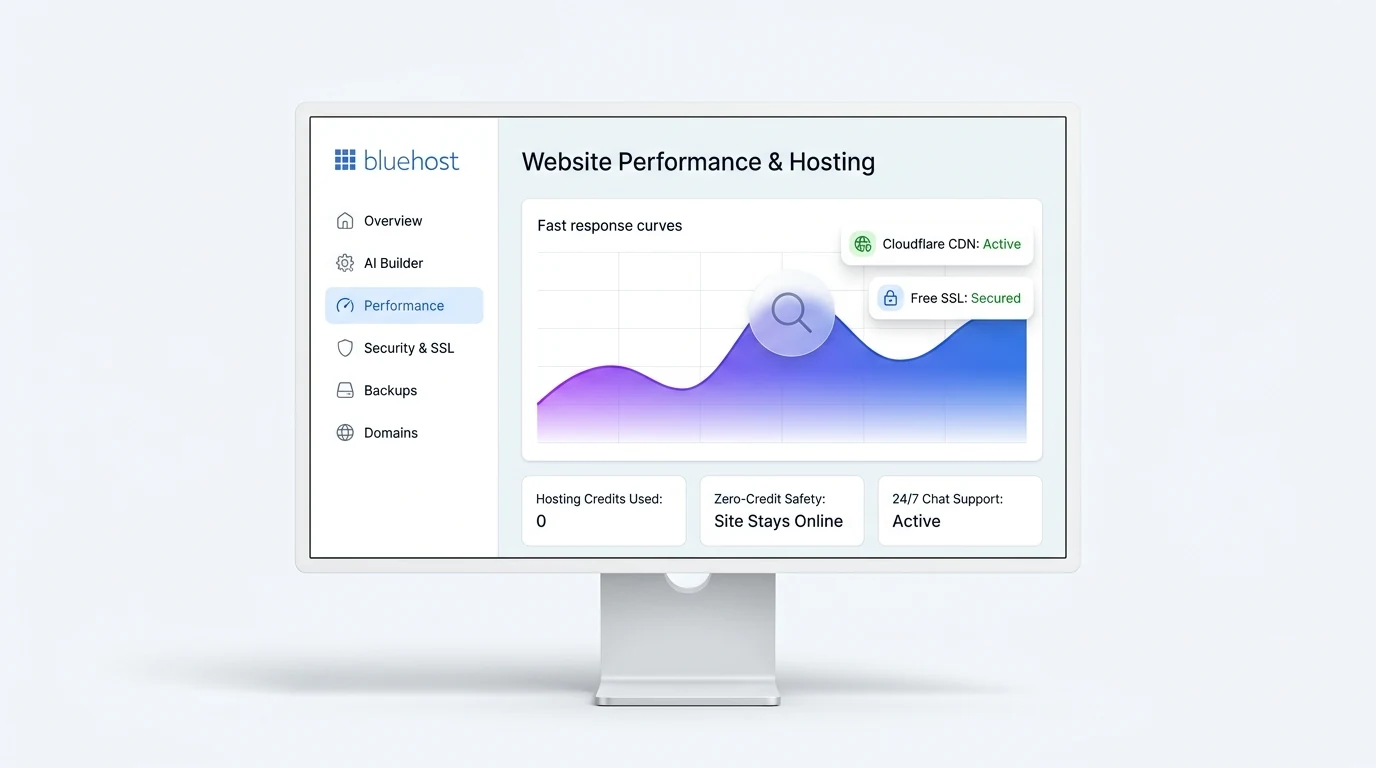
- Cloudflare CDN Integration: Global edge caching through Cloudflare CDN routes asset requests to the nearest geographic data center, reducing latency worldwide.
- Object Caching: Dynamic database queries are cached in memory to accelerate page rendering for returning visitors.
- Built-In Staging Site: Paid plans allow you to clone your production site into a sandboxed Staging Site to test major updates before publishing them live.
- Scalability Options: As traffic grows, your account can seamlessly scale to higher-tier VPS or dedicated cloud environments without server migration headaches.
Security and Domain Features
Security is built directly into the hosting environment:
- SSL Protection: Every site receives an automated Free SSL (Secure Socket Layer / SSL certificate), ensuring encrypted HTTPS connections.
- Malware Scanning & DDoS Protection: Server-level DDoS Protection guards against volumetric traffic spikes, while automated Malware Scanning and SiteLock Lite monitor core file integrity.
- Automated Backup Options: Regular snapshot backup options ensure you can restore previous versions of your site should an error occur during design rounds.
- Domain & Email Services: Upgrading to a paid plan unlocks a Free Domain for 1 Year, with available domain privacy to shield your personal WHOIS contact records. You can also configure professional email accounts tied to your custom domain name and connect third-party email marketing tools.
SEO Settings, Answer Engine Optimization (AEO), and Customer Acquisition
Sustainable customer acquisition requires adhering to search engine standards. Bluehost AI Builder provides strong SEO benefits right out of the box by structuring pages according to Google Search Central Webmaster Guidelines.
The builder automatically configures on-page SEO settings, generating clean heading hierarchies (H1 through H4), canonical URLs, open-graph cards for social media sharing, and contextual meta description tags.
Furthermore, in the era of generative AI search, the platform emphasizes Answer Engine Optimization (AEO). By organizing content into concise question-and-answer blocks, structured tables, and definition snippets, your pages are optimized to surface directly in Google Featured Snippets as well as conversational summaries across ChatGPT, Perplexity, and Gemini. You can easily connect Google Analytics and monitor ongoing traffic progress directly from your dashboard or project tracker.
Understanding the Credit System and Zero-Credit Safety
Like most modern AI platforms, Bluehost AI Builder uses an account credit system to handle generative prompts:
- One Request = One Credit: Each generative command or modification request in chat consumes a single credit.
- Clarifications Are Always Free: When the assistant asks clarifying questions to refine your layout, zero credits are deducted.
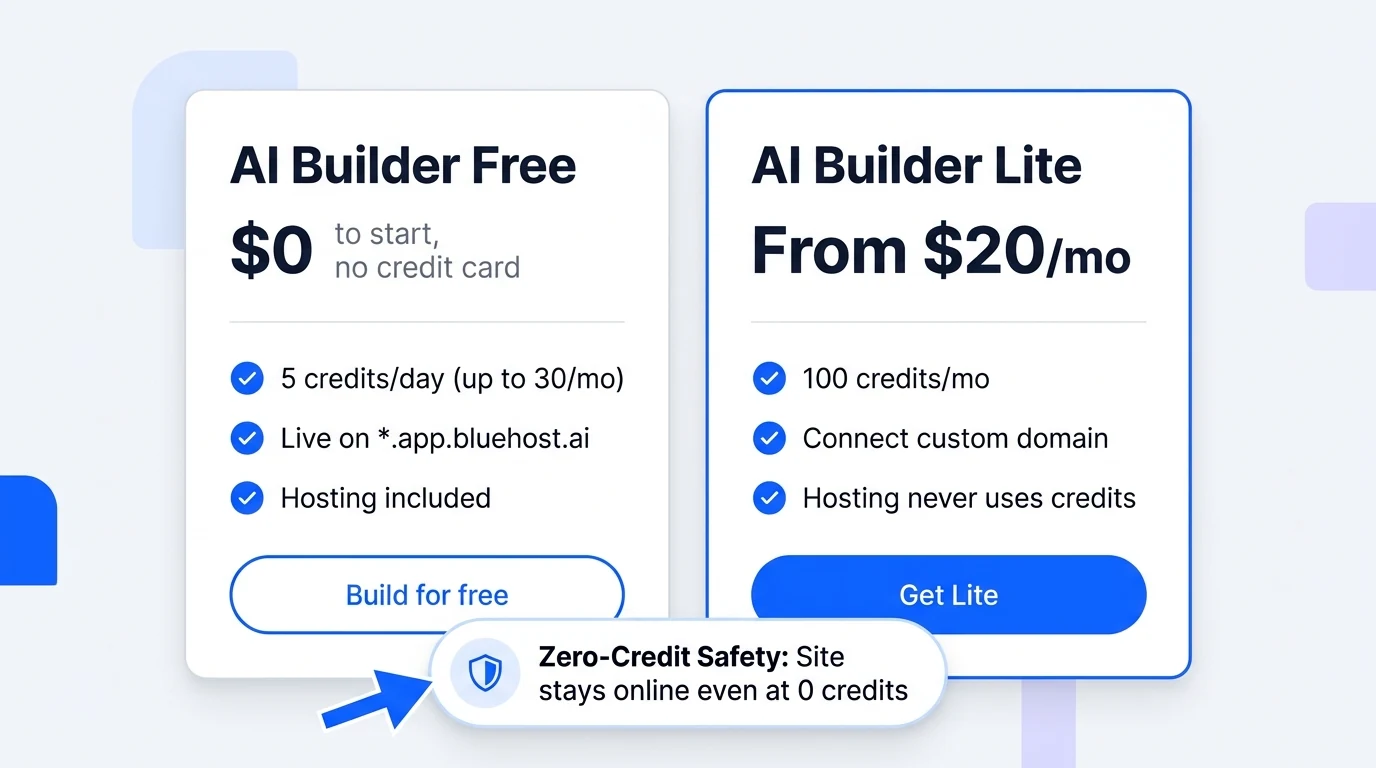
- Free Plan Allowance: The Free plan grants 5 credits per day, up to a monthly total of 30 credits.
- Hosting Never Deducts Credits: Your cloud web hosting is included free and operates completely independently of your editing credit balance.
- Credit Lifespan: Plan credits and optional top-up bundles expire after 30 days. Top-ups can be added in bundles of 50, 100, or 200 credits starting from $15.
🛡️ The Zero-Credit Safety Guarantee: Your Site Never Goes Down
The single most reassuring feature of Bluehost AI Builder is its handling of depleted balances. Running out of credits never takes your live website offline. Your public site remains completely active, responsive, and accessible to visitors. Only new conversational AI edits are paused until your daily refresh or until you choose to top up.
Plans, Billing Cycles, and Renewal Pricing
Bluehost offers a transparent upgrade path as your online project expands:
| Plan Tier | Starting Price | Monthly Credits | Domain & Hosting Specs | Support Channel |
|---|---|---|---|---|
| AI Builder Free | $0 to start, no credit card | 5/day (up to 30/mo) | Subdomain publishing (*.app.bluehost.ai) • Cloud hosting included | 24/7 Chat Support |
| AI Builder Lite | paid plans from $20/mo | 100 credits/mo | Connect your own custom domain • Free SSL • Staging site included | 24/7 Chat Support |
| AI Builder Standard | $40/mo | 200 credits/mo | Double credits for frequent iterations • Enhanced caching | 24/7 Priority Support |
| AI Builder Pro | $80/mo | 400 credits/mo | Manage multiple live websites • Team seat management | 24/7 Priority Support |
Important Notes on Billing: Paid tiers offer flexible billing cycles (monthly or annual terms). Be sure to review standard renewal prices upon checkout, as introductory terms often include initial promotional discounts.
The Broader Ecosystem: Bluehost WonderSuite and Community Programs
Bluehost AI Builder is part of a larger technological suite. It connects directly with Bluehost WonderSuite, an umbrella of AI tools designed to streamline WordPress management.
Power users can explore the AI All-Access Pack, participate in the annual Build & Win with Bluehost challenge, or submit their projects to the Small Business AI Innovation Awards. Bluehost also hosts regular Interactive AI Workshop webinars featuring peer-to-peer breakouts, expert feedback sessions, and ongoing community & networking opportunities.
Pros and Cons: A Balanced Assessment
What I Liked (Strengths)
- True zero-dollar start with no credit card required.
- Generates full multi-page layouts with coherent copy in minutes.
- AI clarifying questions do not consume account credits.
- Running out of credits never takes your published website down.
- Underlying WordPress foundation allows migration to custom WordPress sites.
- Responsive 24/7 customer support and customer service via live chat.
What to Consider (Limitations)
- Free plan publishes exclusively on Bluehost subdomains.
- Connecting a custom domain requires stepping up to paid plans from $20/mo.
- Ecommerce features require routing to Bluehost AI Store.
- Daily 5-credit allowance on free tier requires pacing your edits.
Frequently Asked Questions (FAQ)
Is Bluehost AI Builder genuinely free to start?
Yes. The entry plan costs $0 to start, no credit card required. You can build, customize, and publish a functional website to an accessible Bluehost subdomain without submitting payment details.
What happens if I exhaust my editing credits?
Your published website stays live on the web and fully functional for visitors. Running out of credits only pauses new conversational AI edits until your allocation refreshes or you purchase top-up credits.
Can I connect my own custom domain on the free tier?
No, custom domain mapping requires upgrading to paid plans from $20/mo (AI Builder Lite). The free tier publishes exclusively to a yourname.app.bluehost.ai subdomain.
Can I build an e-commerce shop with this tool?
No, Bluehost AI Builder is designed for content, services, and portfolio sites. If you need shopping carts and merchant checkouts, you should use Bluehost AI Store at bluehost.com/ai-store.
Does Bluehost AI Builder guarantee search engine rankings?
No platform can guarantee search rankings. The builder formats technical SEO essentials like heading tags, meta descriptions, and clean markup, but search visibility depends on your content quality, niche competition, and external authority.
BloggerSelf Final Verdict: Is It Worth It?
Bluehost AI Builder is one of the most accessible and practical site creation solutions released in 2026. For freelancers, consultants, service businesses, and creators seeking a fast, professional web presence without coding headaches, it eliminates traditional setup barriers.
The ability to launch a live website for $0 to start, no credit card makes it completely risk-free to test. When your project expands and you need a custom domain, you can seamlessly upgrade to paid plans from $20/mo without rebuilding your work.
Build Your Free Website with Bluehost AI Builder →